- 43 -
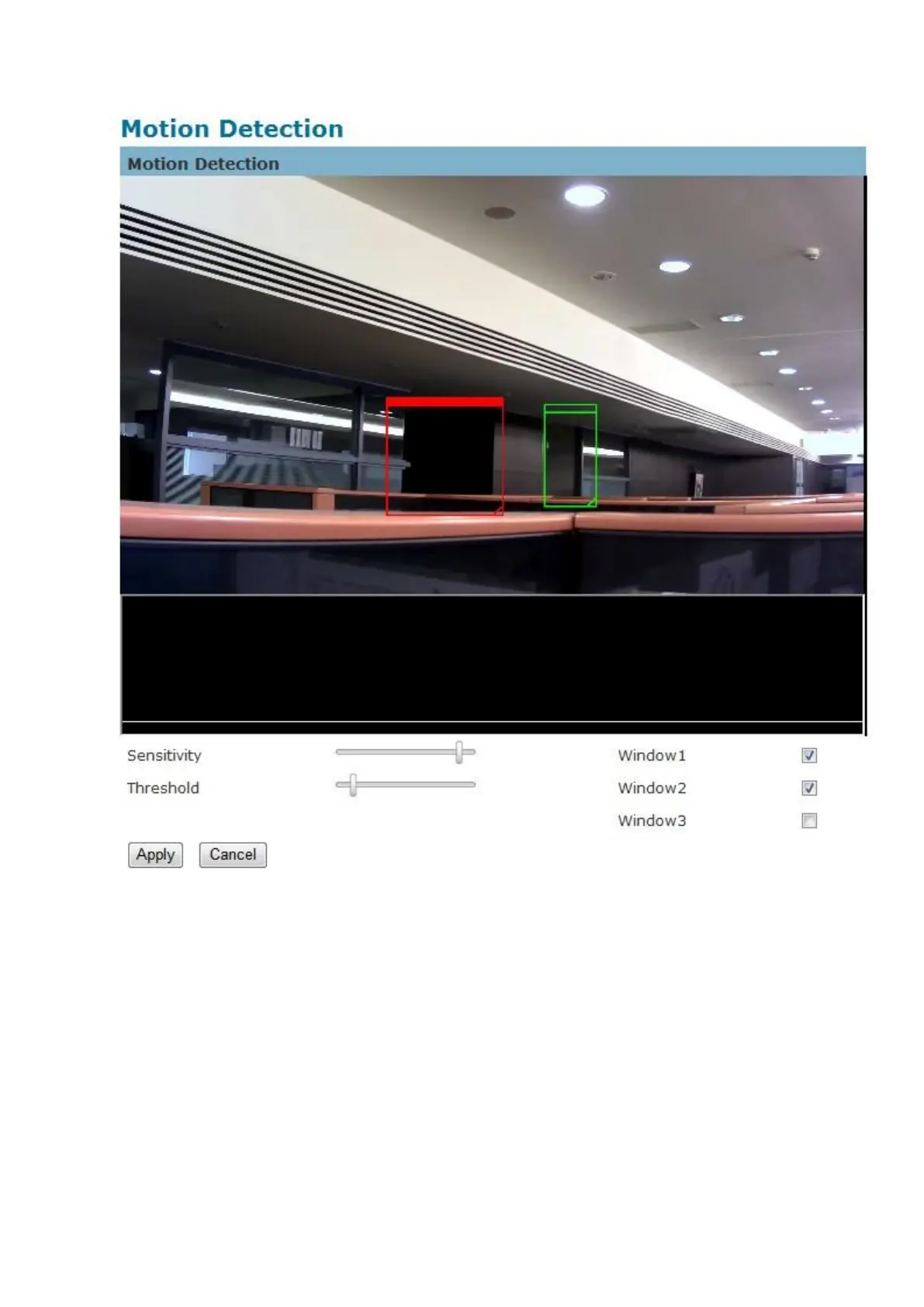
Detection Setting – Use this setting to enable and define the motion detection windows. The
user can defined up to three areas on the live view window for motion detection.
1. Select <Window1>, <Window2>, or <Window3> to adjust the motion detection window.
2. Check the box to enable the window.
3. Use the mouse to resize or move the motion detection window.
4. Adjust the “Sensitivity” level. Lower sensitivity levels will result in more activity needed
to trigger an event.


 To Next Page