EasyManua.ls Logo

LevelOne FGU-5021 - Page 3

LevelOne FGU-5021
15 pages
Print Icon
To Next Page IconTo Next Page
To Previous Page IconTo Previous Page
Loading...
3
ENGLISH
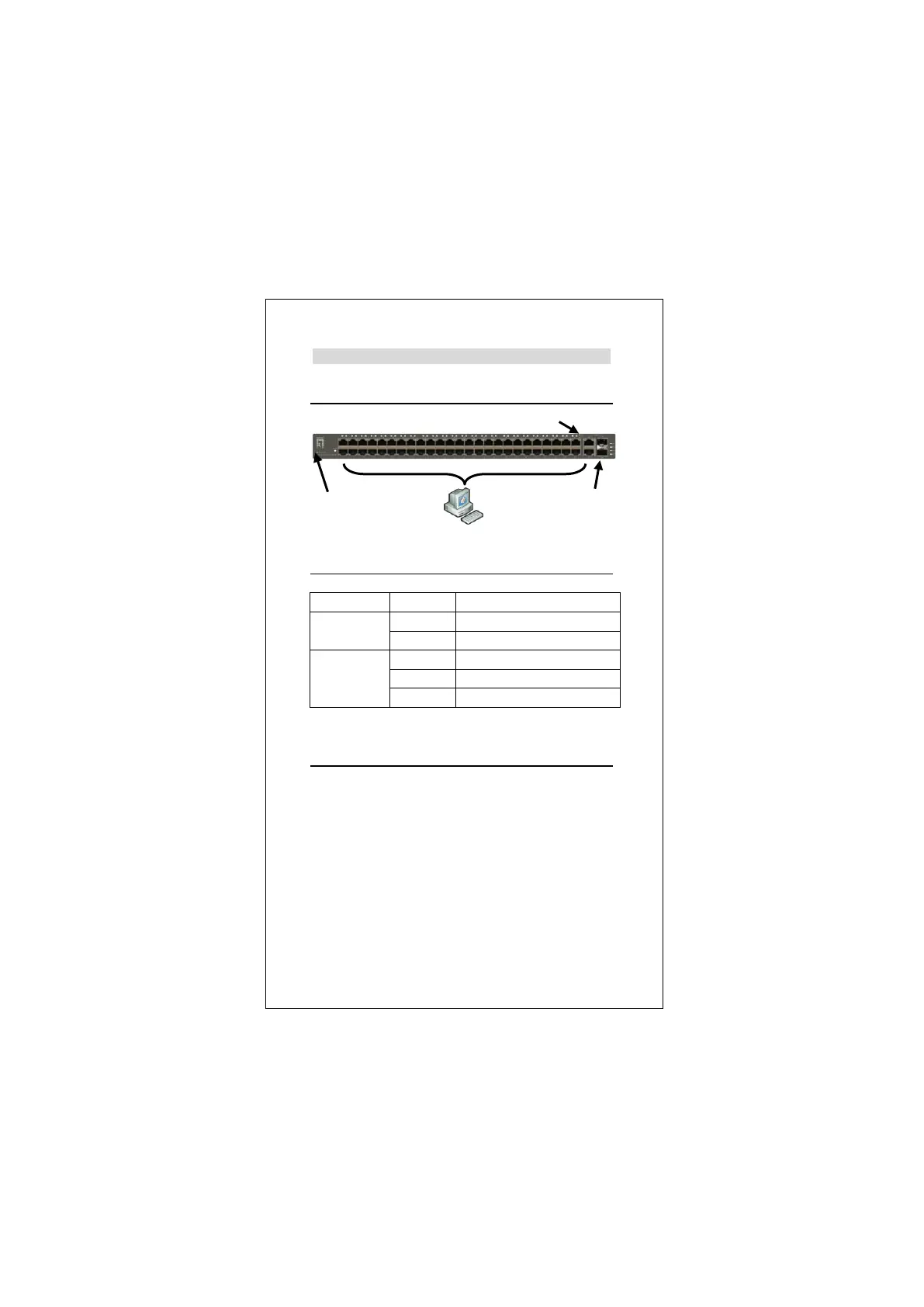
Installation
LED Indicator
Connecting Equipment
Step1. Inspect the Power Adapter carefully, and make sure
that it is properly connected to a power source.
Step2. Plug-in the Power to the Switch.
Step3. Connect your network devices with the switch by
using Ethernet cable. (e.g. Cat-5e)
LED Indicator
Status
Meaning
Power
On
Power is on.
Off
Power is off.
Link/Act
On
Port is connected
Blinking
Transmitting / Receiving data
Off
Port is not connected
Power
Link/Act
SFP

Related product manuals