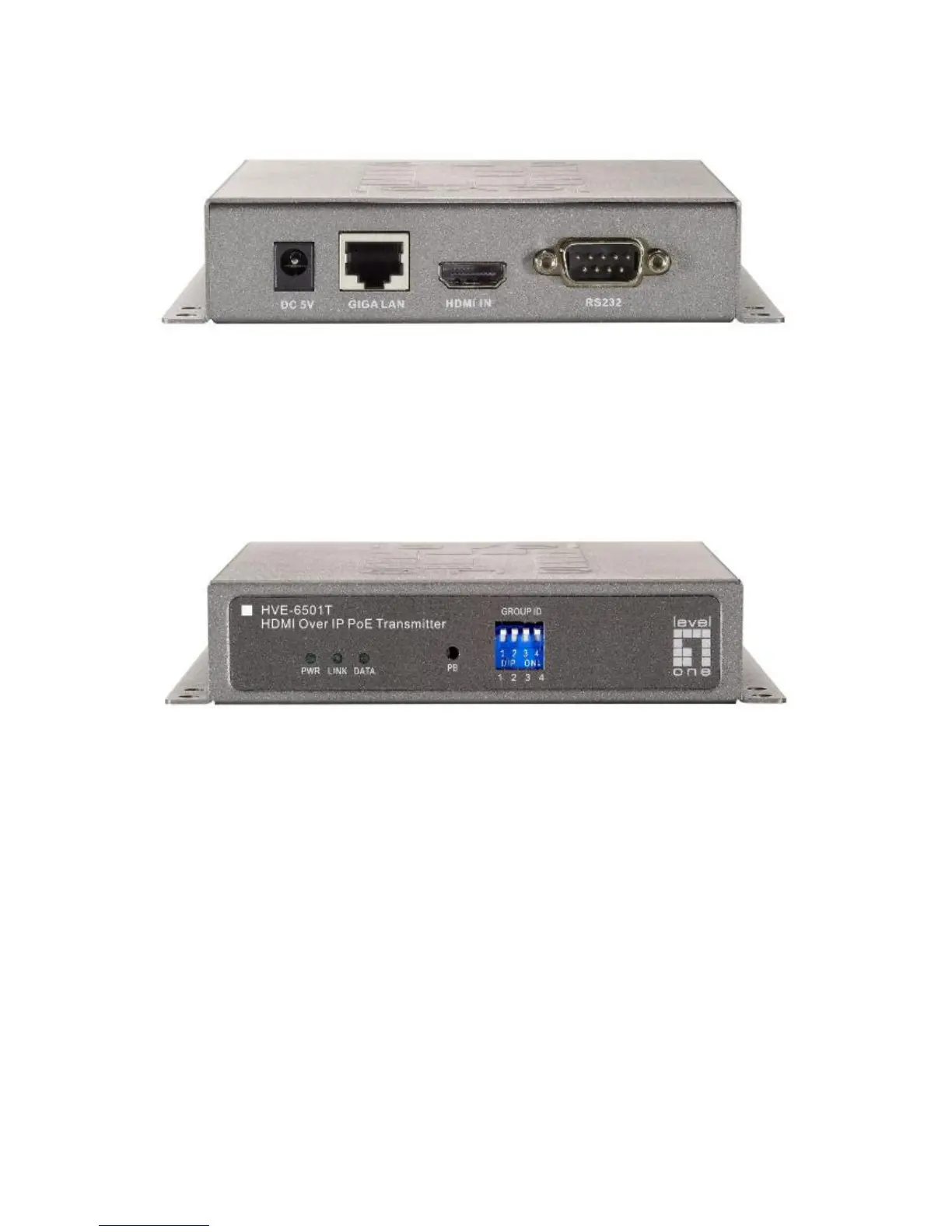
Installation:
HVE-6501T Transmitter
1. DC5V: Connect it to the external AC adapter which plugs into an electrical
outlet. Or via 802.3af PoE PSE to GIGA LAN port.
2. GIGA LAN: Connect directly to a Receiver or to a GIGA(1000Mbps) Ethernet
Switch using CAT5e/6 cable.
3. HDMI IN: Connect to an HDMI source device with an HDMI M-M cable. Use an
HDMI --> DVI adapter if the source is DVI.
4. RS232: Connect to the RS232 port of the device you want to configure.
LEDs , button and Group ID setting
1. POWER LED Blinking: power on and the unit is booting up.
2. POWER LED On: power on and the unit is active.
3. LINK LED Off: LAN is not connected.
4. LINK LED On: LAN is connected.
5. DATA LED Blinking: if Transmitter is connecting with LAN, or the HDMI
source is removed.
6. DATA LED On: All the connections are working.
7. RESET Button: change Link / Unlink; Engineering Mode and Reset to default
using this button. Please to see the RESET Button Descriptions.
8. GROUP ID: Set up the Transmitter’s group ID by adjusting the 4-pin DIP switch,
ON means “1”, OFF means “0”, there are 16 groups available to set up.
Multicast IP Address
255.0.0.XXX & 255.0.1.XXX, the XXX are resolved by the 4-pin DIP Switch on the
Transmitter.



 To Next Page