EasyManua.ls Logo

LevelOne KVM-8901US - Panel Control and OSD Function; Auto-Tune; Contrast; Brightness

LevelOne KVM-8901US
22 pages
Print Icon
To Next Page IconTo Next Page
To Previous Page IconTo Previous Page
Loading...
- 5 -
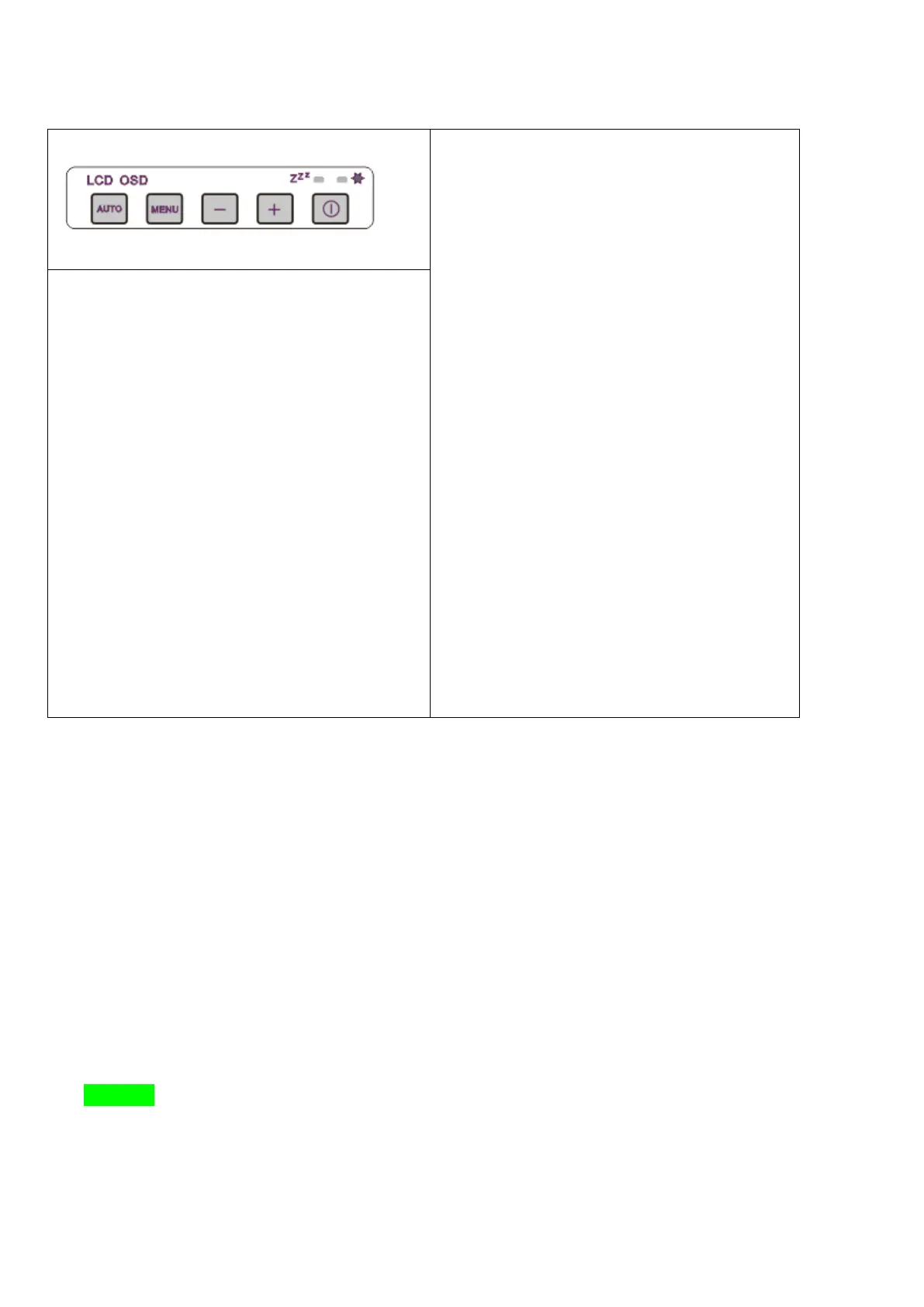
2. Panel Control and OSD Function
LCD OSD Menu-Tree
1. Color
a. Contrast
b. Brightness
c. Color Adjust
d. Color Temp
2. Image Setting
a. Clock
b. Phase
c. Sharpness
d. H.Position
e. V.Position
3. OSD Menu
a. OSD H.Pos.
b. OSD V.Pos.
c. OSD Timer
d. Language
Auto-Tune (A):
[1] Auto setting
[2] Exit
Menu (M) :
[1] Activate OSD menu
[2] Select the item
Up / Left (-):
[1] Scroll up the menu bar
[2] Decrease setting
Down / Right (+):
[1] Scroll down the menu bar
[2] Increase setting
Power:
Turn on or off the LCD
2.1 Auto-Tune
Press the “Auto Tune” button. The panel will adjust the display size automatically and also tune the
panel to its best condition.
2.2 Contrast
(1) Press the “Menu” button.
(2) Use the “Up” or “Down” button to scroll to the item “Color”.
(3) Press the “Menu” button to enter.
(4) Use the “Up” or “Down” button to scroll to the item “Contrast”.
Contrast
Brightness
Color Adjust
Color Temp


Related product manuals