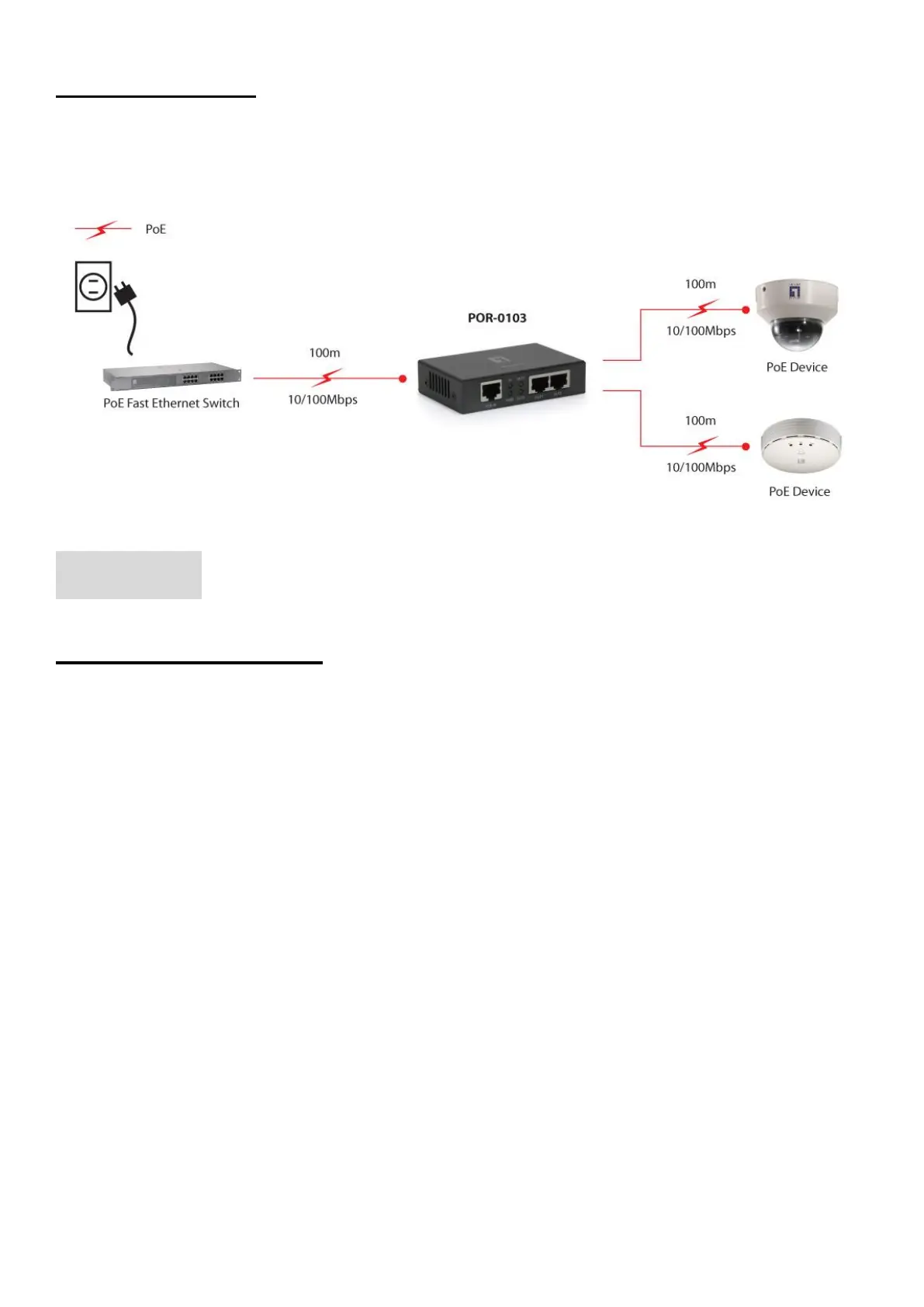
Product Diagram
English
Hardware Installation
Step 1: Connection to Power over Ethernet Switch
A. Connect one of the Ethernet Switch port with PoE power supply to the PoE IN port of
POR-0101/0103 as the following connection.
B. and PoE will turn on indicating the PoE and Ethernet
connection.
C. PoE IN
Step 2: Connection to PoE PD
D. port of POR-0101/0103 to power up the PD device as the following
connection.
E. The LED indicatorPoE OUT will turn on indicating the PoE and Ethernet connection.
F. PoE OUT
** Note: If the Ethernet cable is not standard CAT5 cable, the POR-0101/0103 may be working for
shorter length than 100 meter.



 To Next Page