4
Outdoor Slave
Master
Master
Outdoor Slave
RJ-45 Cable
Performance for AWG 24 Line with 40W Power Injector (Distance A=1m)
Line Rate (Mbps) Distance B (Meter) Distance C (Meter)
Max. PoE Output
Power (Watts)
60/60 100 100 20
60/60 200 100 13
50/50 300 100 7
40/40 400 100 NA
20/20 500 1 NA
Quick Guide
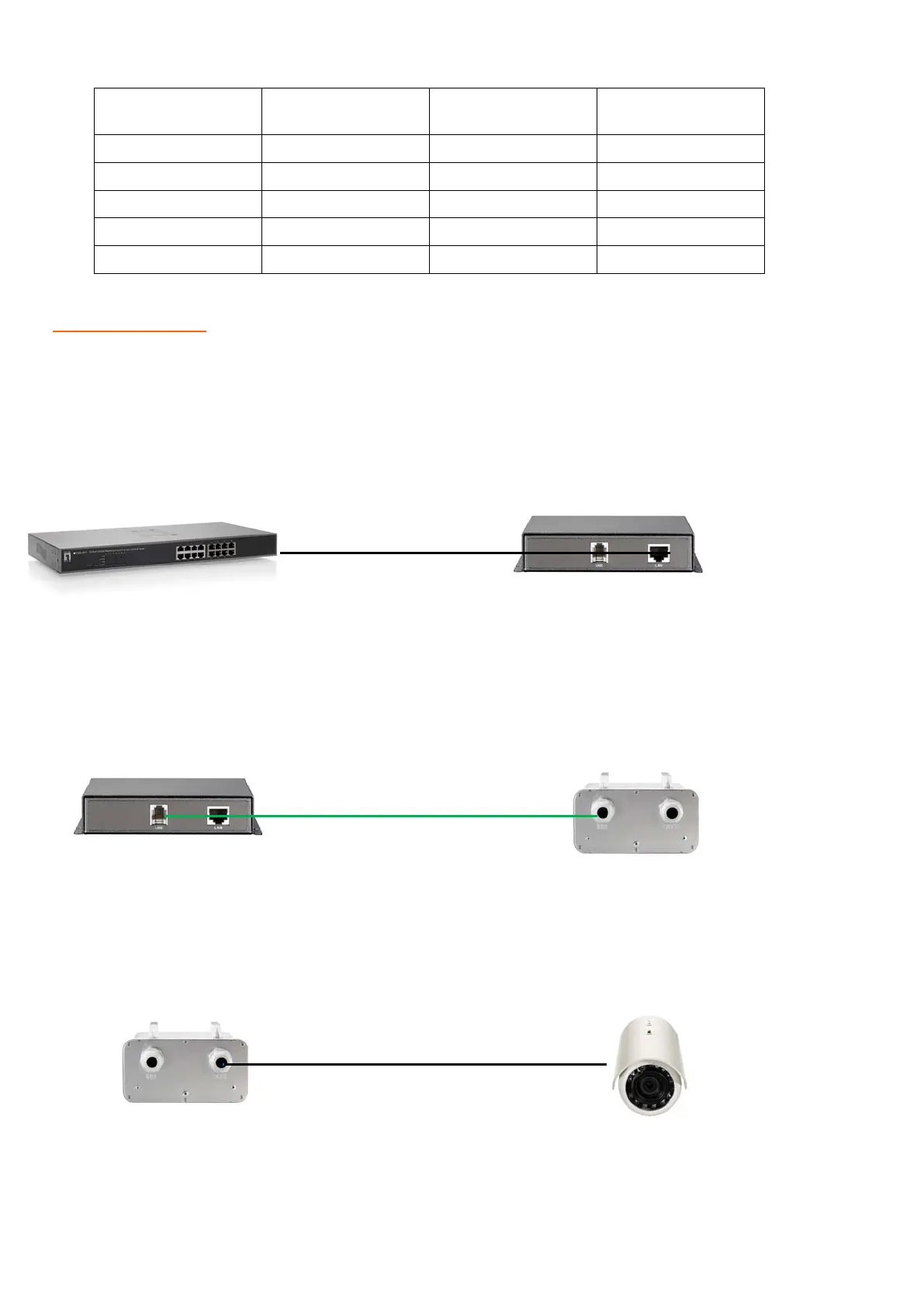
1. Connect one of the Ethernet Switch port with PoE power supply to the LAN port of POT-0100 (Master) as
the following connection.
2. Connect the LINE port of POT-0100 (Master) to POT-1110 (Ourdoor Slave) LINE port (Use RJ45
Connect PIN4 & PIN5) as the following connection.
3. Connect the LAN port of POT-1110 (Outdoor Slave) to power up the PD device as the following
connection.
4.
Power on PSE Source. POT system will start handshaking .When LINE LED is always on, The POT
system is connection ready.
V1.0
PD Device



 To Previous Page