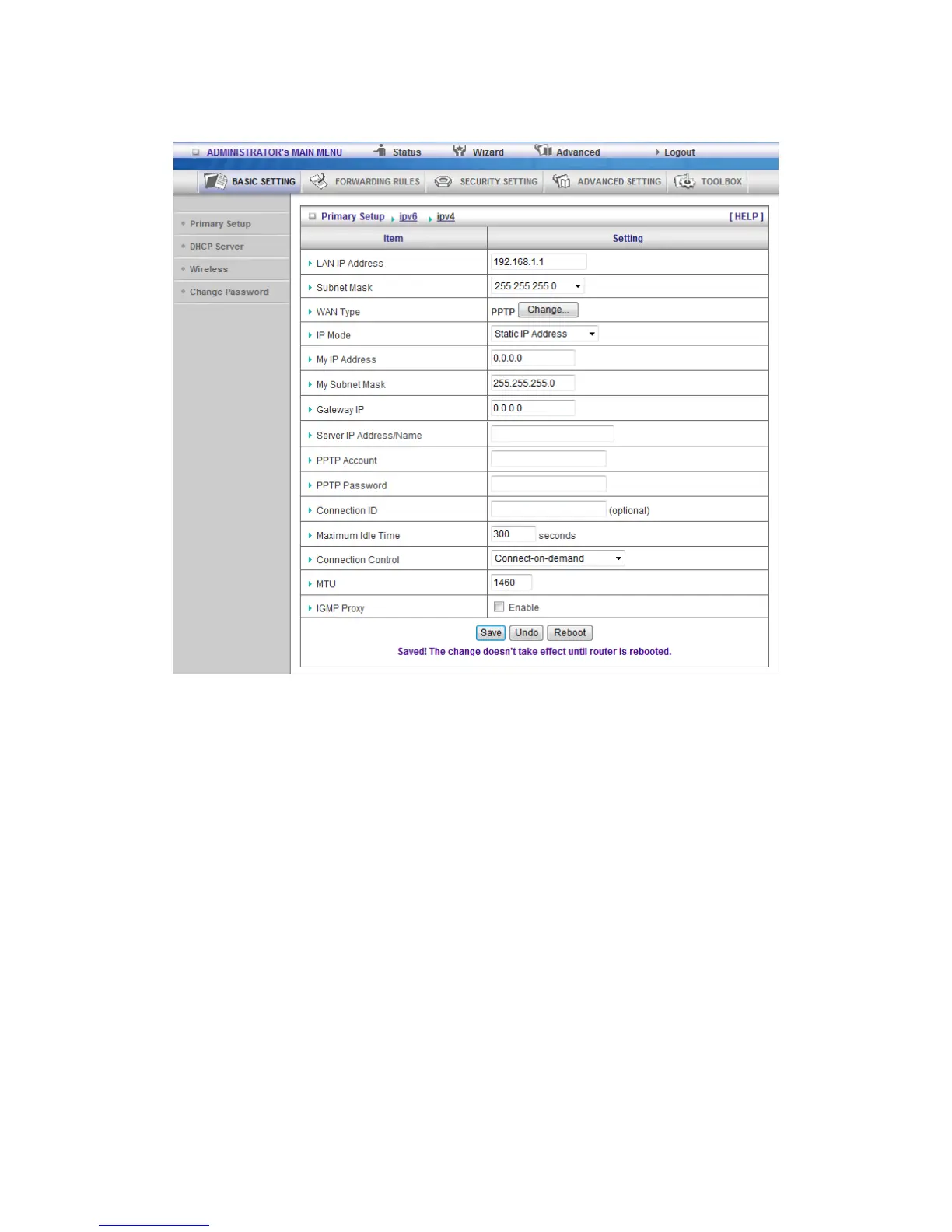
PPTP: Some ISPs require the use of PPTP to connect to their services
First, Please check your ISP assigned and Select Static IP Address or Dynamic IP Address.
1. My IP Address and My Subnet Mask: the private IP address and subnet mask your ISP
assigned to you.
2. Server IP Address: the IP address of the PPTP server.
3. PPTP Account and Password: the account and password your ISP assigned to you. If
you don't want to change the password, keep it empty.
3. Connection ID: optional. Input the connection ID if your ISP requires it.
4. Maximum Idle Time: the time of no activity to disconnect your PPTP session. Set it to
zero or enable Auto-reconnect to disable this feature. If Auto-reconnect is enabled, this product
will connect to ISP automatically, after system is restarted or connection is dropped.
Connection Control: There are 3 modes to select:
Connect-on-demand: The device will link up with ISP when the clients send outgoing packets.
Auto-Reconnect(Always-on):The device will link with ISP until the connection is established.
Manually: The device will not make the link until someone clicks the connect-button in the
Status-page.













 To Next Page