1.5 Button Definition
Description
WPS
When Wireless is On, press this button (about 1 sec) to execute
WPS function.
Wireless On
When Wireless is off depend as Schedule Rule, Press this
button(about 5 sec) to enable "Wireless Radio".
Reset
1. Press this button then Power on the device
2. Press about 6 second, the device will reset to default then Status
LED flashes per sec in Normal status.
Notice: If Status LED flashes very fast, it means to press this button
too long and please try again.
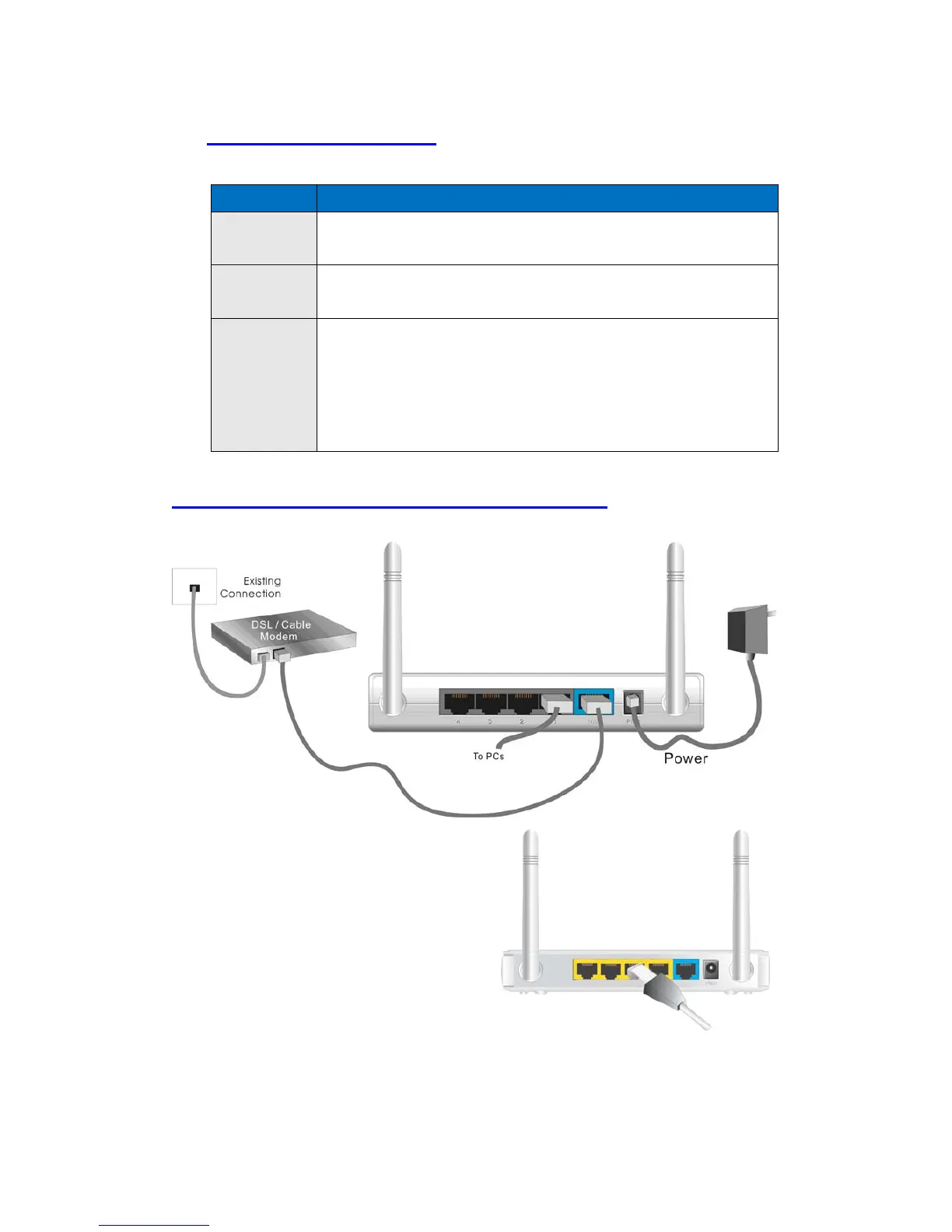
1.6 Procedure for Hardware Installation
Step 1 Insert the Ethernet cable into LAN
Port:
Insert the Ethernet patch cable into LAN port
on the back panel of Router, and an available
Ethernet port on the network adapter in the
computer you will use to configure the unit.













 To Next Page