
 Need help?
Do you have a question about the Leventi COMBIMAT Mastermind and is the answer not in the manual?
Ovens comply with CE-norm, checked via conformity declaration.
Maintenance by specialists using original parts. End-user can do small maintenance after disconnecting power.
Oven usage restricted to food preparations described in this manual.
Caution when removing trays due to product weight. Hold tray securely.
Disconnect power before maintenance. Check cables. Ensure socket accessibility.
Allow oven to cool before maintenance. Heating elements reach high temperatures. Beware of burns.
Booster function equipped with safety features. Do not use with empty oven or for cleaning.
Booster supports preparation. Do not heat liquids in sealed containers. Stir microwaved products.
Procedures for fire, water nuisance, and power failure. Safety first, call services if unsure.
Overview of oven types: Mastermind, Mastermind with Booster, and Digital operation modes.
Oven usage restricted to food preparations described in this manual.
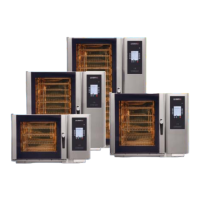
Information on the four different oven types in this range. Details are found elsewhere.
Instructions for operating the main switch and power button to turn the oven on and off.
Details on operating Mastermind and Digital interfaces, including displays, buttons, and symbols.
Explanation of Mastermind preparation methods like Convection, Steaming, Delta-T, and Cook & Hold.
Instructions for turning on the oven using the main switch and power button.
Guide to quickly selecting a product group and profile for Mastermind ovens.
Setting the oven to manual controls for direct operation and parameter adjustment.
Steps for starting preparation on Digital ovens, choosing between time or core temperature.
How to set the oven for continuous operation and use the cooking timer.
Procedure to switch off the oven from the operation panel and disconnect from power supply.
Steps to start a programme by choosing a group and programme, then pressing Start.
How to pause a running programme using the red stop button for later resumption.
Procedure to completely end a running programme using the red stop button.
Guide to setting the oven to manual control and adjusting preparation parameters.
Using the start-delay function to set a specific time and date for programme initiation.
Instructions on how to modify settings like temperature during an active preparation.
Using the table planner to set up to eight independent cooking timers for different items.
Setting default values for cooking timers for consistent preparation times.
Organizing programmes into groups for easier management and optional PIN protection.
Creating new programme groups, with a limit of eight groups.
Procedure for deleting programme groups, only possible if no programmes are assigned.
Modifying existing programmes, including name, phases, or settings.
Creating new programmes, specifying group, name, and up to six phases.
Duplicating existing programmes to quickly create similar ones.
Steps to delete programmes from the system.
Accessing programme details without making changes, using the 'Change programme' option.
Explanation of the tag as a memory card for saving and transferring up to 40 programmes.
Instructions on how to use the tag with the oven, including placement and rules.
Actions available in the tag menu: moving programmes, checking content, and informing readiness.
Procedures for copying programmes or tag content from the tag to the oven's groups.
Methods for copying programmes or entire groups from the oven to the tag.
Managing tag memory, including checking status, deleting programmes, and formatting.
How to end a tag session without saving changes to the tag.
Customizing Mastermind oven settings like language, date/time, start menu, and PIN.
Choosing the oven's display and menu language from three available options.
Adjusting the oven's date and time display to local preferences.
Customizing the initial startup menu for quick access to desired groups or programmes.
Managing the PIN code for menu protection, including setting, changing, and disabling.
Adjusting display contrast and backlight for improved readability.
Configuring the communication port for functions like loading programmes or data logging.
Setting date and time for the Digital oven interface.
Overview of basic techniques: Convection, Steaming, Combisteaming, and Booster function.
Details on methods like Regeneration, Cook&Hold, Delta T, Core temperature, and Baking.
Technique for grilling products using convection, with temperature recommendations for best results.
Utilizing steam and convection simultaneously for enhanced grilling power.
Method for continuous operation using steam and convection, adding sauce afterwards.
Using steam and convection for efficient cooking, steaming, and poaching of products.
Technique for adding finishing color to products using convection, with optional steam.
Safety precautions for maintenance and repairs, using original parts and qualified technicians.
General cleaning guidelines, usage of handshower, and Mastermind cleaning process.
Steps for performing a total cleaning cycle on Mastermind ovens, including intensity settings.
Instructions for cleaning Digital ovens, including fat separator and heating/cooling phases.
How to pause or abort an ongoing cleaning cycle.
Procedure for properly ending a cleaning cycle, including rinsing steps.
Specific safety instructions for cleaning detergent and changing the Safepack.
Cleaning instructions for accessories like stands, trolleys, extractor hoods, and baking trays.
Simple cleaning method for the drain grating using hot water and detergent.
Procedure for flushing the drain with hot water and potential use of Ovenrein.
Steps for manually descaling the oven chamber, especially for direct injection systems.
Procedures for maintaining the oven's boiler, including flushing and decalcifying.
Steps for decalcifying the boiler, prompted by the oven or performed periodically.
Importance of water softener and its maintenance, including flushing.
Routine small maintenance tasks like changing air filter and oven lighting.
Instructions for locating and cleaning the air cooler filter regularly.
Details on replacing the oven's light bulb, including type and article code.
Step-by-step guide for replacing worn-out door seals to ensure proper closure.
Warning against self-resetting after power failure; advises calling a specialized technician.
List of common maintenance messages like 'Boiler needs to be descaled' or 'cleaner empty'.
Common user errors, such as 'no programmes available' or 'PINcode not twice the same'.
Categorization of system errors, including core probe issues and valve malfunctions.
Information on rare but critical fatal errors like 'Security overheating' or 'Computer overloaded'.
Technical specifications for power supply connections, including voltage and consumption values.
Guidelines for oven placement, including horizontal leveling and safety margins.
Information on the oven's internal capacity in terms of trays.
Table detailing oven dimensions (width, height, depth) and weight for different models.
Specifications for water supply connection, pressure, quality, and drainage pipe dimensions.
Information on noise levels and optimal operating temperature range for the oven.
Recommendations for safely transporting the oven, emphasizing correct orientation.
Provides contact details for Levens Cooking & Baking Systems BV, including phone, fax, and email.
 General
| Brand | Leventi |
|---|---|
| Model | COMBIMAT Mastermind |
| Category | Convection Oven |
| Language | English |

 To Next Page