B
B
B
B
A
B
B
B
B
A
Page 6
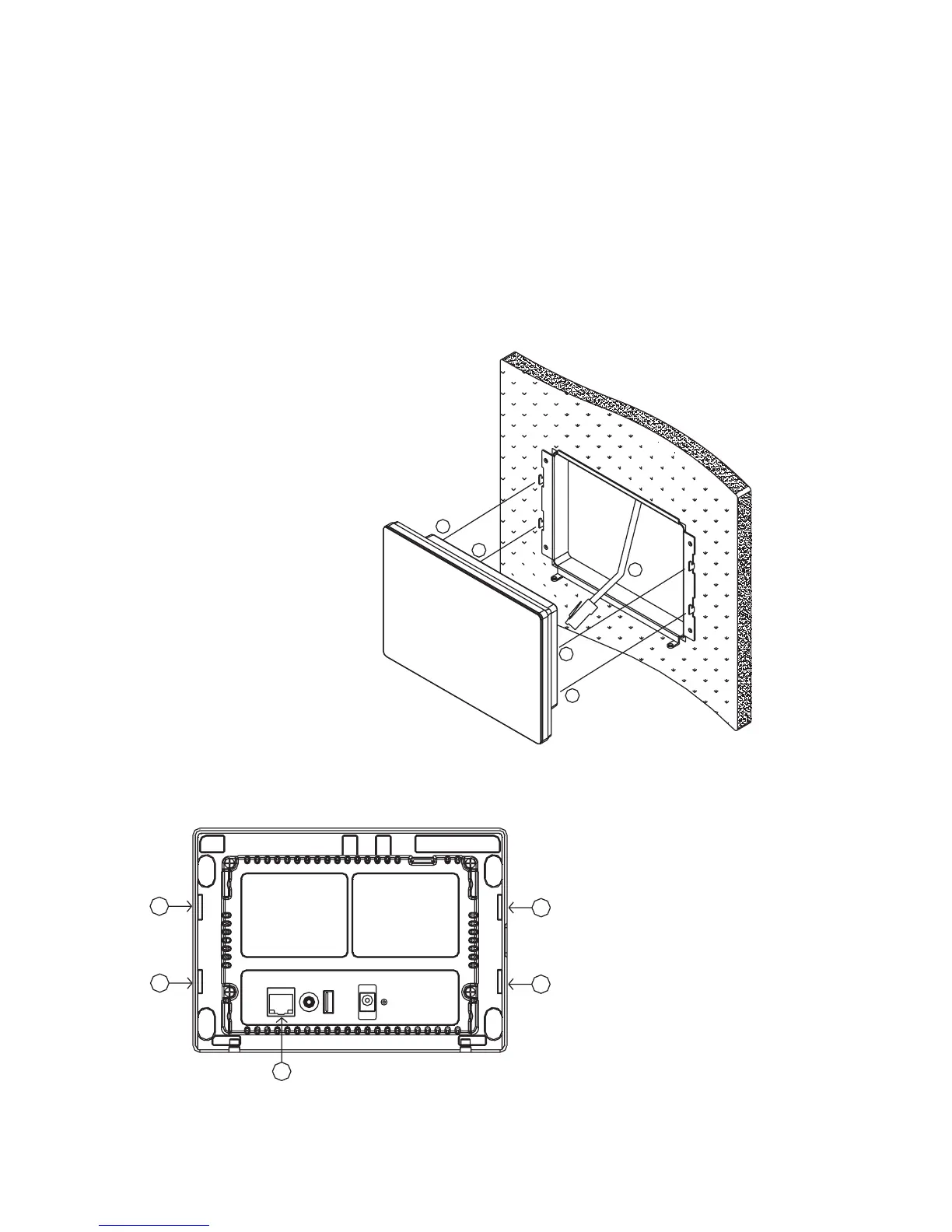
3) Installing the touchscreen
a. Insert the 8-position modular cable (marked "A" in Figure 4) into
the RJ-45 connector (LAN/POE) on the touchscreen (marked "A"
in Figure 5).
b. Align the tabs on the mounting bracket (marked "B" in Figure
4) with the slots on the touchscreen (marked "B" in Figure 5).
Attach the touchscreen to the mounting bracket by inserting the
tabs on the bracket into the mating slots on the touchscreen and
then gently pushing downward to lock into place.
Figure 4
Figure 5



 To Next Page