EasyManua.ls Logo

LEXIBOOK LCG3000 - User Manual

LEXIBOOK LCG3000
77 pages
Go to English
Print Icon
To Next Page IconTo Next Page
Loading...
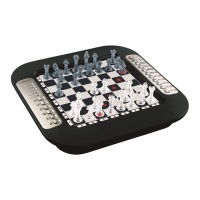
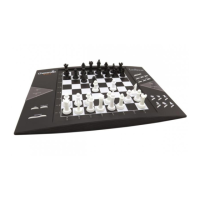
ChessLight
®
LCG3000
M
O
D
E
D
E
M
P
L
O
I
I
N
S
T
R
U
C
T
I
O
N
M
A
N
U
A
L
w
w
w
.
l
e
x
i
b
o
o
k
.
c
o
m
LCG3000_IM1151_V04.indb 1LCG3000_IM1151_V04.indb 1 14/04/2011 13:4114/04/2011 13:41

Table of Contents

Question and Answer IconNeed help?

Do you have a question about the LEXIBOOK LCG3000 and is the answer not in the manual?

LEXIBOOK LCG3000 Specifications

General IconGeneral
BrandLEXIBOOK
ModelLCG3000
CategoryGame
LanguageEnglish

Summary

Introduction

I. Power Supply

Details on powering the chess computer using batteries or an adapter.

Installing the Batteries

Step-by-step guide for inserting batteries correctly into the compartment.

II. Starting a New Game

III. Recording a Move

IV. Moves by the Computer

V. Special Moves

Captures

How to perform captures, including standard and 'en passant' captures.

Castling

Instructions for executing the castling move with the King and Rook.

Promoting Pawns

How the computer handles pawn promotion, typically to a Queen.

VI. Illegal Moves

VII. Check, Checkmate and Stalemate

VIII. Off;Save

IX. Sound and Light Effects

X. The Levels

Beginner Levels (1-5)

Details on beginner levels where the computer makes deliberate mistakes.

Timed Levels (6-13)

Information on levels with timed responses for beginner to experienced players.

Analysis and Special Levels

Details on Analysis (Lvl 14) and Mate (Lvl 15) levels.

X. The Levels (continued)

Multi Move and Playing Styles

Using Level 0 for two players and overview of playing styles.

XI. Resolving Checkmate Problems

XII. Multi Move Level

XIII. Changing Colours

XIV. Cancelling Moves

XV. Hint Option

XVI. Training Mode

XVII. Interrupting the Computers Analysis

XVIII. Verifying the Position

XIX. Programming Positions

XX. Maintenance

XXI. Guarantee

Environmental Protection

Guidance on proper disposal and recycling of the electronic device.

Related product manuals