EasyManua.ls Logo

LEXIBOOK Meteoclock SM880 - User Manual

LEXIBOOK Meteoclock SM880
10 pages
Print Icon
To Next Page IconTo Next Page
Loading...
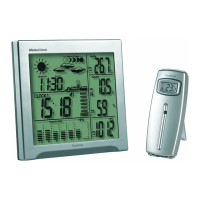
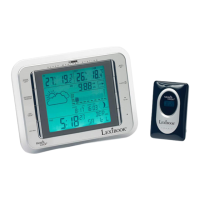
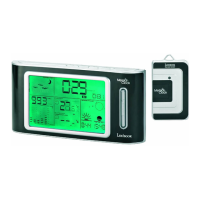
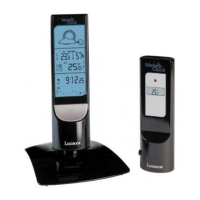
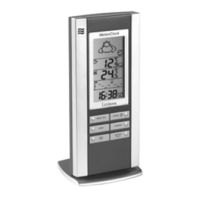
Wireless Weather Station with Weather Forecast
SM880 - Owners manual

Questions and Answers

  • J
    Jill ScottJul 29, 2025
    What to do if LEXIBOOK Meteoclock SM880 receiver isn't receiving remote sensor signals?
    • S
      Sabrina HarrisJul 30, 2025
      If your LEXIBOOK Weather Station receiver isn't receiving signals from the remote sensor, here are a few things to try: * If the temperature is below -30°C, repeat the learning procedures. * The batteries in the remote sensor may need changing, so try replacing them and then repeat the learning procedures. * Try moving the remote sensor closer to the receiver and repeat the learning procedures. * Ensure the remote sensor is away from any sources of electrical disturbance, and then repeat the learning procedures.
  • S
    saraosborneAug 13, 2025
    How to fix high temperature reading on LEXIBOOK Meteoclock SM880 Weather Station remote sensor?
    • S
      Shirley DouglasAug 13, 2025
      If the temperature reading from your LEXIBOOK Weather Station's outdoor remote sensor seems too high, make sure the remote sensor is out of direct sunlight and away from any sources of heat.

Summary

Introduction

What exactly is a Weather Station?

Lexibook digital stations measure time and weather, including upcoming weather.

Getting Started

Manual Time Setting

Guides the user through setting the clock and calendar, including time zone and language.

Outdoor Thermo Sensor Unit Registration Procedure

Outdoor Thermo Sensor Unit Registration Procedure

Explains how to register the outdoor sensor, including channel selection and manual transmission.

Display Outdoor Temperature

Details how to view temperatures from different channels and manage channel registration.

Weather Display

Outdoor Temperature Alert Function

Instructions for setting and managing the outdoor temperature alert function, including setting limits.

Moon Phase and Tide Indication

Explains the moon phase and tide status indicators displayed on the LCD.

Low Batteries Indicator

Explains the low battery icon and its meaning for the outdoor transmitter.

Specifications

Weather Station Receiver SM880

Lists operational specifications for the main receiver unit.

Weather Station Transmitter

Lists operational specifications for the wireless outdoor transmitter.

Troubleshooting

Troubleshooting Common Issues

Provides solutions for common problems like incorrect readings or signal loss.

Warranty

Product Warranty Information

Details the product's two-year warranty, coverage, and contact information.

LEXIBOOK Meteoclock SM880 Specifications

General IconGeneral
Display TypeLCD
Humidity MeasurementYes
Alarm FunctionYes
BacklightYes
Indoor temperature displayYes
Outdoor temperature displayYes
Temperature trend displayYes
Weather forecastYes
Clock functionYes
Outdoor sensor rangeUp to 30 meters
Power supplyBatteries
TypeWireless Weather Station
Time Format12/24 hours
Temperature MeasurementIndoor/Outdoor
FunctionsAlarm, Weather Forecast, Temperature and Humidity Display

Related product manuals