9
CLOCK
1. To set the clock, press and hold the MODE key.
2. Press UP/DOWN to set 12H/24H.
3. Press MODE key again.
4. Press UP/DOWN to set hour.
5. Press MODE key again.
6. Press UP/DOWN to set minutes.
7. Press MODE key to come back to the Clock Mode.
ALARM
1. To set the alarm, press MODE once. “ “ appears on the screen, then
press and hold MODE button, press UP/DOWN button to choose ON.
2. Press UP/DOWN to set hour.
3. Press MODE key again.
4. Press UP/DOWN to set minutes.
5. Press MODE key again.
6. Press UP/DOWN to set if you want to hear the radio (RAD) or the alarm (VOI).
7. If you choose the Radio, press UP/DOWN to choose the radio frequency.
8. Press MODE key to nish.
Note: The alarm lasts 1 minute.
When the alarm sounds, press RADIO key to snooze the alarm for 5 minutes (the
bell icon will ash), or press any other keys to turn it off.
Installation
Unpacking the device
When unpacking, ensure that the following elements are included:
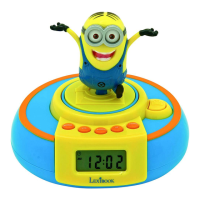
1 x Jumper Alarm Clock
1 x Instruction manual
WARNING: All packaging materials, such as tape, plastic sheets, wire ties and
tags are not part of this product and should be discarded.
Settings
WARNING: Malfunction or loss of memory may be caused by strong frequency
interference or electrostatic discharge. Should any abnormal function occur,
remove the batteries and insert them again.


 To Next Page