EasyManua.ls Logo

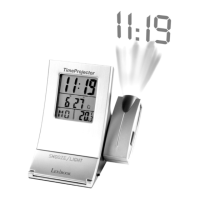
LEXIBOOK TimeProjector RP150 - User Manual

LEXIBOOK TimeProjector RP150
34 pages
Print Icon
To Next Page IconTo Next Page
Loading...
Owners manual
RR PP 11 55 00
TimeProjector
®
Question and Answer IconNeed help?

Do you have a question about the LEXIBOOK TimeProjector RP150 and is the answer not in the manual?

Summary

Product Introduction and Setup

Functions and Control Overview

Identifies and describes all buttons and components of the alarm clock.

Initial Setup Guide

Instructions for first-time use, including battery installation and screen label removal.

Clock and Thermometer Settings

Time Setting Procedure

Steps to set the time, date, and choose between 12/24 hour format.

Alarm Setting and Snooze Function

Steps to set, activate/deactivate the daily alarm, and use the snooze feature.

Temperature Display Settings

How to switch between Celsius and Fahrenheit temperature display.

Projector Clock Features

Time Projection with Battery Power

How to activate time projection using battery power and adjust focus.

Time Projection with DC Adapter

How the projector functions when an external DC adapter is connected.

Battery Replacement Guide

Troubleshooting and Maintenance

Resetting the Device

Procedure to reset the clock using the reset button in case of errors.

General Care and Cleaning

Advice on maintaining the device, avoiding damage, cleaning, and handling.

Product Warranty Information

Summary

Product Introduction and Setup

Functions and Control Overview

Identifies and describes all buttons and components of the alarm clock.

Initial Setup Guide

Instructions for first-time use, including battery installation and screen label removal.

Clock and Thermometer Settings

Time Setting Procedure

Steps to set the time, date, and choose between 12/24 hour format.

Alarm Setting and Snooze Function

Steps to set, activate/deactivate the daily alarm, and use the snooze feature.

Temperature Display Settings

How to switch between Celsius and Fahrenheit temperature display.

Projector Clock Features

Time Projection with Battery Power

How to activate time projection using battery power and adjust focus.

Time Projection with DC Adapter

How the projector functions when an external DC adapter is connected.

Battery Replacement Guide

Troubleshooting and Maintenance

Resetting the Device

Procedure to reset the clock using the reset button in case of errors.

General Care and Cleaning

Advice on maintaining the device, avoiding damage, cleaning, and handling.

Product Warranty Information

LEXIBOOK TimeProjector RP150 Specifications

General IconGeneral
BrandLEXIBOOK
ModelTimeProjector RP150
CategoryAlarm Clock
LanguageEnglish

Related product manuals