
 Need help?
Do you have a question about the LEXIBOOK POWERMAN STAR and is the answer not in the manual?
Lists all items included in the product packaging.
Instructions for installing batteries in the robot and remote, and battery type recommendations.
Guidelines for cleaning, usage warnings, warranty, and environmental protection.
Explains directional movement, volume, sleep mode, lights, start/pause, jokes, motion control, and disc shooting.
Details on voice change, music, and dances.
Instructions for programming robot actions and using the interactive quiz.
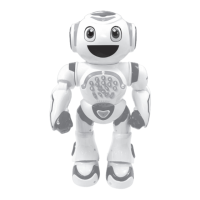
This document describes the POWERMAN® STAR, an interactive and educational robot designed to provide hours of fun and learning. It features a sense of humor and can be controlled via a remote control or keys on its control panel.
The POWERMAN® STAR is presented as "the most evolved space robot," a marvel of technology that is programmable, invents its own stories, and includes educational content. Beyond learning, it can dance, tell jokes, and shoot foam discs. The robot's backstory involves its spaceship being damaged upon approaching Earth, and it seeks help to repair it and embark on new adventures, emphasizing the need to learn together.
The robot offers a wide range of interactive features:
Remote Control and Control Panel: The robot can be controlled using a dedicated remote control or the keys located on its chest panel. The remote control includes a joystick for directional movement, buttons for playing programs, jokes, stories, volume control, motion control, dance, quiz, throwing foam discs, and changing voice. The control panel on the robot's chest features answer keys for quizzes, shortcuts for stories and music, LED lights, volume control, a voice recorder, and a stop/wake-up button.
Directional Movement: The joystick on the remote control allows the robot to move forward, backward, left, and right. A short press results in a few steps, while a long press makes the robot slide.
Voice Recorder: Users can press the voice recorder key and speak close to the robot's face, and it will repeat what was said.
Volume Control: The volume can be adjusted to Low, Normal, or High using the dedicated volume key.
Sleep Mode: Pressing the sleep mode key stops any of the robot's actions. If no button is pressed for some time, the robot will automatically enter sleep mode to conserve power. This also applies to the remote control. Sleep mode is suitable for short periods; for longer periods, the ON/OFF switch should be used.
Lights: The robot's lights can be turned on or off with a dedicated button.
Start/Pause: This button allows entry or exit from sleep mode. Similar to the sleep mode key, if no button is pressed for a while, the robot will automatically enter sleep mode.
Jokes & Surprises: Pressing the designated key makes the robot tell a joke or a surprise sound. Users can press it again to hear another one.
Motion Control: This feature allows users to control the robot's movements using hand gestures:
Foam Discs Shooting: The robot can shoot foam discs by pressing the dedicated key. Users are warned not to aim at eyes or face, to use only the provided discs, and not to load more than 9 discs into the compartment.
Programming: Users can create programs by pressing the "P+" button. Actions can be recorded by pressing various keys, including music, or numbers on the chest. Once finished, the program can be saved by pressing "P+" again and played by pressing "P". Any new program or robot restart will erase the current program.
Quiz: Pressing the quiz key makes the robot ask questions to test knowledge. Users can answer using the numbers on the robot's chest.
Stories: The robot offers two types of stories:
Music: Pressing the music key plays a song; pressing it again plays another.
Dances: Pressing the dance key plays a dance; pressing it again plays another.
Voice Change: This feature allows users to change the robot's voice to deep, normal, or high-pitched.
 General
| Category | Educational Equipment |
|---|---|
| Voice control | Yes |
| Sound effects | Yes |
| Built-in speaker(s) | Yes |
| Power source type | Battery |
| Battery type | AA |
| Number of batteries supported | 4 |
| Batteries required | Yes |
| Recommended age (min) | 4 year(s) |

 To Next Page
