1
OPERATION (CONTINUED)
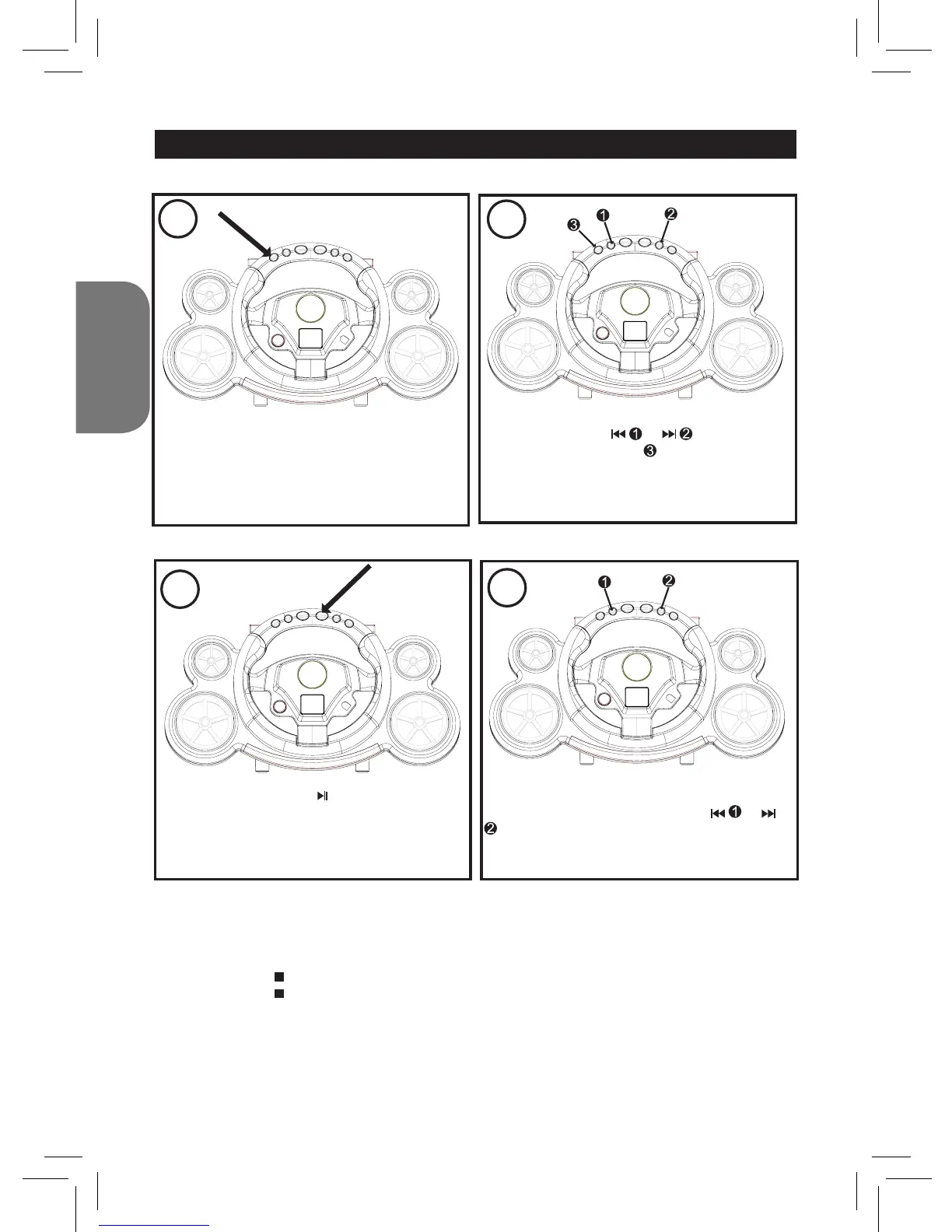
TO PROGRAM THE MEMORY (UP TO 20 TRACKS)
2
While in CD Stop mode, press the PROG.
button; “PROG” and “1” (the program number)
will blink on the LCD display and “01”
(the program number) will blink.
Select the rst track to be played back using
the SKIP/SEARCH or button, then
press the PROG. button again. Repeat this
step to program additional tracks (up to 20
tracks).
3
Press the PLAY/PAUSE button to begin
Programmed playback; the PLAY/PROG
indicator will blink. Adjust the VOLUME control
as desired.
4
To skip forward or backward through the
programs, press the SKIP/SEARCH or
button.
When the disc is through playing, it will stop.
NOTES:
• Programming is the ability to preselect the order in which a series of tracks will be played.
• Press the REPEAT button twice during Programmed playback to activate Repeat All (all the tracks in
the program will repeat continuously); “REP” is displayed steadily on the LCD screen.
• Press the STOP ( ) button to stop the disc before it is nished.
• Press the STOP ( ) button while in the Stop mode to clear the program.



 To Next Page