C. SETTING UP CUBASE LE 4 FOR USE WITH THE ALPHA STUDIO
TM
1. Take your Lexicon Alpha hardware out of the box and plug the power in.
2. Connect the included USB cable to your computer and to the Alpha Studio
TM
.
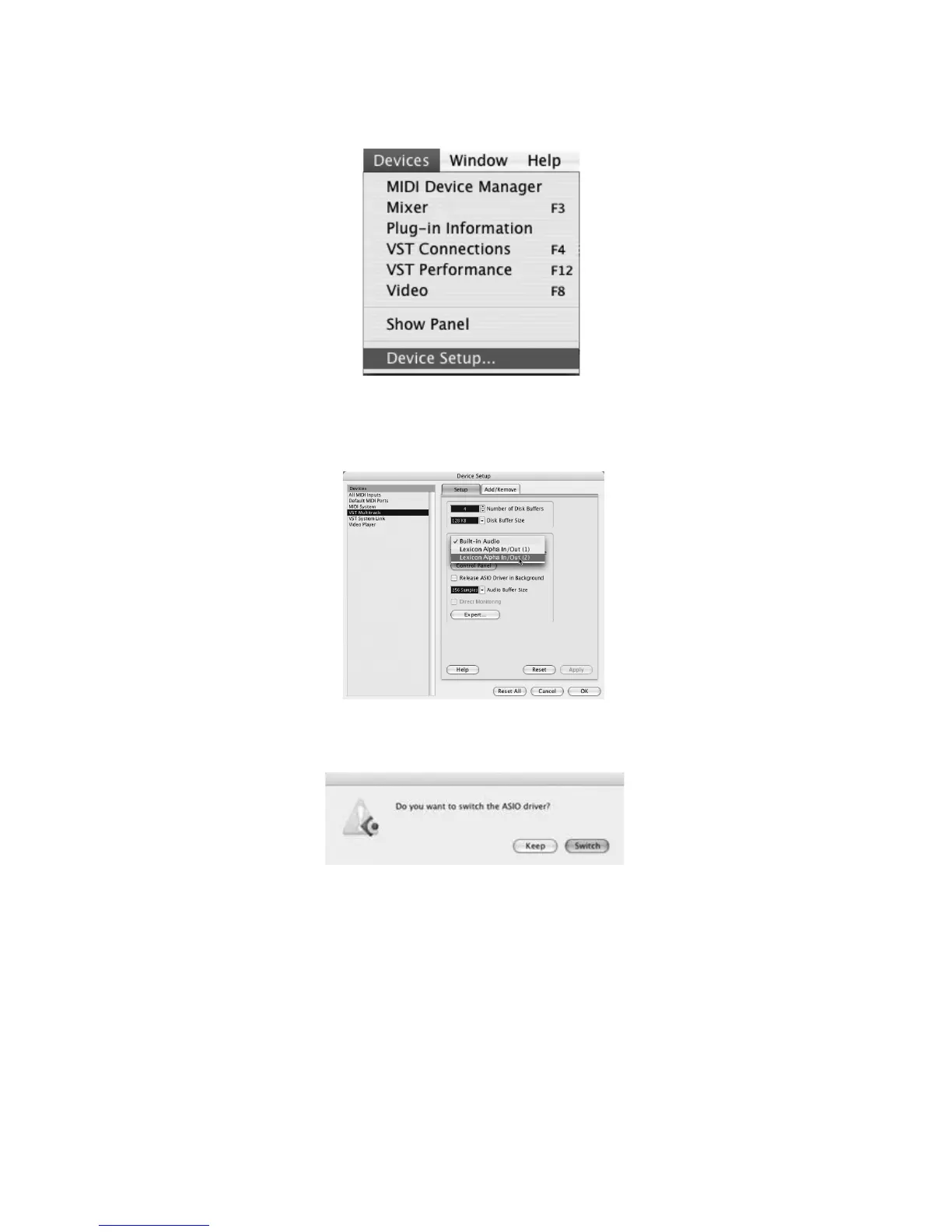
3. Open Cubase LE 4, and go to Devices>Device Setup as shown below.
4. Click VST Multitrack and select Lexicon Alpha In/Out (2) as the ASIO Driver (as shown below). DO
NOT select Lexicon Alpha In/Out (1).
5. Cubase LE 4 will now ask you if you would like to switch the driver. Select Switch then OK.
You are now ready to start recording with Cubase LE 4.


 To Next Page