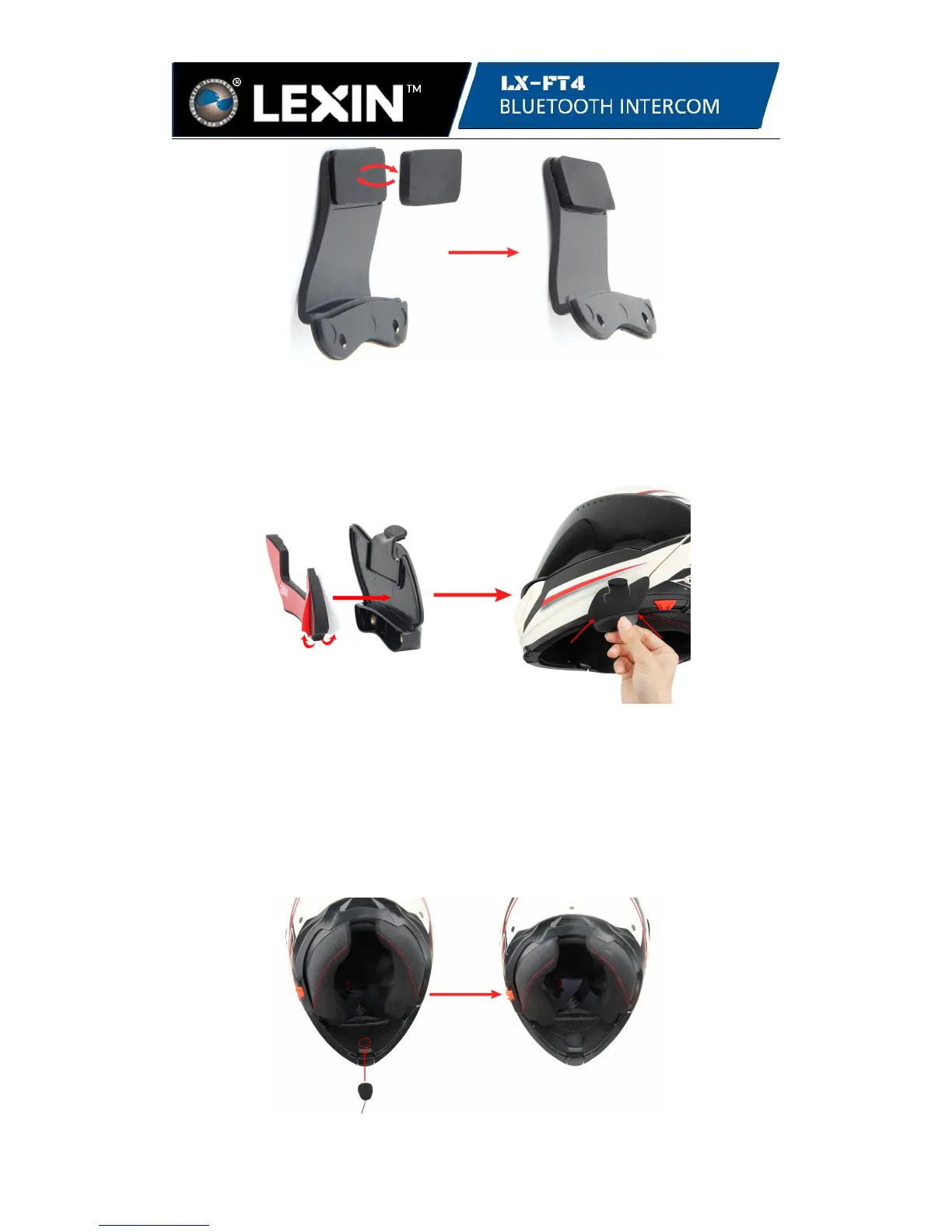
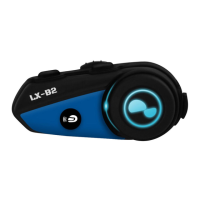
3.1.2 If have any problems with mounting the bracket, you may use the 3M tape to
adhere it onto the helmet. Just take off the rubber pad from the bracket, peel off the
protective backing sheet of the double 3M tape. Remember that the white side adheres
onto the bracket and the red side adheres onto the helmet.Press for 15 seconds and
allow the glue dry for 24 hours.
Note: Even though the 3M Tape mounting is provided for convenience, LEXIN
recommends using the bracket mounting. The 3M Tape mounting is offered as an
option that you may use at your own risk and responsibility, LEXIN does not
assume any responsibility for use of it.
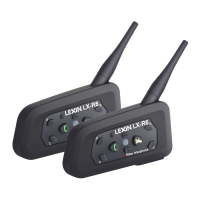
3.2 Locate an area in the nose section just to the left of center to mount the button
microphone for full helmets . Place the button microphone to the velcro pad and
connect it to the connector of the headset.


 To Next Page