ENGLISH
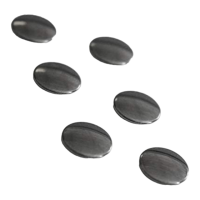
Thank you for purchasing Lexip Mo42 ceramic feet.
These Lexip ceramic feet offer your mouse an exceptional quality and sliding comfort. They allow you to gain speed and accuracy in your
mouse movements.
CONTENT :
• 6 mouse ceramic pads with self-adhesive base
• 1 soft cloth
⚠ This symbol identifies safety and health information in this product guide. Read this guide to obtain important information regarding
the health and safety of the product you purchased.
⚠ WARNING - BEFORE INSTALLING AND USING THIS DEVICE, CAREFULLY READ THE INSTRUCTIONS PROVIDED. THE
MANUFACTURER CANNOT BE HELD RESPONSIBLE FOR DAMAGE OR INJURY RESULTING FROM IMPROPER INSTALLATION OR
USE. ALWAYS KEEP THIS MANUAL WITH YOUR DEVICE FOR FUTURE REFERENCE.
SAFETY INSTRUCTIONS
1. Child and vulnerable person safety - ⚠ WARNING: Suffocation hazard
Keep the product, accessories and pieces of packaging out of reach of children and pets to prevent accidents. Use of this product must be
supervised by an adult. This product may contain small parts which pose a suffocation hazard for children under 3 years old.
2. General safety and use - ⚠ WARNING: Risk of accident
Do not use the product if it is visibly defective. Keep the product dry. The normal operating temperature is from 5°C to 40°C, temperatures
lower or higher than this may damage the product. Clean the product only with a soft, dry cloth. Do not attempt to repair this product.
IMPORTANT HEALTH INFORMATION
1. RSI Syndrome: Repetitive Motion Injury and Eye Strain - ⚠ WARNING: Use of game controllers, keyboards, mice or other electronic
input devices can result in serious injury or illness.
After a few hours, video games can irritate muscles, wrists, skin, or eyes. RSI stands for “Repetitive Motion Injury”. RSI Syndrome is caused
by continual small movements. Typical symptoms are pain in fingers, wrists, arms, or neck. If you feel any kind of pain, numbness or
weakness in these parts of the body, please consult a doctor as soon as possible. Please follow the following instructions to prevent
problems such as tendinitis, carpal tunnel syndrome, skin irritation, or eye strain. Avoid long periods of game play. It is recommended that
parents ensure their children play for adequate periods. Even if you don’t think you need it, take a 10-15 minute break every hour of
gameplay, stand up and walk around a bit. If you experience fatigue or pain in your hands, wrists, arms, or eyes while playing or after playing,
stop playing and rest for several hours before playing again. If you experience pain in your hands, wrists, arms, or eyes while playing or after
playing, stop playing and consult a doctor. When playing a video game: Sit or stand as far away from the screen as possible; Play on the
smallest screen available; Do not play if you are tired or need rest; Play in a well-lit room; Take a 15 minute break every hour.
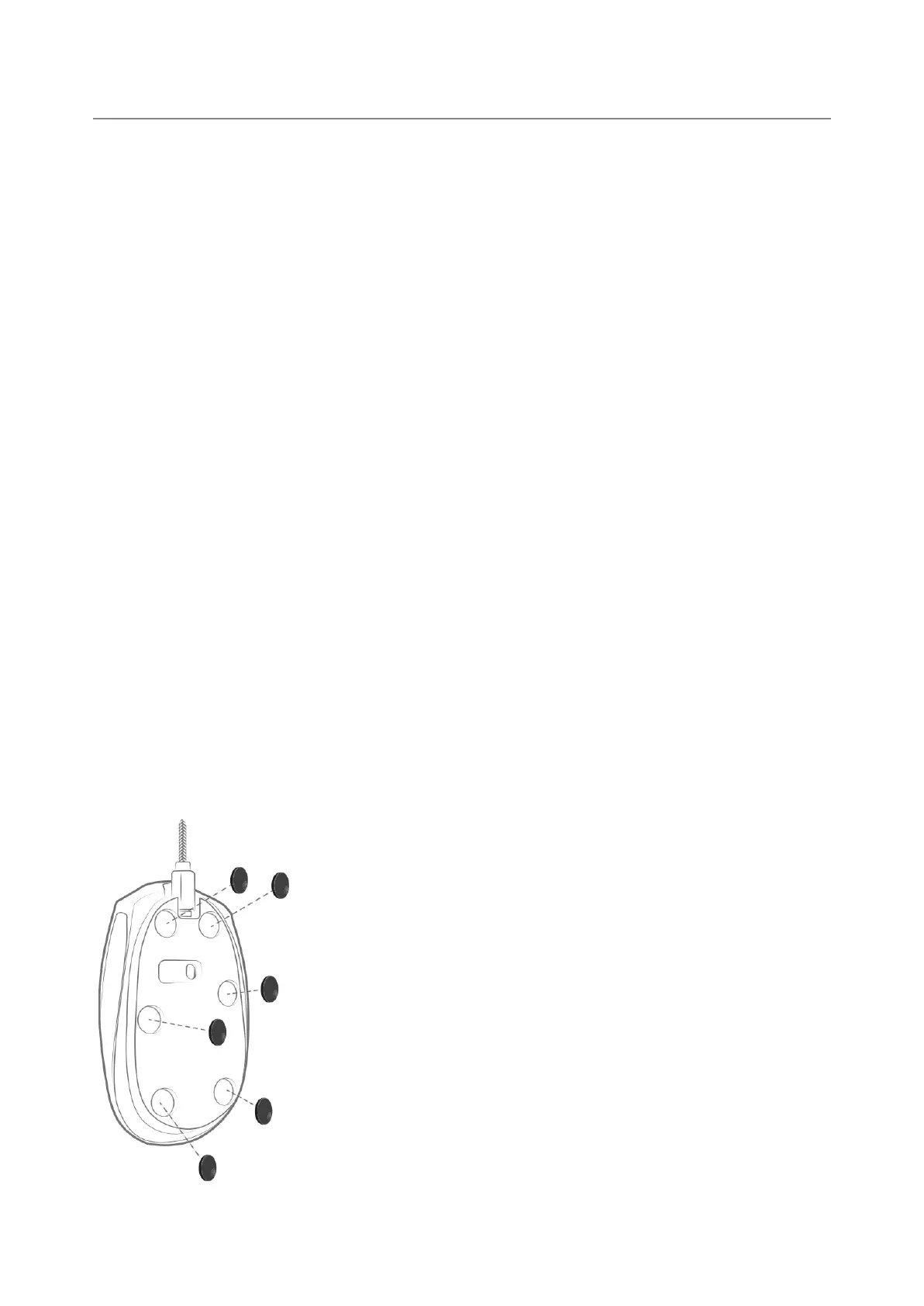
FITTING THE CERAMIC PADS
Before inserting the ceramic feet, clean the underside of the mouse with the supplied wipes to
ensure that the skates adhere perfectly. First, position the skates without sticking them under the
mouse. Depending on the size of your mouse, use more or less skates. Make sure that the
distribution of the skids ensures good stability for your mouse. Remove the protective paper under
each skate and glue the skates one after the other under the mouse by pressing strongly for a few
seconds for each pose.
This product is compatible with most laser and optical mice.


 To Next Page
 Loading...