EasyManua.ls Logo

LEXOautomation RD1P1000A - User Manual

LEXOautomation RD1P1000A
23 pages
Print Icon
To Next Page IconTo Next Page
Loading...
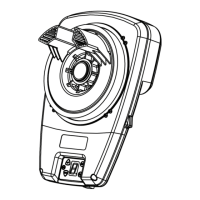
RD1P1000A
ROLLING GARAGE
DOOR OPENER
INSTRUCTION MANUAL
WARNING
Please read the manual
carefully before installaon
and use. The installaon of
your new door opener must
be carried out by a
technically qualified or
licensed person. Aempng
to install or repair the door
opener without suitable
technical qualificaon may
result in severe personal
injury, death and / or
property damage.

Questions and Answers

  • M
    Melanie FigueroaAug 3, 2025
    Why doesn't my LEXOautomation RD1P1000A transmitter work?
    • C
      Cynthia Good MDAug 3, 2025
      If your LEXOautomation Garage Door Opener transmitter isn't working, the battery might be flat, so try replacing it. Also, make sure the antenna on the opener is extended and that there isn't any nearby interference affecting the signal.
  • S
    Sarah GreenAug 7, 2025
    What to do if my LEXOautomation Garage Door Opener door auto reverses before closing?
    • R
      robin30Aug 7, 2025
      If your garage door reverses to full open before closing completely, there may be an issue with the safety reverse function. Check the door springs for balance and look for any obstructions. You may also need to reset the travel limit or increase the force value of the safety reverse.
  • A
    angelapattersonAug 12, 2025
    How to troubleshoot a LEXOautomation RD1P1000A Garage Door Opener with no action?
    • J
      Joe NorrisAug 12, 2025
      If your LEXOautomation Garage Door Opener isn't responding, start by checking the power supply to the opener. Then, carefully open the motor cover and check all plug wires on the control boards to ensure they are securely connected.
  • H
    Heather HernandezAug 16, 2025
    What to do if LEXOautomation RD1P1000A Garage Door Opener only opens but doesn't close?
    • J
      john80Aug 16, 2025
      If your LEXOautomation Garage Door Opener door only opens but won't close, check the IR Beam to ensure it's free from obstructions. If you don't have an IR Beam connected, cancel the IR Beam function.
  • E
    Erik BuckAug 20, 2025
    Why is the open and close action reversed on my LEXOautomation RD1P1000A?
    • A
      Anthony RussoAug 20, 2025
      If the open and close actions are reversed, it's likely due to a reversed connection of the positive and negative motor wires to the control board. Power off the unit, open the motor cover, and reverse the positive and negative motor wires on the control board. After doing this, reset the travel limit.
  • J
    Jose ObrienAug 25, 2025
    What to do if LEXOautomation Garage Door Opener LED displays “C” and doesn't work?
    • M
      Michaela BurnettAug 25, 2025
      If the LED displays “C” and the opener doesn't work, the motor plug wire may be loose. Try re-inserting the motor plug wire.
  • X
    xwallsAug 29, 2025
    What does it mean if LEXOautomation RD1P1000A LED displays “?” after operating several centimeters?
    • P
      paulashleyAug 29, 2025
      If the LED displays “?” after the opener operates only a few centimeters, the hall element wire plug might be loose between the hall element and the control board. Check the wire plug.

Summary

Installation Safety Warnings

General Safety Points

Covers door balance, clear path, rope removal, manual operation, obstruction sensing, PE beam.

Electrocution Hazards

Covers wet spaces, spraying water, power disconnect, qualified personnel, supply cord, earthing.

Cautionary Notes

Covers emergency access requirements.

Safety Precautions

Covers safe practices for installation, ladders, door securing, and maintenance.

Kit Contents

Tools Required

Setup Requirements

Door Preparation

Testing Door Balance

Procedures to check if the door is balanced, sticking, or binding.

Installing the Stop Collar

Instructions for fitting the stop collar to the door drum.

Installing the Weight Bar

Guidance on mounting the weight bar on the door.

Release Handle and Cord Installation

Steps to install the manual release mechanism.

Operating Manual Release

How to disengage and re-engage the opener.

Pinning the Door

Method to secure the door curtain to the drum.

Attaching Extension Poles (Optional)

Instructions for installing an optional accessory.

Installation Procedure

Preparation Steps

Initial steps before mounting the opener, including securing the door.

Installing the Opener

Steps for mounting the opener onto the door axle and bracket.

Connecting Power

How to connect the opener to the power supply and initial setup.

Basic Function Setting

Coding Transmitters

Process for pairing remote controls with the opener.

Travel Limits Setting

Configuring the door's fully open and closed positions.

Safety Testing

Performing the safety reverse system test.

Safety Beams Installation

Installing optional IR safety beams.

Auto-Close Setting

Configuring the automatic door closing feature.

Installation Direction Setting

Setting the opener's operational orientation.

Lock Door Setting (Optional Function)

Enabling the optional door locking feature.

Half Open Setting (Optional Function)

Configuring the optional partial door opening.

Alarm and Maintenance Function

Understanding alarm indicators for maintenance needs.

Safety Reverse System Test

Detailed steps for the safety reverse system test.

Fixing Warning Labels

Guidelines for correctly placing safety warning labels.

IR Beam Installation (Optional Accessory)

Instructions for installing optional IR beams.

Universal Receiver Installation

Installing a universal receiver for external controls.

Flash Light Installation

Steps to install the optional flash light.

Home Owner Safety Warnings

Maintenance

Service Schedule

Recommended schedule for routine maintenance.

Technical Specifications

Trouble Shooting

Warranty Information

Making a Claim

Procedures for submitting a warranty claim.

Warranty Conditions

Requirements that must be met for the warranty to be valid.

Warranty Exclusions

Conditions or events that void the warranty.

Other Conditions

Additional terms and conditions of the warranty.

Statutory Guarantees

Information regarding Australian Consumer Law guarantees.

LEXOautomation RD1P1000A Specifications

General IconGeneral
Motor TypeDC
Voltage230V
Frequency50Hz
ControlRemote Control, Wall Control
Safety FeaturesAuto-Reverse, Safety Sensor