18
______________________________________________________________Operation and Care
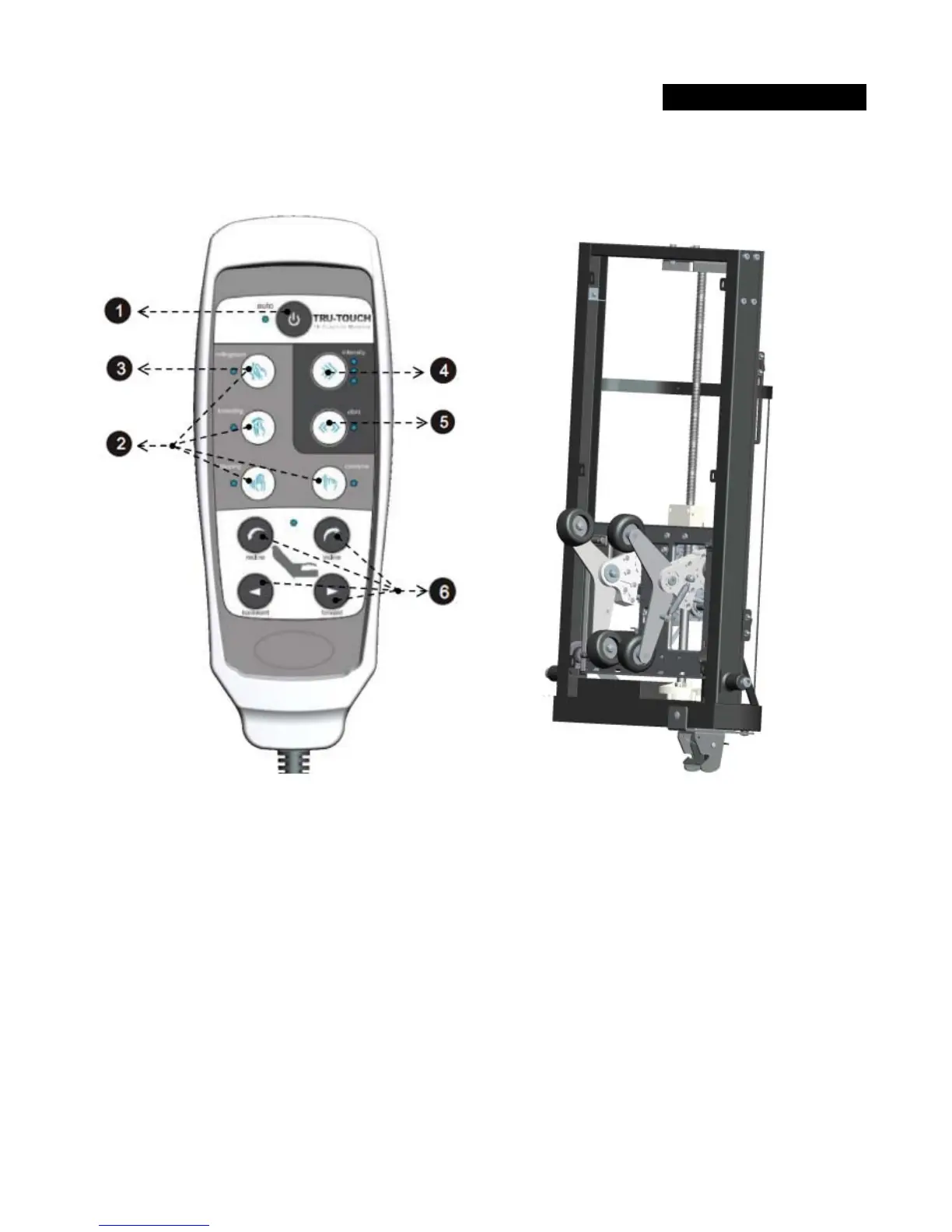
MASSAGE SYSTEM & REMOTE CONTROLLER:
1. Press Auto Button to start Auto mode. Press again to turn off massage.
Auto and Manual mode will run for duration of 20min.
2. Press any button (Rolling/Spot, Kneading, Tapping, Combine) to enter Manual mode.
3. Press Rolling/Spot to stop rolling up/down and stop at desired spot.
4. Press Intensity button to select tapping intensity.
5. Vibro Button/LED is an option. Pressing this button will resume with Tapping action.
6. Press any chair button (Recline, Incline, Backward, Forward) to move the chair to desired positions.



 To Next Page
 Loading...