EasyManua.ls Logo

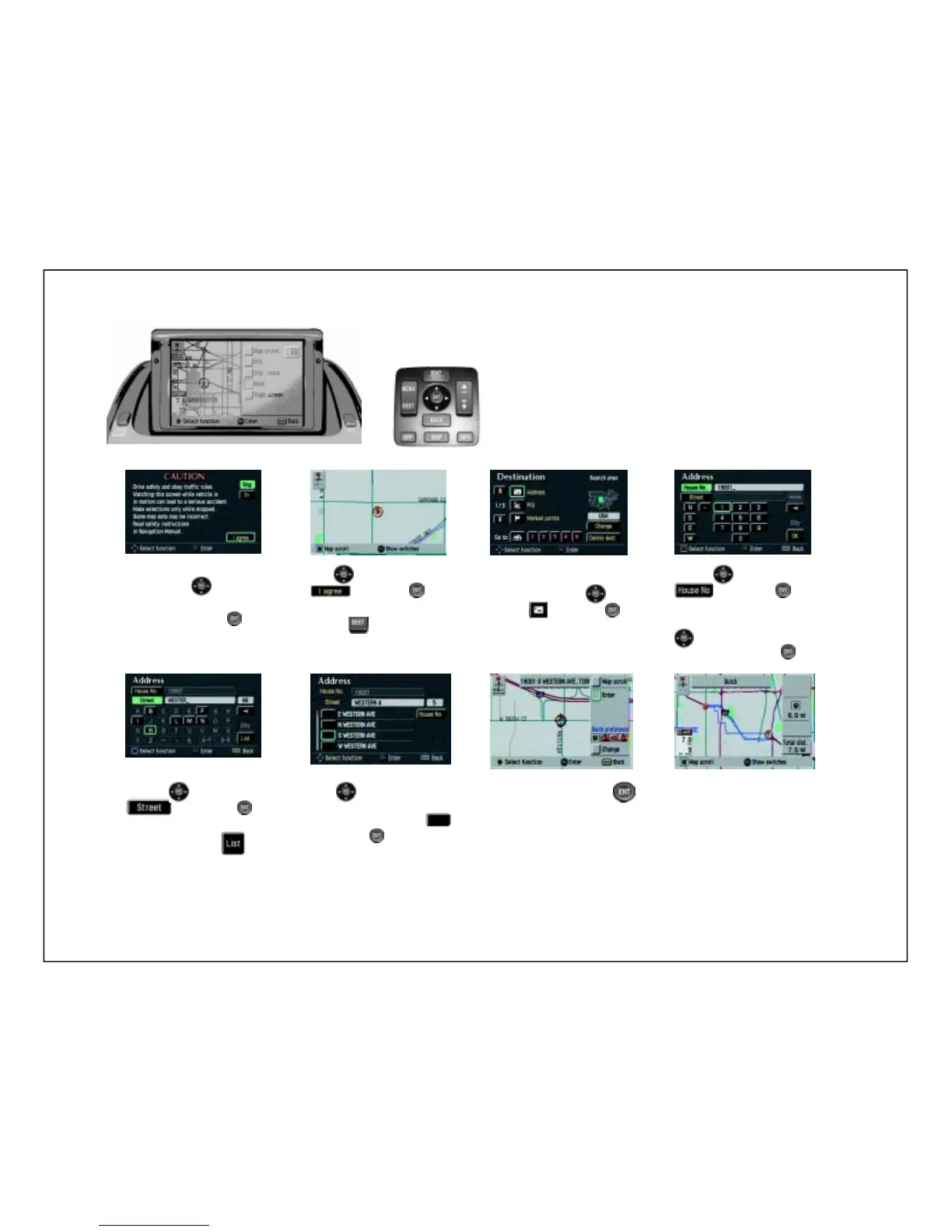
Lexus 2002 - Remote Control Navigation: Destination Input

Lexus 2002
9 pages
Print Icon
To Next Page IconTo Next Page
To Previous Page IconTo Previous Page
Loading...
and press to
Remote Control Navigation
1234
5678
Press
on
the remote control in
the center console.
Make sure that you
are in the desired
search area. Use to
select and press
to access the address
screen.
Use to select
and press .
To type in the street
address number, use
to select the
number and press .
input the street name
Read the
CAUTION
screen, use to
select English or
French and press
.
Use
to select
and press .
The map screen appears.
Use to scroll the list of
streets. To select the
desired street, select
and press .
Select enter and press .
The system will begin
searching the route.
Begin driving.
ES 300 ONLY
DESTINATION INPUT
Use to select
and then select

Related product manuals