238
3-3. Using the audio system
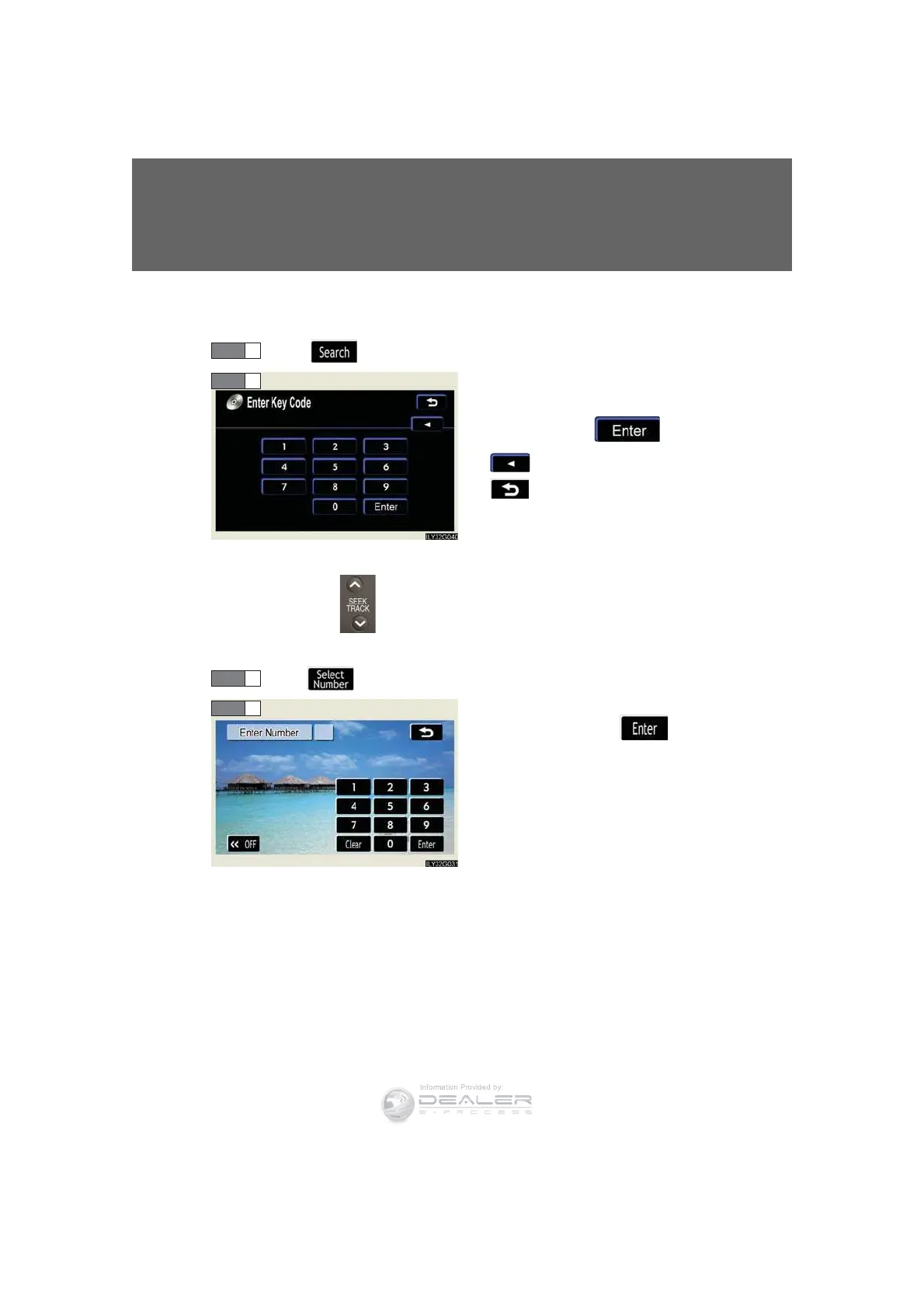
n Playing a bonus group (DVD audio mode only, if the DVD has bonus
options)
To u c h in the control icons.
Input the desired bonus group
number on the group search
screen and touch .
: deletes the number.
: returns to previous screen.
n Searching by chapter/track
Press ∧ or ∨ on to select a chapter/track.
n Selecting a menu number (DVD audio mode only)
To u c h in the control icons.
Input the desired menu number on
the screen and touch .
STEP 1
STEP 2
STEP 1
STEP 2













 To Next Page