299
3-4. Using the hands-free system
3
Interior features
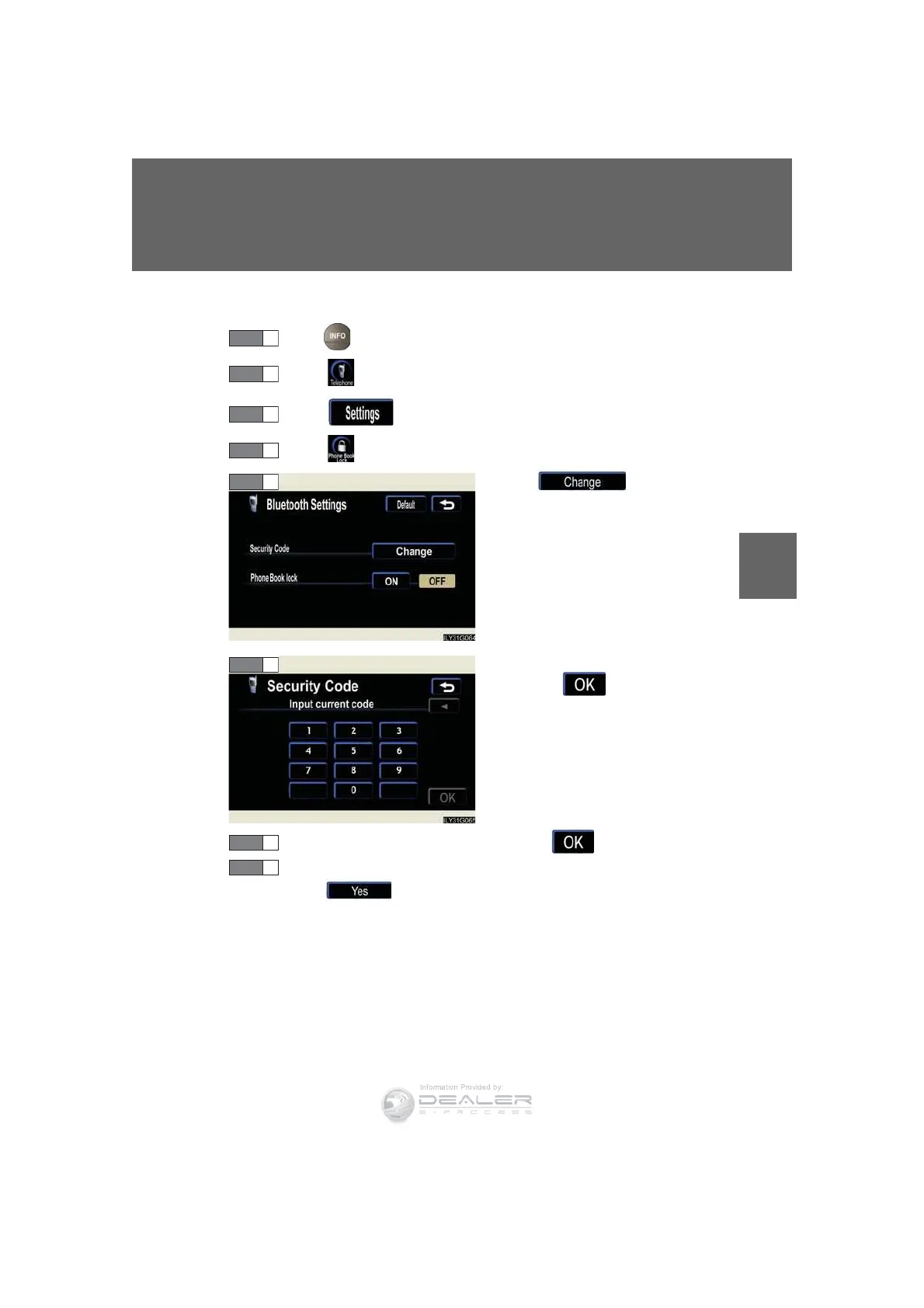
n Changing the security code
Press .
Touch on the “Information” screen.
Touch on the “Telephone” screen.
Touch on the “Settings” screen.
Touch in the “Secu-
rity Code” section.
Input the current security code,
and touch .
Input the new security code, and touch .
A confirmation message will appear. If everything is correct,
touch .
STEP 1
STEP 2
STEP 3
STEP 4
STEP 7
STEP 8













 To Next Page