414
3-2. Using the air conditioning system and defogger
Adjusting the settings manually
■ Basic setting
To turn on the air conditioning system and adjust the fan speed,
press on to increase the fan speed and to
decrease the fan speed or select “” of to increase the
fan speed and “” to decrease the fan speed.
Press to turn the fan off.
To adjust the temperature setting, press or select of the
“TEMP” to increase the temperature and or to
decrease the temperature.
When is selected (the indicator on is on) or the pas-
senger’s side temperature control button is pressed, the temperature
for the driver and passenger seats can be adjusted separately.
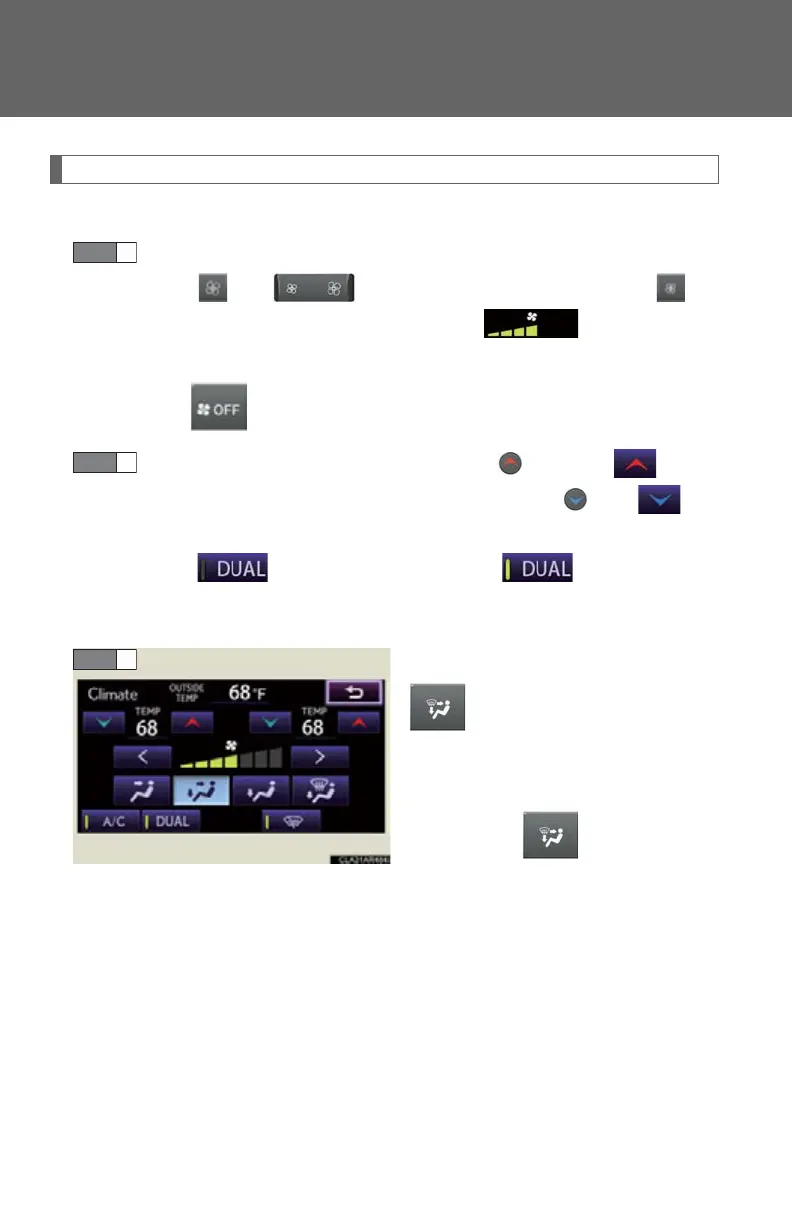
To change the air outlets, press
or select an air outlet
switch on the operation screen.
The air outlets used are switched
each time is pressed. The
air flow shown on the display indi-
cates the following:


 To Next Page