444
3-3. Using the Lexus Display Audio system
■ Selecting a desired type
Select “Options”.
Select “TYPE ” or “TYPE” to select program types.
The type of program changes each time the button is selected.
(P. 440)
When a program is set, “TYPE SEEK” appears.
Select “TYPE SEEK”.
The radio seeks or scans for stations by the relevant program type.
If no relevant program can be found, “no type” will appear on the
screen.
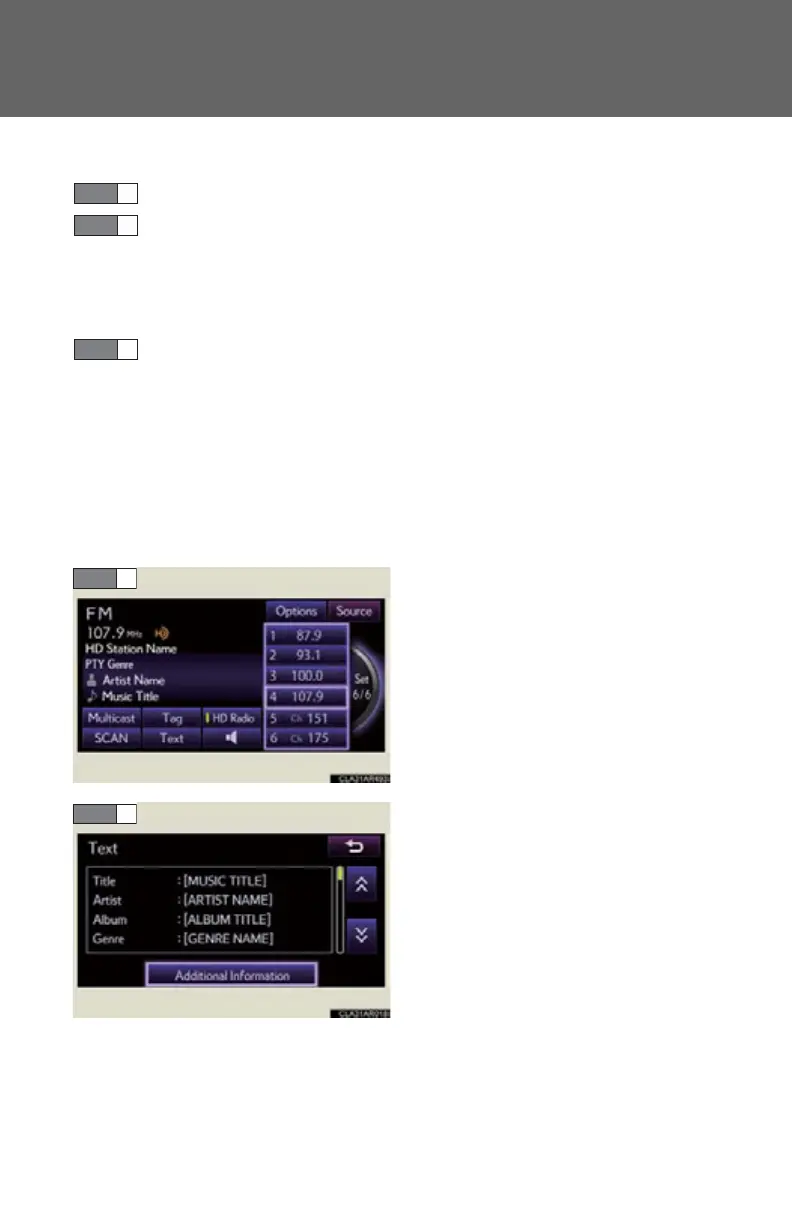
■ Displaying text information
Information such as the artist name, song title, album title and music
genre being listened to are displayed on the text screen.
Select “Text”.
Select “Additional Information” to
display messages from the station.
STEP 1
STEP 2
STEP 3



 To Next Page