547
3-3. Using the Lexus Display Audio system
3
Interior features
● Changing connection method
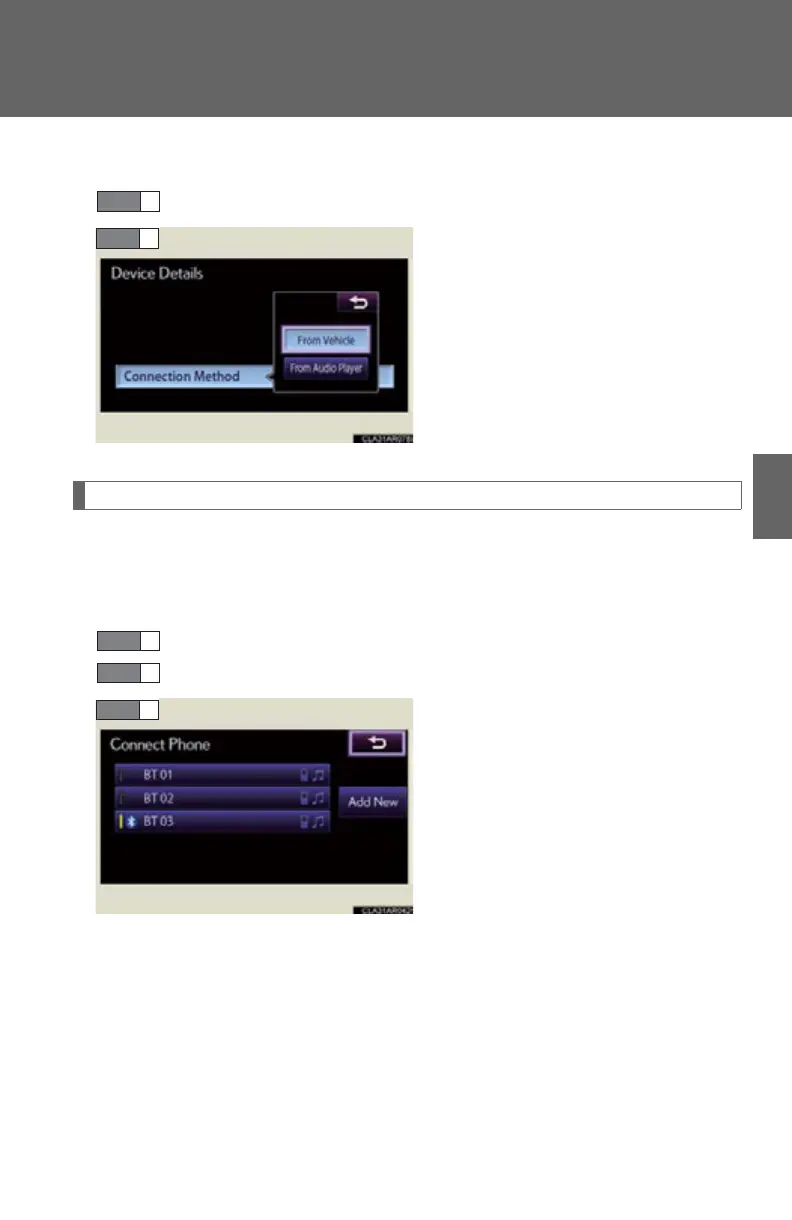
Select “Connection Method” on the “Device Details” screen.
Select “From Vehicle” or “From
Audio Player”.
“From Vehicle”: Connect the audio
system to the portable audio
player.
“From Audio Player”: Connect the
portable audio player to the audio
system.
Selecting the Bluetooth
phone
If multiple Bluetooth
devices are registered, follow the procedure
below to select the Bluetooth
device to be used. You may only use one
device at a time.
Display the “Bluetooth* Settings” screen. (P. 542)
Select “Connect Phone” on the “Bluetooth* Settings” screen.
Select the device to connect.
“Add New”: Registering a
Bluetooth
device. (P. 5 43)
The selection indicator is displayed
on left side of the selected device
name.
The Bluetooth
mark is displayed
when you connected the device.
*: Bluetooth is a registered trademark of Bluetooth SIG. Inc.
STEP 1
STEP 1
STEP 2



 To Next Page