78
CT200h_QG_OM76210U_(U)
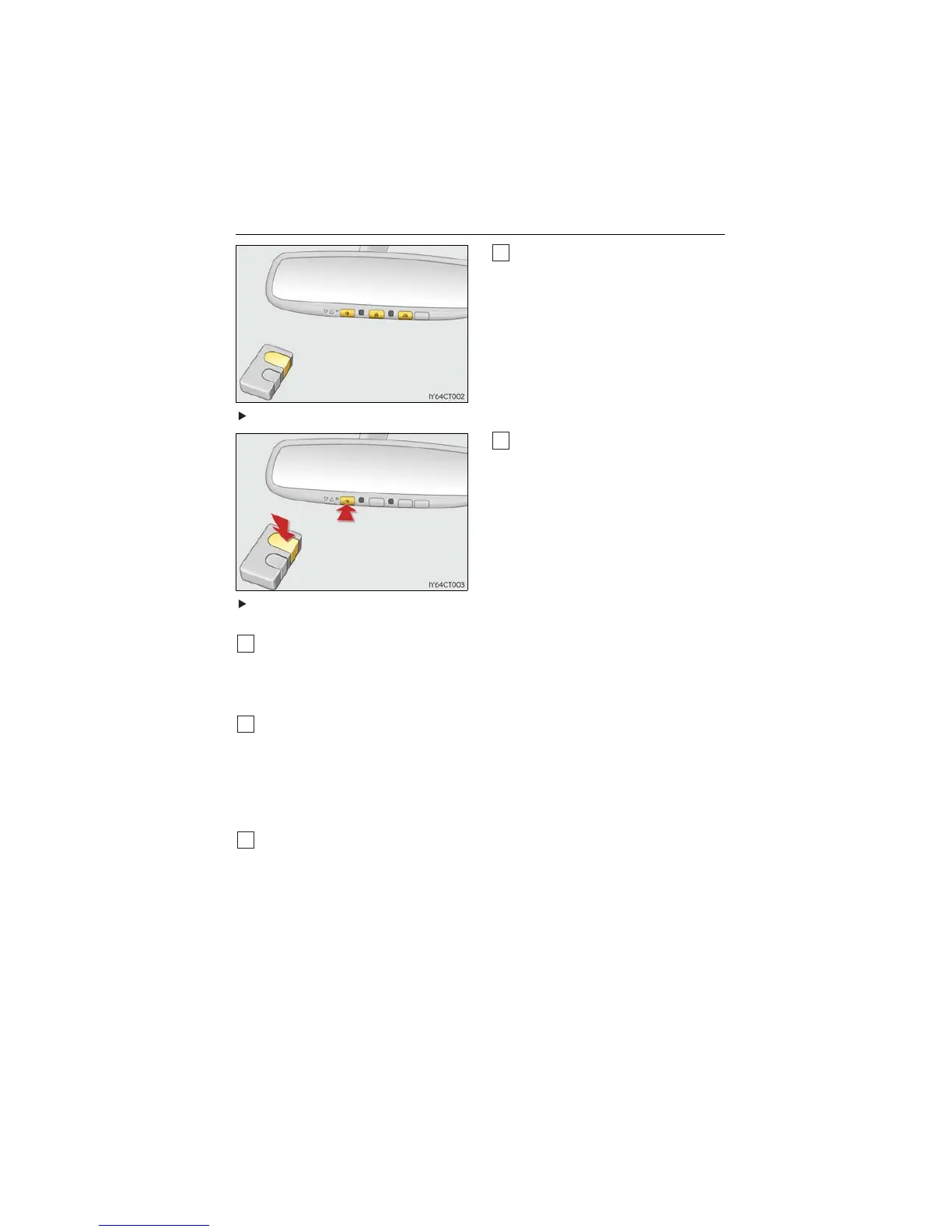
■ Programming HomeLink
®
Point the remote control transmitter for
the device 1 to 3 in. (25 to 75 mm)
from the HomeLink
®
buttons.
Keep the HomeLink
®
indicator light in
view while programming.
For U.S.A. owners
Press and hold the HomeLink
®
button
you want to program and the remote
control transmitter button simulta-
neously. When the HomeLink
®
indica-
tor light changes from slowly flashing
orange to rapidly flashing green (roll-
ing code) or continuously lit green
(fixed code), release both buttons.
Programming an entry gate (for U.S.A. owners)/Programming a device in the
Canadian market
With one hand, press and hold the HomeLink
®
button you want to program. With your
other hand, press and release the remote control transmitter every 2 seconds and
repeat this cycle until the HomeLink
®
indicator light starts to flash rapidly. Then,
release the buttons.
Te s t t h e H o m e L i n k
®
operation by pressing the newly programmed button and observ-
ing the indicator light:
● If the indicator light is solid/continuous, programming has been completed and your
device should activate when the HomeLink
®
button is pressed and released.
● If the indicator light blinks rapidly for 2 seconds and then turns into a solid/continu-
ous light, proceed to the heading “Programming a Rolling Code System”.
Repeat the steps above to program another device for any of the remaining
HomeLink
®
buttons.
1



 To Next Page
 Loading...











