AUDIO
169
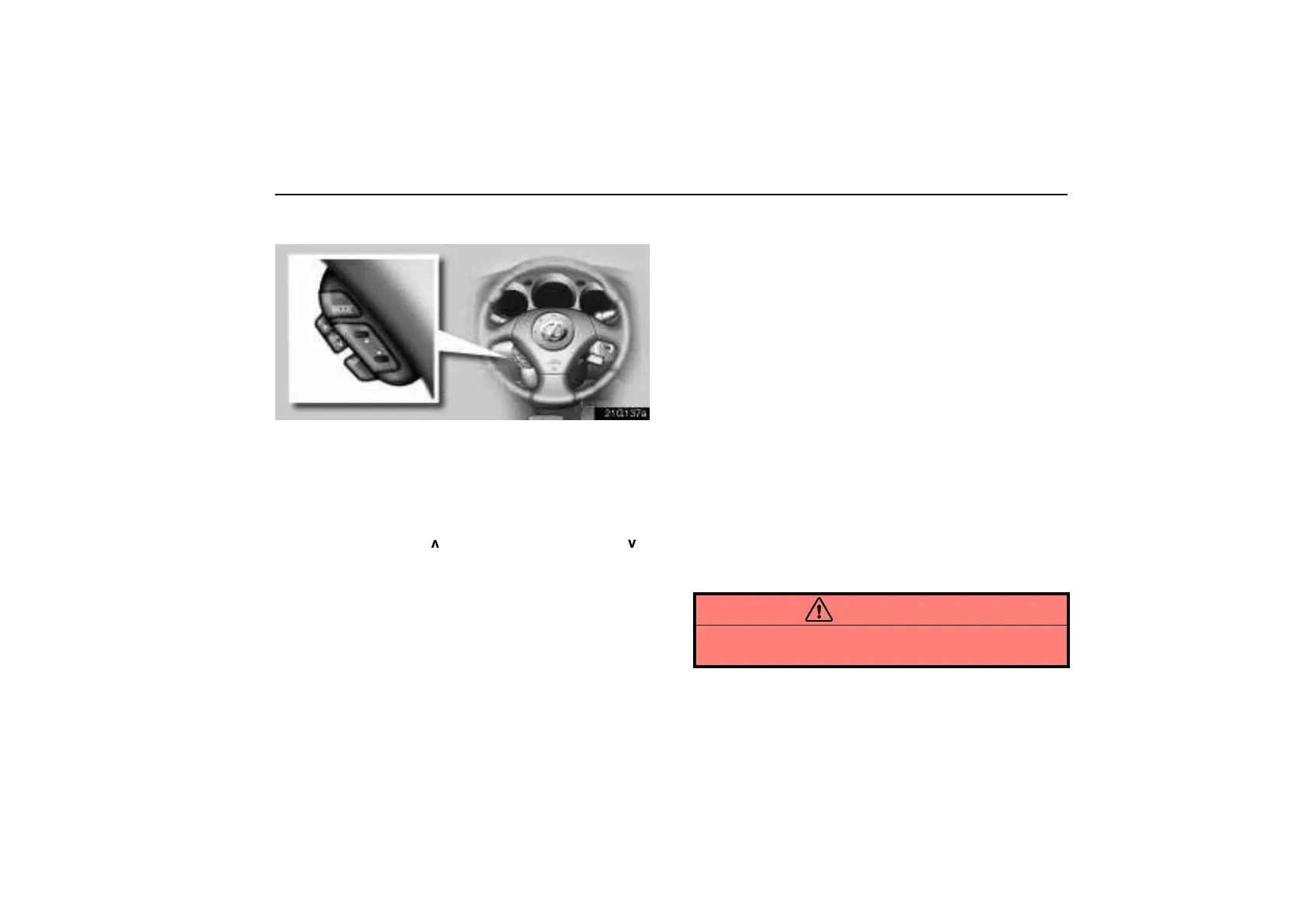
Steering pad switches (GS430 only)
21g137a
The steering pad switches are installed on the left side of the
steering wheel.
“MODE” switch: Push the “MODE” switch to select an audio
mode. Each push changes the mode sequentially if the
desired mode is ready to use. When you push the switch with
the audio system turned off, the audio system turns on.
“VOL” switches: Push “
” to increase the volume and “ ”
to decrease the volume. The volume continues to increase or
decrease while the switch is being pressed.
“SET” switch: Push the “SET” switch to change to the preset
volume. To preset the volume, adjust the volume and push the
switch until you hear a beep.
“B” or “Y” switch: The function in each mode is shown
below.
(a) When the radio mode is selected
D Push this switch briefly to select a station that you assigned
to a switch on the audio system.
D Push this switch and hold it until you hear a beep. The radio
will begin seeking up or down for a station and stop on
reception.
(b) When the “TAPE” mode is selected
D Push this switch briefly for automatic program selection. In
automatic program selection, you can skip up to 9 programs
at a time. For details, see page 162 for details.
D Push this switch until you hear a beep to fast forward or
rewind the tape. To stop fast forwarding or rewinding, push
the same side on the switch.
(c) When the “CD” mode is selected
D Push this switch briefly to select a desired track.
D To select a desired disc, push and hold this switch until you
hear a beep.
CAUTION
Operate the steering pad switches with due care while
you are driving to avoid accidents.
This manual downloaded from http://www.manualowl.com



 To Next Page