TOUCH SCREEN
242
By one touch call—
You can call by registered telephone number which you
selected from a phone book, dialed numbers and received
calls. (See page 248 for registering the one touch dial.)
G18008
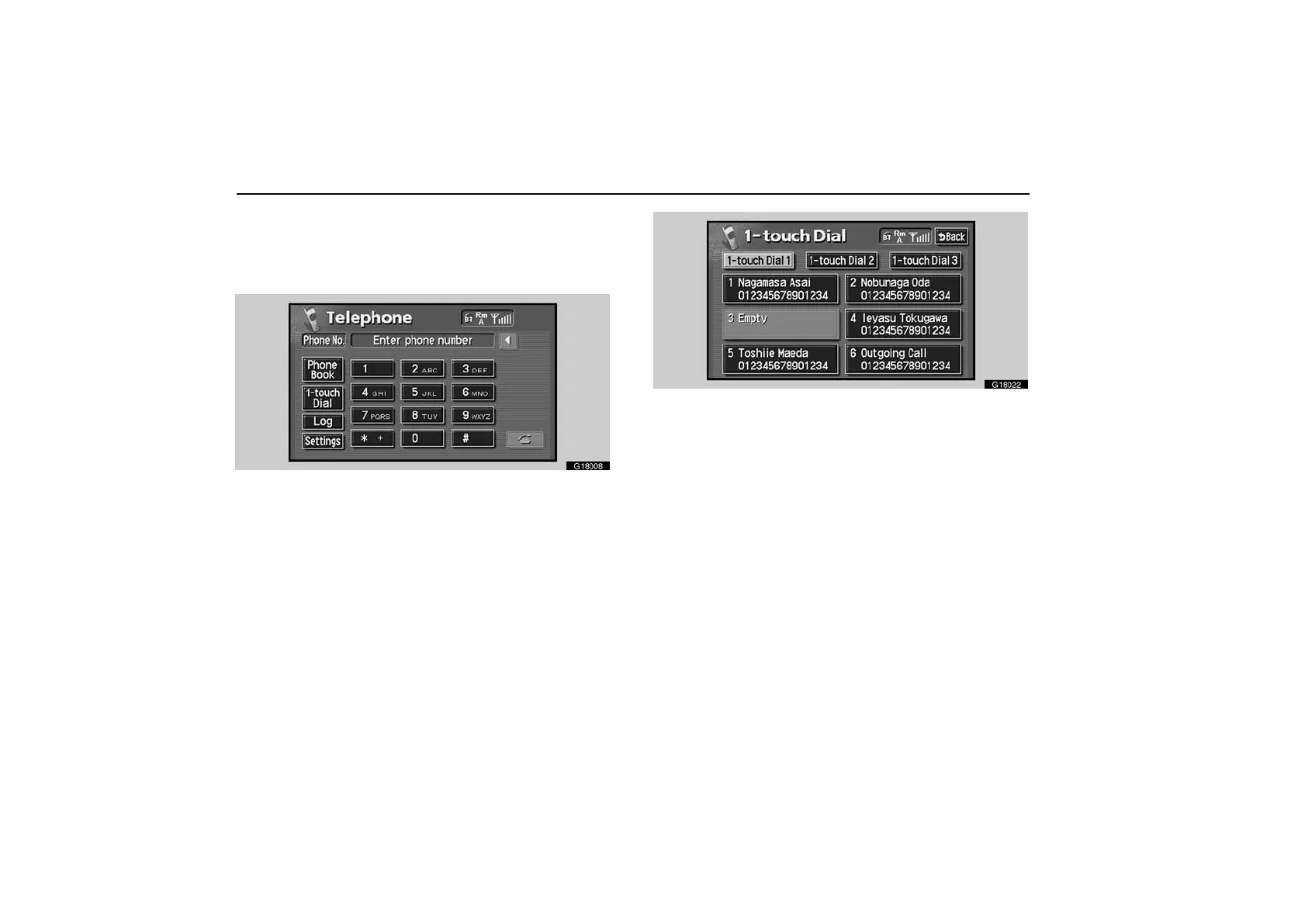
1. Touch the “1−touch Dial” switch to display “1−touch
Dial” screen.
G18022
2. Touch the desired number to call. You can change the
page by touching “1−touch Dial 2” or “1−touch Dial 3”.
When you push the telephone button while you are driving, the
screen above appears. Touch the desired name to call. (The
telephone number is not displayed.)
By POI call—
You can call by operating a switch when “Call” is
displayed on the screen from Navigation system. (See the
Navigation System Owner’s Manual.)



 To Next Page