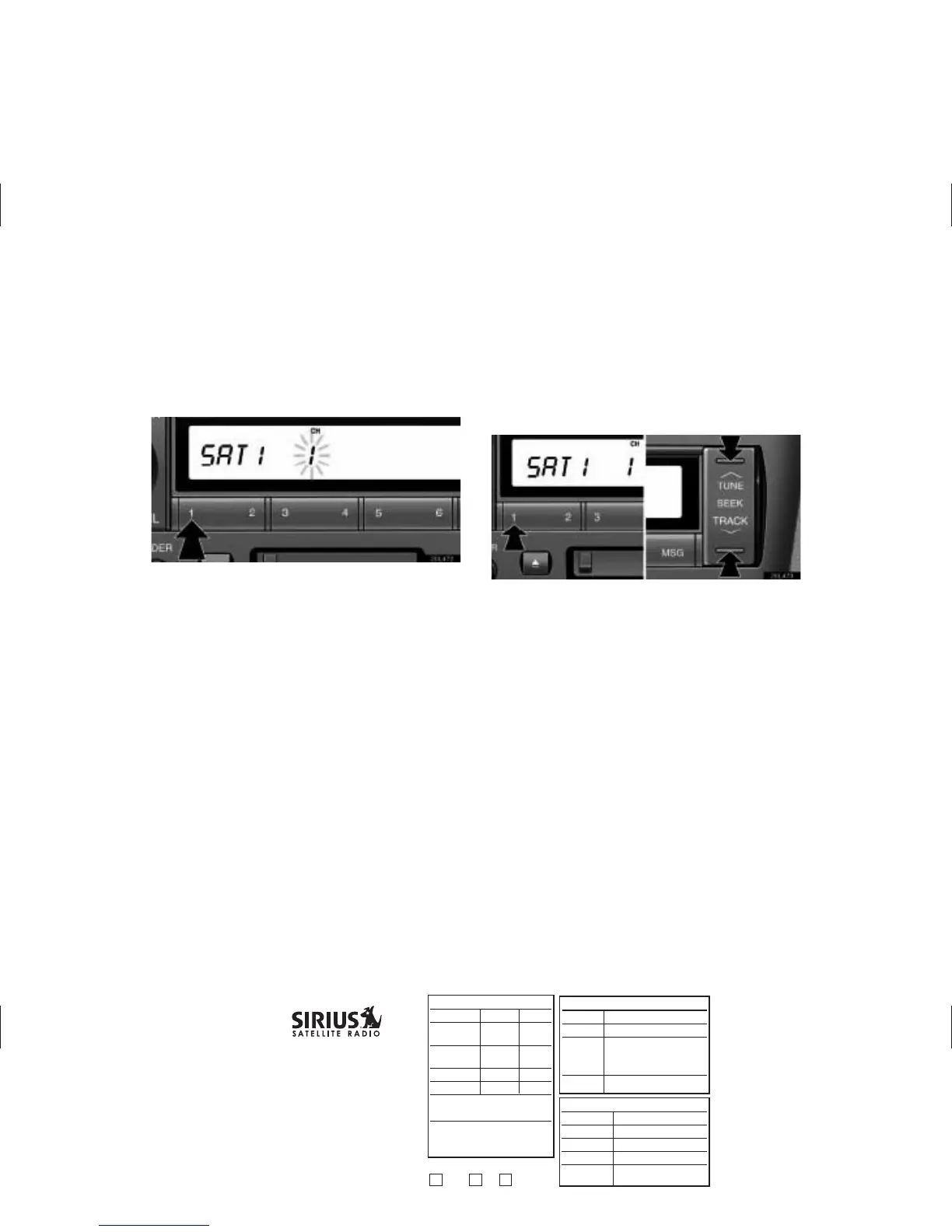
(d) Presetting a channel
1. Tune in the desired channel.
2. Push one of the channel selector buttons ( 1–6 ) and hold
it until a beep is heard. This sets the channel to the
button and the button number ( 1–6 ) appears on the
display.
Each button can store three SAT channels. To change the
preset channel to a different one, follow the same procedure.
The preset channel memory is cancelled when the power source
is interrupted by battery disconnection or a blown fuse.
(e) Selecting a channel
Tune in the desired channel using one of the following methods.
Preset tuning: Push the button ( 1–6 ) for the channel you want.
The button number ( 1–6 ) and channel number appear on the
display.
3
APPROVAL INITIAL DATE
Originator:
Pr
oofr
eader:
n
n
Check Legal
Mac Artist:
n
n
Spell check
T
r
affic/Pr
od:
Gr
aphics Mg:
E-mail to Originator:
n
n
PDF
n
n
PDF cr
opped
n
n
jpeg
FTP for Originator:
(lis
t det
ails)
05-3013
T
o
y
ota Radio Manual PDF
LS430
T
rim: 11" x 8.5"
Line Screen: 72 dpi
4C/0
GRAPHICS GROUP
1221 A
v
enue of the Americ
as, NY, NY 10020
212-901-6536 or 212-584-5117
Originator is responsible for final proofreading, specs, sizes, brand and legal approvals.
RELEASE INF
ORMA
TION
Quantity:
Stock:
Shipping
Loc
ation:
Due Date:
In hand
FULFILLMENT
INFORMATION
Originator:
Department:
Threshold:
Ent
er Online:
NO
Online Code:
OKA
Y t
o Release
Org
T
rf
GRP M



 To Next Page