234
AUDIO/VIDEO SYSTEM
LS460_Navi_U (L/O 0609)
2007 LS460L/LS460 Navigation from Aug. ’06 Prod. (OM50750U)
D
Recording to the sound library is
not possible from media (such as
CD−Rs) in which MP3 files are
stored.
D When you are recording a CD with
no track intervals (such as a live
concert CD), the sound may break
in a track when the music data is
played back.
D Lexus does not compensate for
contents that cannot be recorded
or any loss of recorded data due to
a malfunction or failure of the navi-
gation system.
D Make sure to check the recording
operation before recording and
check the recorded contents after
recording.
D Recording is not guaranteed for all
CDs.
D The data saved or recorded onto
this navigation system by the cus-
tomer cannot be extracted from the
navigation system, and those ser-
vice cannot be accepted.
D The data saved or recorded onto
this navigation system by the cus-
tomer cannot be guaranteed dur-
ing repair or service. Lost data that
was saved or recorded by the cus-
tomer is not guaranteed.
D Due to copyrights, the music data
recorded into the sound library
cannot be backed up during repair
or service.
D Before using the sound library, see
“(d) Database” on page 249.
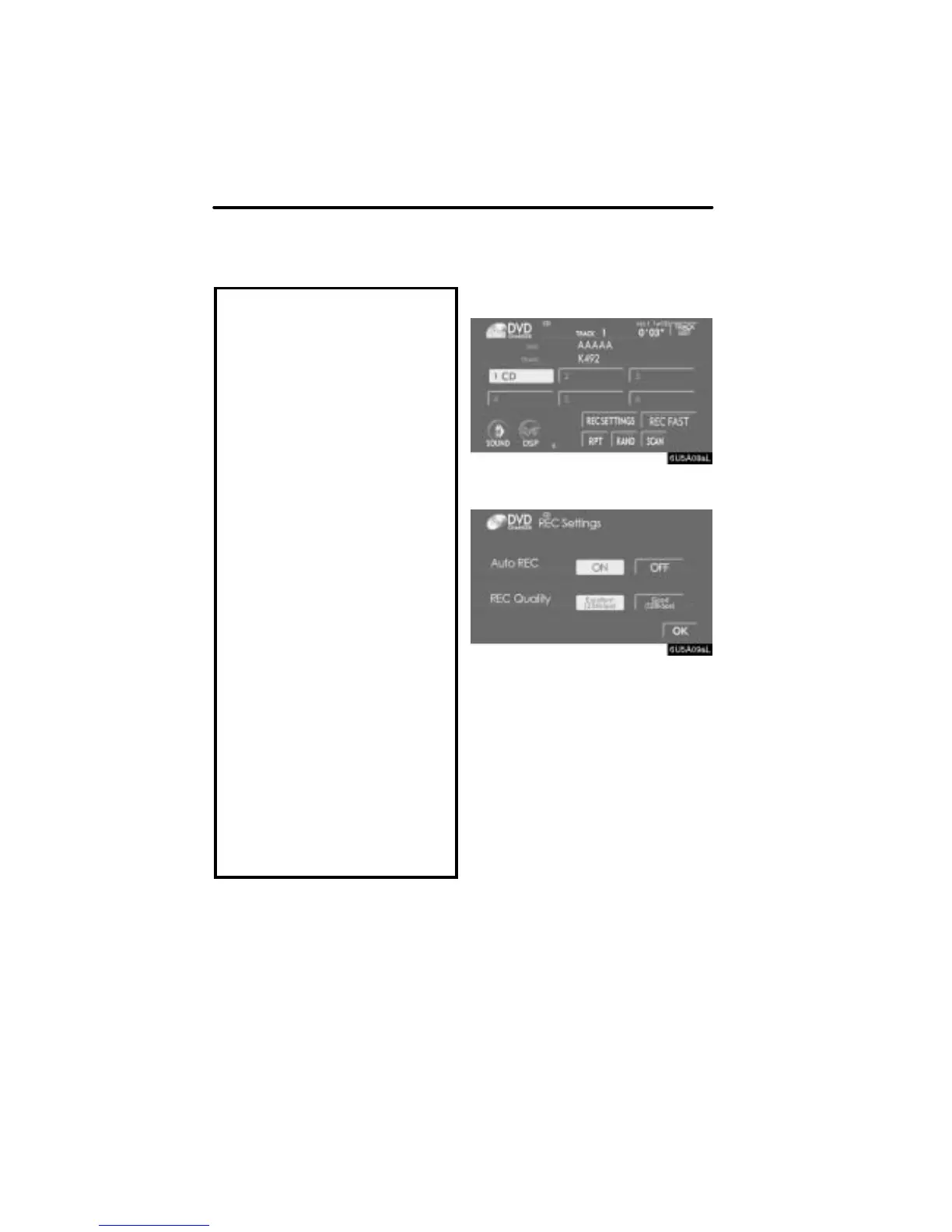
(a) Recording to the sound library
D Record setting
1. Touch “REC SETTINGS” when play-
ing an audio disc.
2. Touch the desired button.
Auto REC:
Touch “ON” to automatically start record-
ing simultaneously with playback of an au-
dio disc.
Touch “OFF” to manually record only the
selected tracks. The default setting of
“Auto REC” is “OFF”.
REC Quality:
The sound quality used for recording can
be set. Touch either “Excellent (256
kbps)” or “Good (128 Kbps)”.
3. Touch “OK”.


 To Next Page