246
AUDIO/VIDEO SYSTEM
LS460_Navi_U (L/O 0609)
2007 LS460L/LS460 Navigation from Aug. ’06 Prod. (OM50750U)
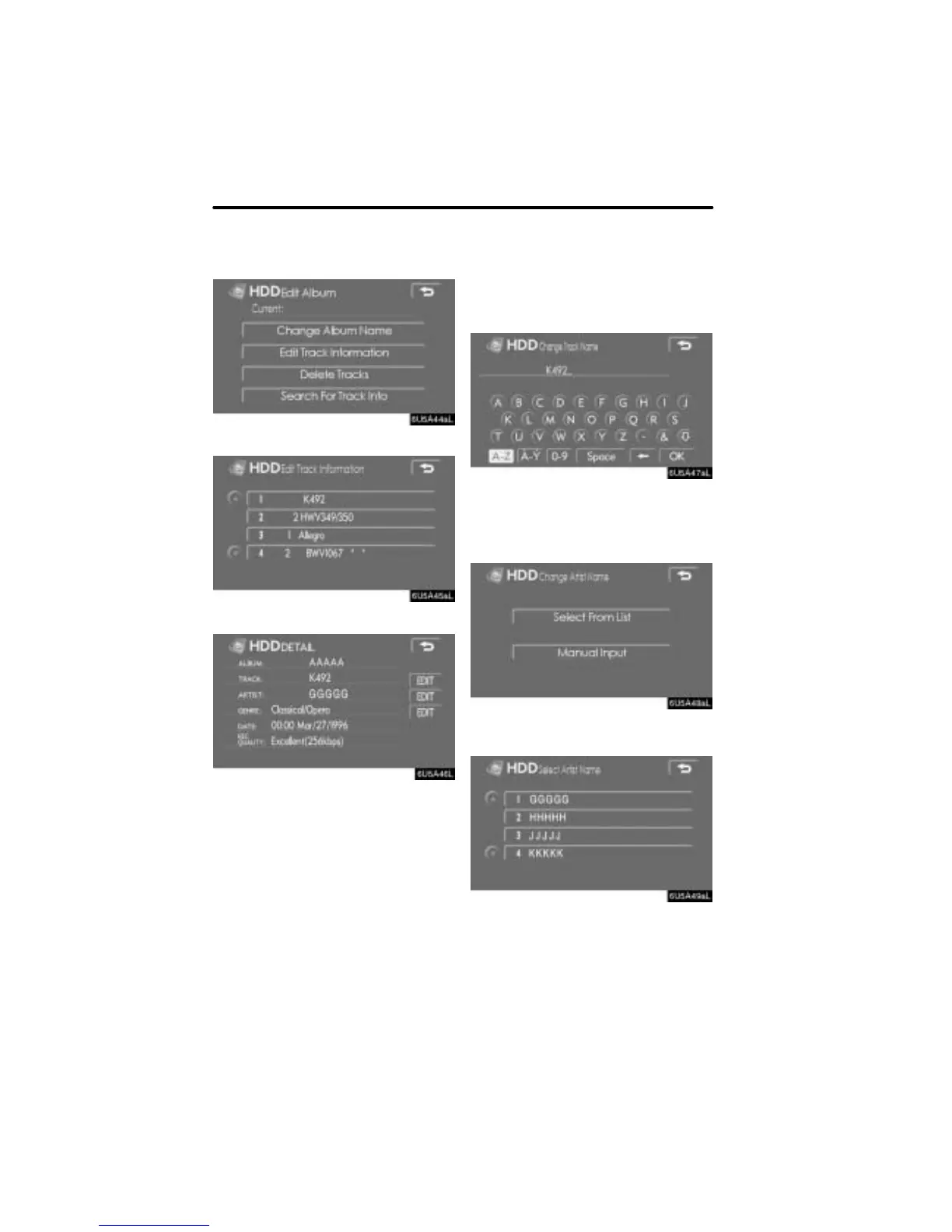
3. Touch “Edit Track Information”.
4. Touch the desired track.
5. Touch “EDIT” for the item to be
edited.
CHANGING A TRACK TITLE
1. Touch “EDIT” beside the track name
on the “DETAIL” screen.
2. Enter the name and touch “OK”.
CHANGING AN ARTIST NAME
1. Touch “EDIT” beside the artist name
on the “DETAIL” screen.
2. Touch “Select From List” or “Manu-
al Input”.
3. If you touched “Select From List”,
touch the desired artist name from the
list.


 To Next Page