236
AUDIO/VIDEO SYSTEM
LS460_Navi_U (L/O 0609)
2007 LS460L/LS460 Navigation from Aug. ’06 Prod. (OM50750U)
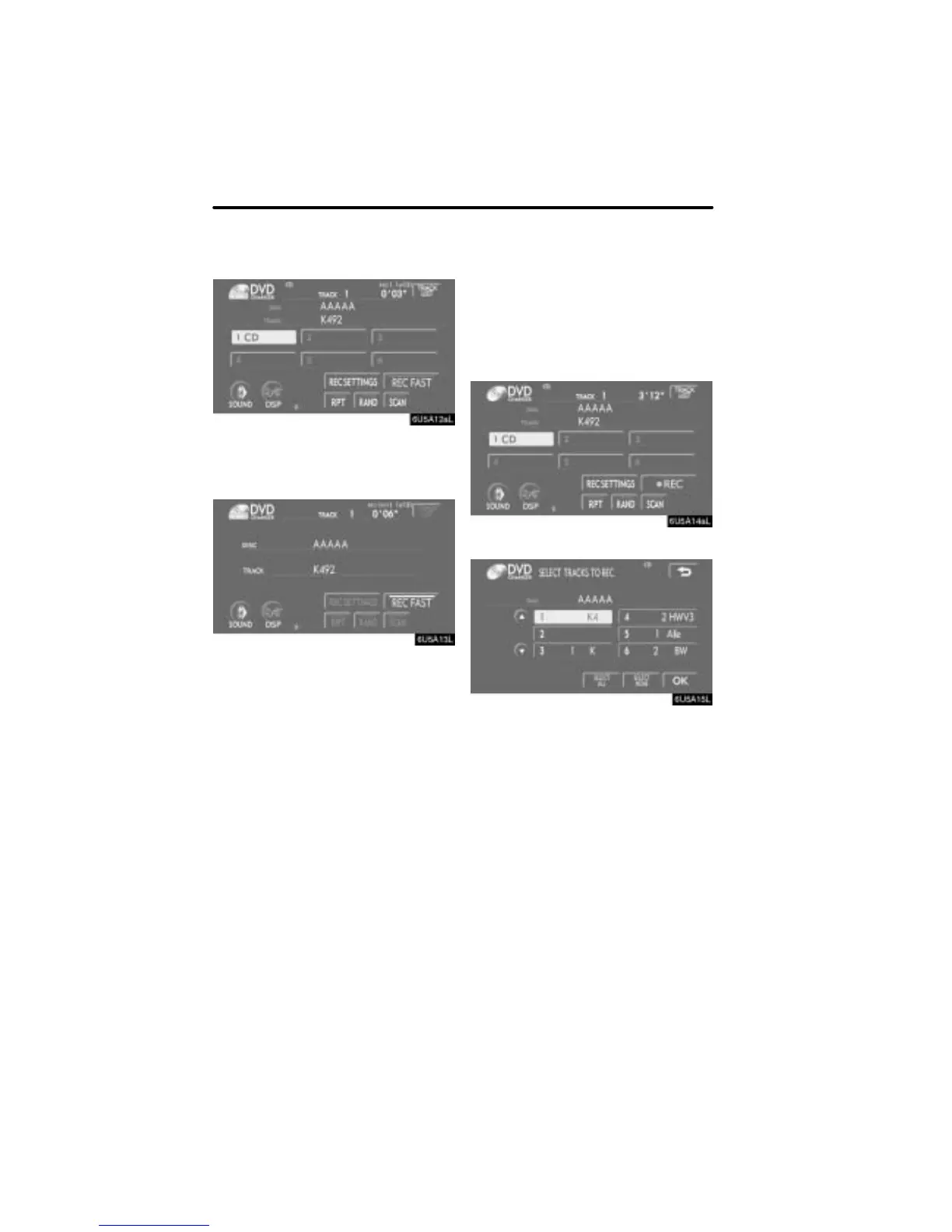
Touching “REC FAST” can allow record-
ing up to 4 times faster than normal. The
audio plays at a normal speed during fast
recording.
“DREC” is displayed during fast record-
ing.
“RPT”, “RAND”, “SCAN”, “REC SET-
TINGS” and “TRACK LIST” cannot be
operated during fast recording. Fast for-
warding and reversing are also not pos-
sible.
Touch “REC FAST” again to return to nor-
mal speed recording.
D Recording an audio disc manually
If “Auto REC” is set to “OFF” on the “REC
Settings” screen, only selected tracks will
be recorded.
This function cannot be operated while
driving.
1. Touch “DREC”.
2. Touch the desired track.
Touching the desired track again cancels
selection of the track.
Touch “SELECT ALL” to select all the
tracks.
Touch “SELECT NONE” to cancel all the
selections.
3. Touch “OK”.


 To Next Page