252
AUDIO/VIDEO SYSTEM
LS460_Navi_U (L/O 0609)
2007 LS460L/LS460 Navigation from Aug. ’06 Prod. (OM50750U)
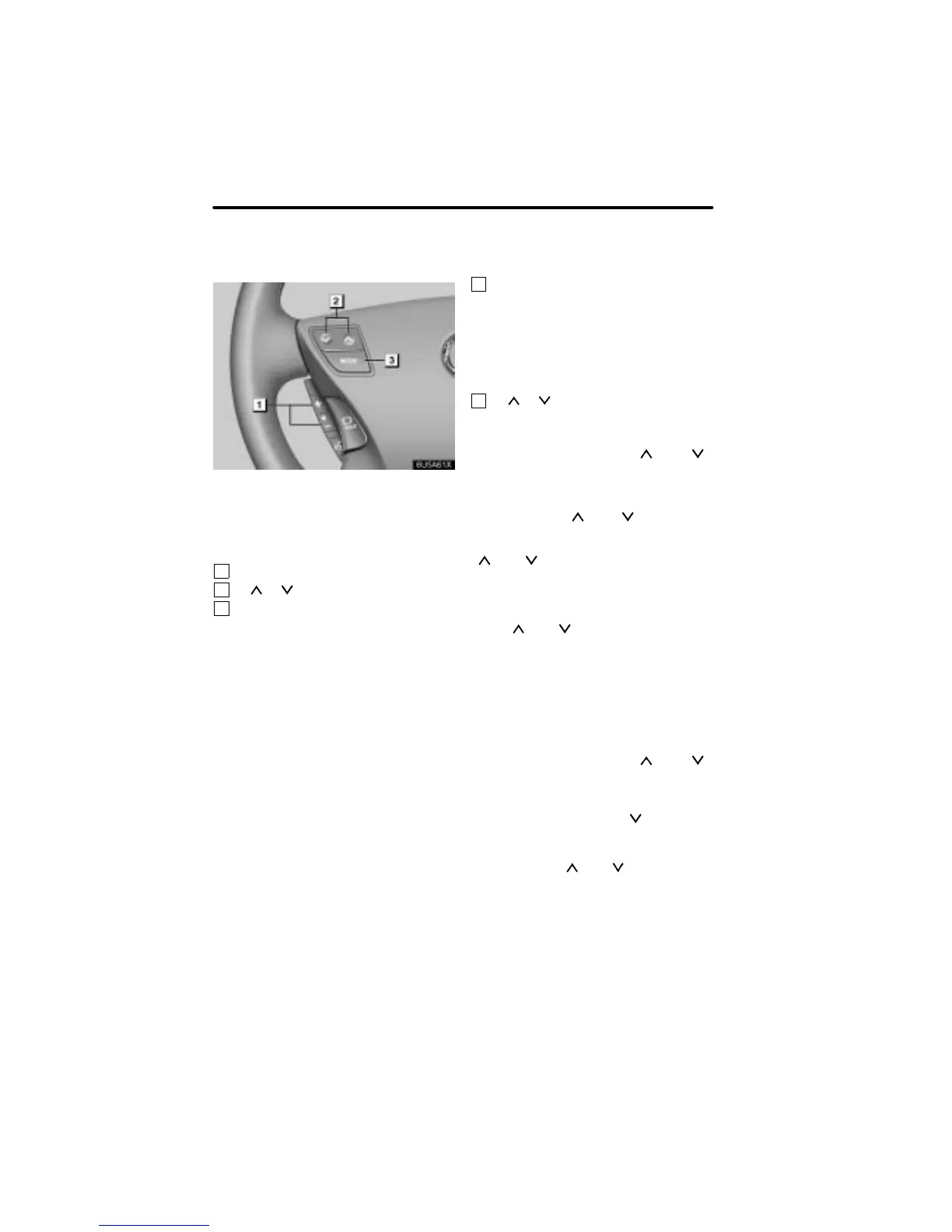
Some parts of the audio/video system can
be adjusted with the switches on the steer-
ing wheel.
Details of the specific switches, controls,
and features are described below.
1
Volume control switches
2
“ ” “ ” switch
3
“MODE” switch
1
Volume control switches
Pull the “+” switch to increase the volume.
The volume continues to increase while
the switch is being pulled.
Pull the “−” switch to decrease the volu-
me. The volume continues to decrease
while the switch is being pulled.
2
“ ” “ ” switch
Radio
To select a preset station:
Quickly push and release “ ” or “ ”
side of the switch. Do this again to select
the next preset station.
To seek a station:
Push and hold “
” or “ ” side of the
switch until you hear a beep. Do this again
to find the next station. If you push either
“
” or “ ” side in seek mode, the seek
mode will cancel.
Satellite radio
To select a preset station:
Push “
” or “ ” side of the switch. Do
this again to select the next preset station.
CD changer, DVD changer or Sound li-
brary
Use this switch to skip up or down to a dif-
ferent track, file or chapter in either direc-
tion.
To select a desired track, file or chapter:
Quickly push and release “
” or “ ”
side of the switch until the track, file or
chapter you want to play is set. If you want
to return to the beginning of the current
track, file or chapter, push “
” side once,
quickly.
To select a desired disc or play list:
Push and hold “
” or “ ” side until you
hear a beep to change to the next or the
previous disc or play list. Repeat this op-
eration until you reach the disc or play list
you want to listen to.
Audio/video remote
controls —
— Steering switches



 To Next Page