81
2-1. Instrument cluster
LC500_LC500h_OM_OM11405U_(U)
2
Vehicle status information and indicators
■
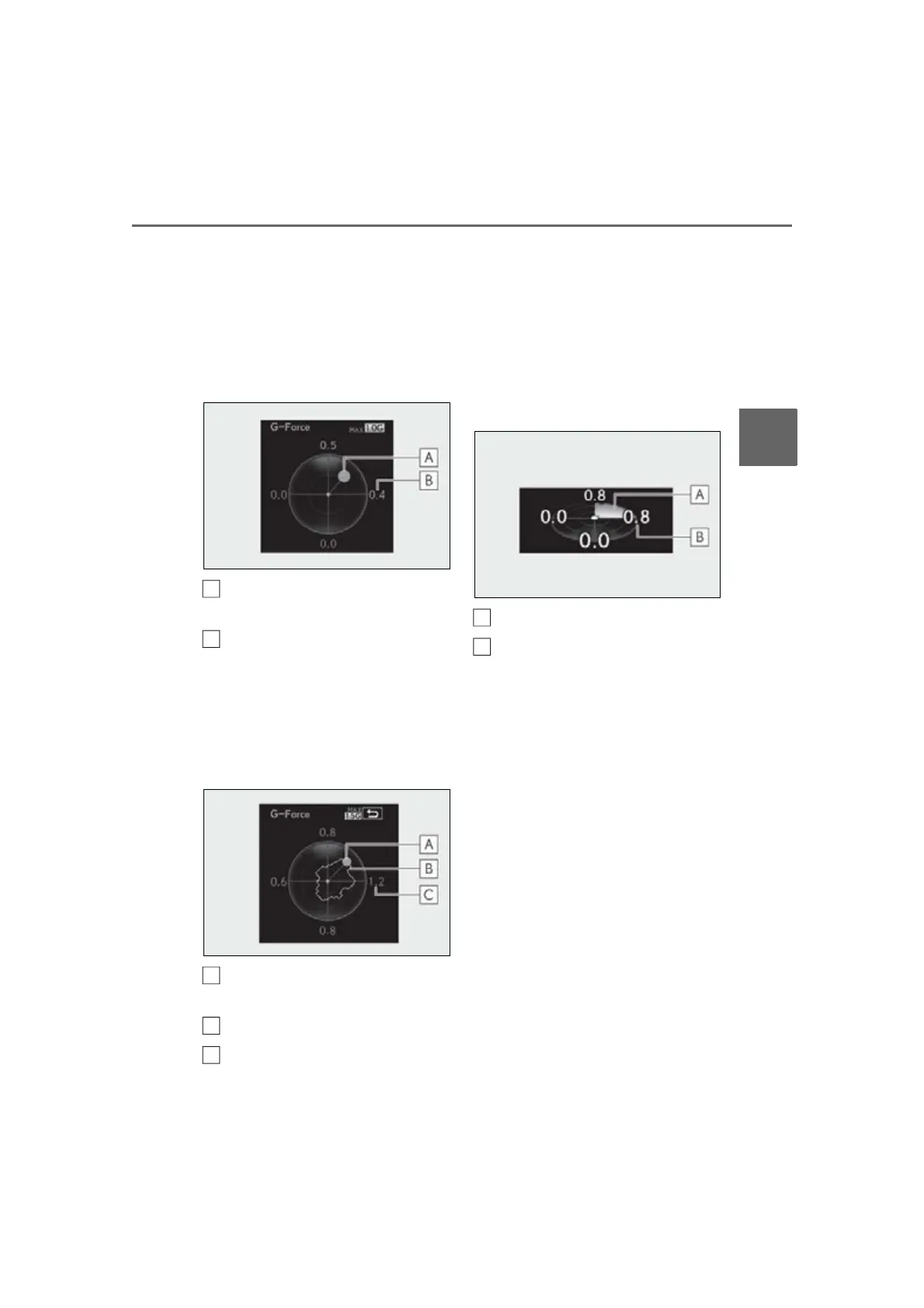
G-force
Displays lateral G-forces on the vehi-
cle
Reading the display
• Normal display
Displays the following on the multi-infor-
mation display
Acceleration G-force on the vehi-
cle
Current G-force value (analyzed
value of front/rear and left/right G-
forces)
• Advanced display
Displays the following on the main meter
and multi-information display
Multi-information display:
Acceleration G-force on the vehi-
cle
Record of the maximum G-forces
Value of the maximum G-force
since display reset (analyzed value
of front/rear and left/right G-
forces)
This display is intended for use as a guide-
line. Depending on factors such as the road
surface condition, temperature and vehicle
speed, the display may not show the actual
condition of the vehicle.
Main meter:
G-force direction
Current G-force value (analyzed
value of front/rear and left/right G-
forces)
This display is intended for use as a guide-
line. Depending on factors such as the road
surface condition, temperature and vehicle
speed, the display may not show the actual
condition of the vehicle.
Switching the display
To switch to advanced display, press “OK”.
To return to normal display, press “OK”.
Resetting the record of maximum
G-forces
With the record of maximum G-forces dis-
played, press and hold “OK” to reset the
display.
Peak hold function (advanced dis-
play only)
If lateral G-forces of 0.5 G or greater are
generated, the G-force value displayed on






 To Next Page