602
5-5. Using the rear seat entertainment system
LS600h/LS600hL_EE(OM50D61E)
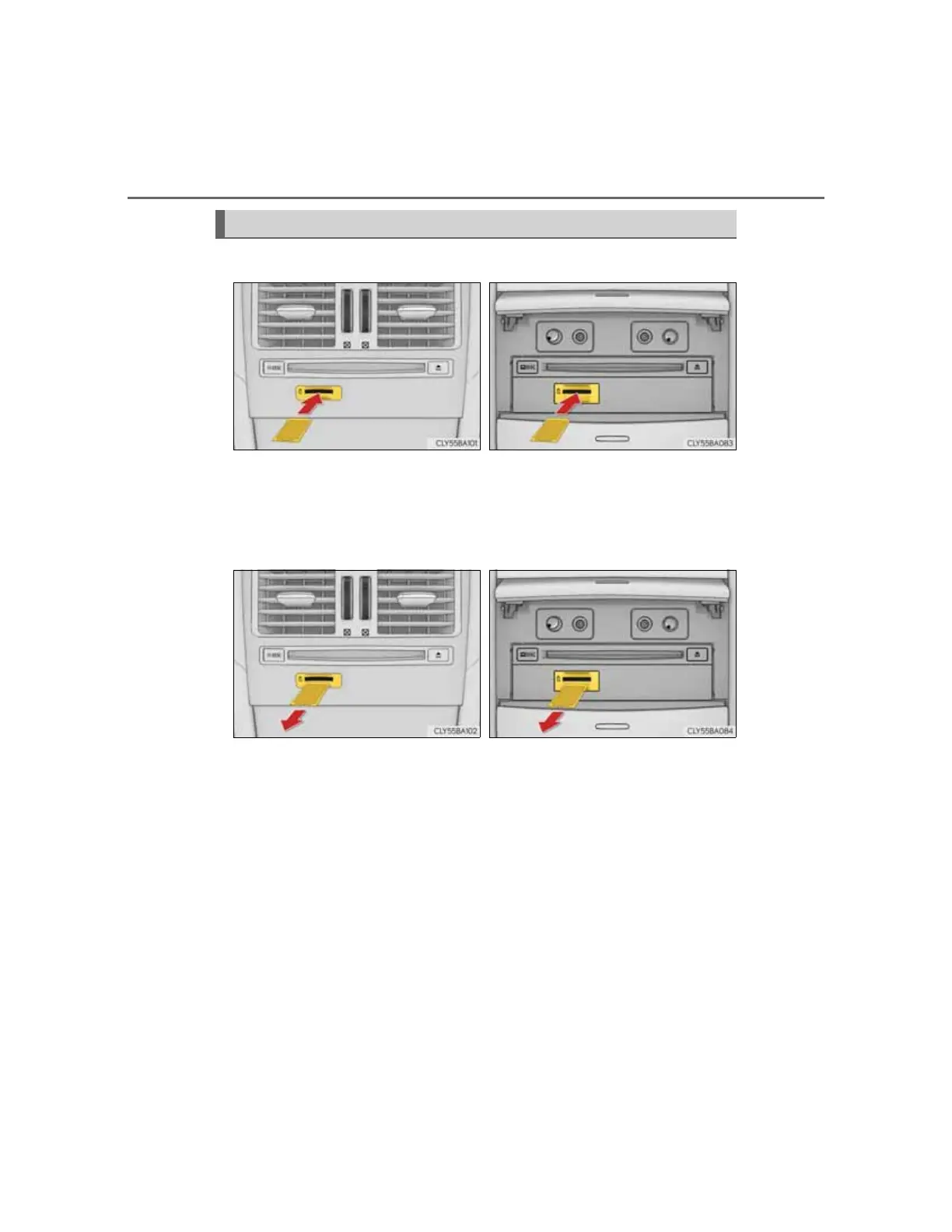
Insert the SD card with the label side up, positioning the cut off cor-
ner to the right. When it is inserted, push it straight in until you hear
a click.
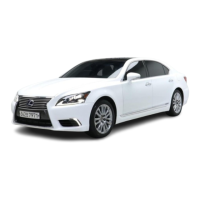
To eject the SD card, push on the center of the SD card. When it is
ejected slightly, pull it straight out.
Inserting and ejecting an SD card
5-seat models 4-seat models
5-seat models 4-seat models



 To Next Page