EasyManua.ls Logo

LFE 2000 Series - Page 54

LFE 2000 Series
155 pages
Print Icon
To Next Page IconTo Next Page
To Previous Page IconTo Previous Page
Loading...
95,5_]I REV A
All
corrtrollers
have
been
manufactured
with
specific
hardware that
determlnes
tts
lnput
and
output
capability.
The PART
NUMBER
defines that
capabrllty.
Sirrce
the
software
cannot
tell
if
the
correct
hardware
has
been installed,
it
is up to the MOD
CENTER
to
make
sure
that
the
hardware
modifications
match the
software
configuratron
code.
Since
new
data
is
not
stored
until the
end
is
rrecessary
to
advance
to
the
display
"CAL
to
save
any
values
or
software
changes
that
Of
the
CONFIGURATION/CALIBMTION
LOOP, it
COMPLETE''
ANd
RETURN tO
thc OPEMTOR
I,OOP
are
made
while
in this
loop.
DO
NOT
ALLOI.J
THE
AC
SUPPLY
POWER
TO BE
DISCONNECTED
I.IHILE
A CONTROLLER
IS
IN THE
CONFIGURATION/CALIBMTION
LOOP.
IF
THIS
DOES
HAPPEN,
IT WILL
BE
NECESSARY
TO
RESTART
AT
THE
BEGINNING
OF
THE
CONFIGUMTION/CALIBRATION
LOOP
AND PROCEED
THROUGH
ALL OF
THE ENSUING
STEPS
INCLUDING
THE
CALIBMTION
SUB-LOOP.
6.I
CHANGING
THE
PART
NUMBER
CAUTION
For
all
models
except
Models
2012
and 2013,
the
part
number
providing
the
software
i-nstructi-ons
to match
the controller
the
orrgi-nal
part
number
supplled
by
the
factory
does
not
rs
the confi.guratron
code
to the
application.
If
need
charrging,
press
the
PARAM
(CHECK)
key
to
advance
to
the
next
display.
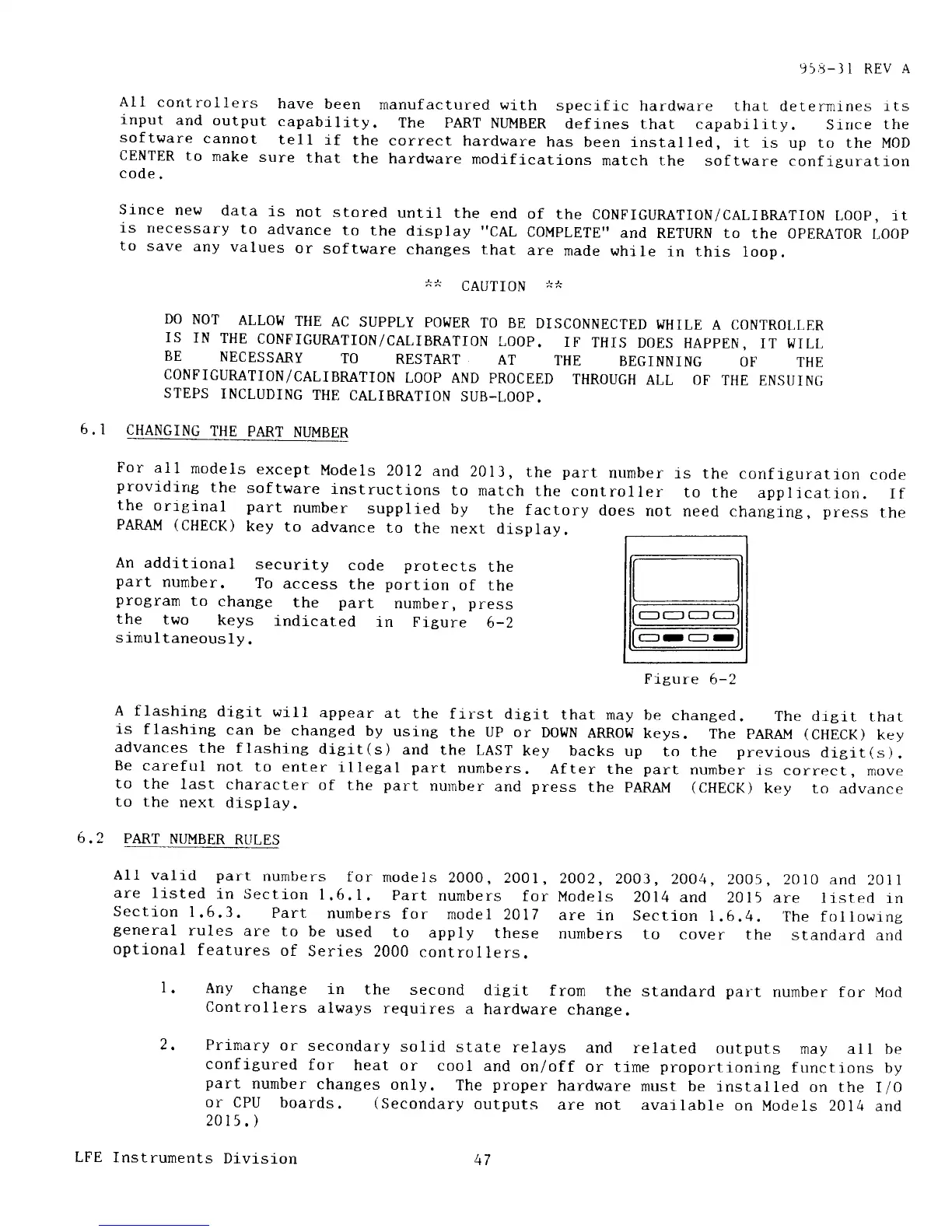
An
additional
security
code
protects
the
part
number.
To
access
the
portion
of the
protram
to
change
the
part
number,
press
the
two
keys
indicated
in Figure
6-2
simultaneously.
Prgure
6-2
A flashine
dieit will
appear
at
the
first
dleit
that
may be
changed.
The drgit
that
is
flashing
can
be
changed
by
using
the
UP or
DotIN
ARRoti
keys.
The
pARAI'i
(CHECK)
key
advances
the
flashlng
diei-t(s)
and
the LAST
key backs
up
to the
previous
dleit(s).
Be careful
not
to
enter
lllegal
part
nurnbers.
After
the
part
number
is correct,
move
to
the
last
character
of
the
part
nurriber
and
press
the PARAIv!
(CHECK)
key to
advance
to the
next
display.
6.2
PART
NUMBER
RLTLES
All valid part
numbers
for
models
2000,
2001,
2OO2,2003,
2OO4,2005,
20l0 and
20ll
are
li.sted
in Section
1.6.1.
Part
numbers
for
Models
2014
and
2015
are iisted
in
Section
I
.6.3. Part
nurnbers
for
model
201 7
are
in Section
|
,6,4. The fol
lowrng
general
rules
are to
be
used
to
apply
these
numbers
to
cover the
standard
anrl
optional
features
of
Series
2000
controllers.
l.
Any change
in
the
second
digit
from
the
standard
part
number
for Mod
Controllers
always
requires
a
hardware
change.
Prrmary
or
secondary
solid
state
relays
and
related
outputs
rnay
all be
configured
for
heat
or
cool and
on/off
or
time
proportioning
functions
by
part
number
changes
only.
The
proper
hardware
nust be
installed
on the
I/0
or
CPU
boards.
(Secondary
outputs
are not
available
on
Models 2014
and
2015
.
)
2,
LFE
Instrunents
Dlvisi_on
4I