EasyManua.ls Logo

LFE 2000 Series - Page 53

LFE 2000 Series
155 pages
Print Icon
To Next Page IconTo Next Page
To Previous Page IconTo Previous Page
Loading...
95,3-l1
REV
B
SECTION
6
-
SOFTWARE
PROGRAI.{MING
IN
THE
CONFIGUMTION/CALIBBATION
LOOP
This
section
rs
based
on
using
the
rs
used
for
specj-al
characteristics,
should
be
contacted
for
special
inst
MODEL
2000
200
I
2002
200
3
2004
2005
2005
2005
200
5
20
10
20tl
2012
20i3
2014
2015
2017
standard
EpROMs
listed
be1ow.
I
these
instructions
may
vary
ructlons.
f
any
other
EPROM
and
t
he
factorv
EPROM
PART
NTIMBER
I 685-9
1685-9
I 685-1
9
1685-28
1685-29
1685-9
(START/STOP)
1585-I9
(AUTO/MANUAL)
1685_28
(SELF
TUNE WITH
1685_29
(SELF
TT]NE
WITH
I 685-5
i685-5
1685-22
1685-22
1685-17
t685-27
1685-63
START/,S
TOP
AUTO/MANUAL
)
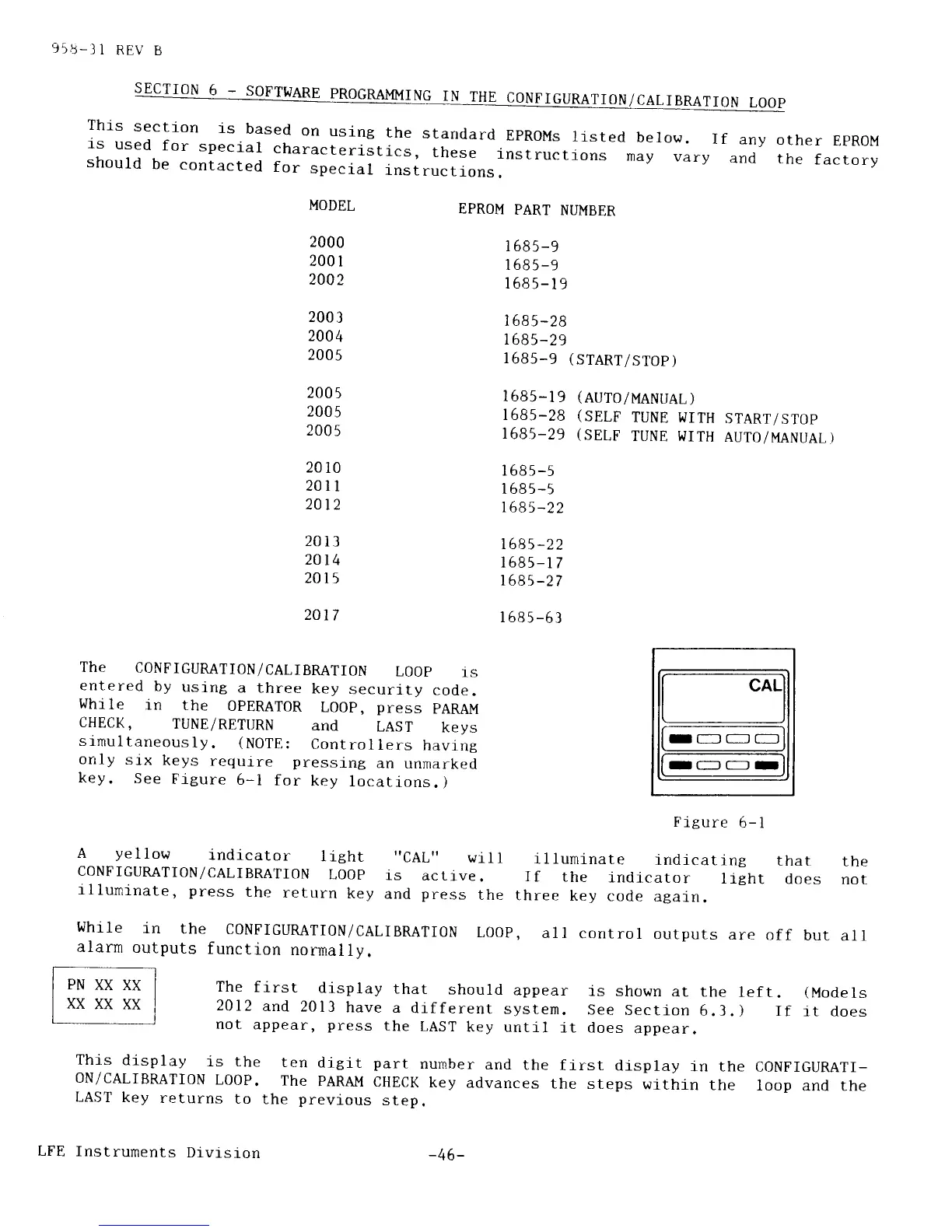
The
C0NFIGURATI0N/CALIBRATI0N
L00p
1s
entered
by
using
a three
key
security
code.
While
in
the
OPERATOR
LO0p,
press
pARAI,,l
CHECK,
TUNE/RETURN
and
LAST
keys
slmultaneously.
(NOTE:
Controllers
having
orrly
stx
keys
requrre pressing
an
unmarked
key.
See
Figure
5-l
for
key
locations.)
CALI
I-
rc:l
(-
r
Figure
6-l
A
yel1ow
indi,cator
light
"cAL"
will
illuminate
indlcating
that
the
CONFTGURATION/CALIBRATION
LooP
1s
active.
If
the
indicator
lrght
does
nor
illuminate,
press
the
return
key
and
press
the
three
key
code
atarn.
I{hr1C
iN
thc
CONFIGURATION/CALIBRATION
LOOP.
alarn
outputs
function
normallV.
all
control
outputs
are
off
but
all
The
first
display
that
should
appear
is shown
at the
left.
(Models
2ol2
and
2013
have
a
different
system.
See
section
6.3.)
If
it does
not
appear,
press
the
LAST
key
until
it does
appear.
This
display
is the
ten
digit
part
number
and
the
fi
oN/cALTBRATI0N
L00P.
The
PARAM
CHECK
key
advances
the
LAST
key
returns
to
the
previous
step.
rst
display
in the
CONFIGURATI-
steps
withln
the
loop
and the
LFE
Instruments
Divlsion
-46-