• When the monitor is in OFF status, press and hold [ON/OFF] button over 3
seconds to turn ON the monitor.
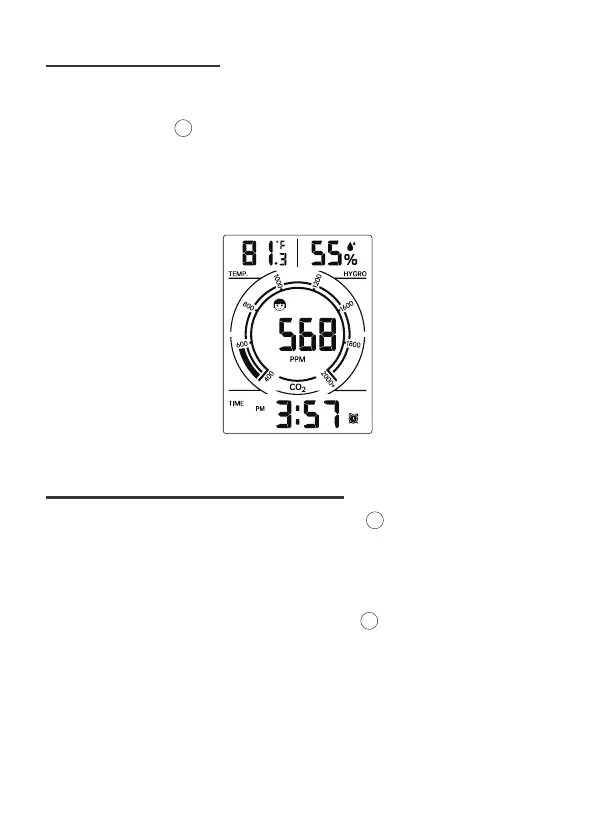
• Time, temperature, humidity and CO
2
readings will show on the display. The CO
2
sensor starts to warm up. CO
2
reading shows “550” initially. In around 60
seconds, a relevant CO
2
data will be displayed.
• When the monitor is in ON status, press and hold [ON/OFF] button over 3
seconds to turn OFF the monitor.
• Unpack and take out the CO
2
monitor. Insert the USB-C cable to the monitor and
connect to the USB adaptor.
• Press and hold the [ON/OFF] button over 3 seconds to turn on the CO
2
monitor.
• Time, temperature, humidity and CO
2
readings will show on the display. The CO
2
sensor starts to warm up. CO
2
reading shows “550” initially. In around 60
seconds, a relevant CO
2
data will be displayed.
4
11
11
11
Normal Time Display
FIRST TIME TO USE
SWITCH ON/OFF THE MONITOR


 To Next Page