8
• Press [▲/ LIGHT] and [▼/CO
2
AL /CAL] button to set required alarm
hours.
Press and hold [▲/ LIGHT] and [▼/CO
2
AL /CAL] button to adjust alarm
hours quickly.
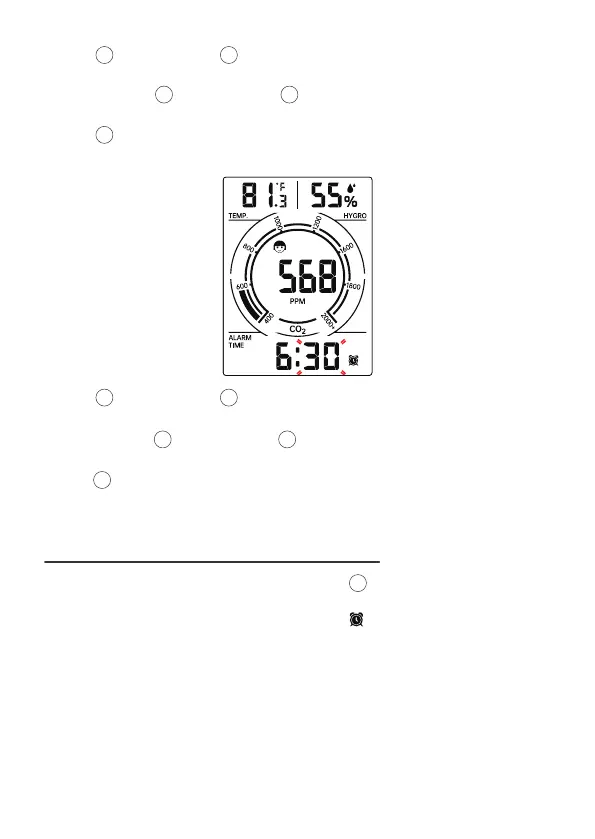
Press [SET] button to select minute of Alarm.
• When minute of Alarm flashes,
• Press [▲/ LIGHT] and [▼/CO
2
AL /CAL] button to set required alarm
minutes.
Press and hold [▲/ LIGHT] and [▼/CO
2
AL /CAL] button to adjust alarm
minutes quickly.
Press [SET] to save all setting and exit to Normal time mode.
Note : If there is no valid operation within 10 seconds, it will automatically
return to the Normal display mode from the setting mode.
2
2
1 3
1 3
1 3
3
31
2.3 DEACTIVATE/ ACTIVATE ALARM FUNCTION
• In Alarm time mode display, press and release [▼/CO
2
AL /CAL] button to
select the Alarm on or off.
• If the alarm is on, its corresponding alarm icon will be shown on the display.


 To Next Page