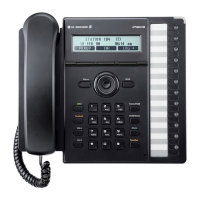
LIP Keyset User
Operation
The following is provided as quick reference for commonly used features/functions.
Placing a Call:
ICM Call –
Lift handset or press SPEAKER button.
Dial the extension number from the keypad. (10-33)
CO Line –
Lift handset or press SPEAKER button.
Press CO/IP line, or dial access number. (0)
Dial desired phone number.
Using Camp-On (Call-Wait):
When calling a busy Station, press *.
Wait for party to answer.
To retry a busy external number until answered:
When placing an outgoing call to a busy party, use the Navigation button to display the next
MENU, and press the ACNR Soft button.
Hang-up handset; the call will be retried until the call is connected or the feature is cancelled.
To Cancel ANCR: Press the STOP Soft button
Answering a Call while idle:
ICM Line –
Lift handset, or if in HF mode, just speak.
CO Line –
Lift handset, and press flashing Flex button (as needed).
MUTE - (toggle) press to STOP sound on a call.
Vol
- press to adjust sound on a call.










 To Next Page