
 Need help?
Do you have a question about the LG-Nortel iPECS ES-3026 and is the answer not in the manual?
Details the compliance of the digital device with FCC Class A limits for commercial environments.
Confirms the digital apparatus does not exceed Class A limits for radio noise emissions per ICES-003.
States compliance with EU directives for Electromagnetic Compatibility and Low Voltage safety.
Provides safety warnings regarding laser use in fiber optic ports.
Details essential safety precautions for handling and connecting the power cord.
Specifies required power cord standards for USA, Canada, Denmark, Switzerland, UK, and Europe.
Lists important warnings and cautions for product operation and handling.
Outlines the manufacturer's commitment to environmentally-friendly production processes.
Describes the product's design for recovery and disposal of components.
Confirms the absence of hazardous or ozone-depleting materials in the product.
Details the use of biodegradable paper and non-toxic inks for printed documentation.
Explains the manual's objective and intended user base for network administrators.
Defines symbols and notations used to convey information within the manual.
Lists additional resources like the User Manual and online help.
Summarizes changes made in different revisions of the guide.
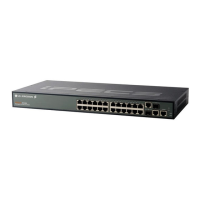
Provides a general overview of the ES-3026/ES-3026P switches and their capabilities.
Details the wire-speed, non-blocking switching fabric and store-and-forward mechanism.
Describes management methods via LEDs, web browser, Telnet, SNMP, and console port.
Explains PoE support, power budget, and delivery capabilities for connected devices.
Details the 10/100BASE-T ports and SFP transceiver slots, including supported standards.
Explains the function of port LEDs (Link/Activity/Speed, PoE Status) and system LEDs.
Describes how the Mode button switches port LED display between link and PoE information.
Identifies the location and specifications of the switch's power inlet.
Explains the importance and method of grounding the switch for electrical safety.
Details how to reset the switch to its default configuration by using the reset button.
Describes the console port's use for connecting a console device via a serial cable.
Explains the role and benefits of network switches in modern networking technology.
Illustrates typical network setups and configurations using the switches.
Demonstrates how to use the PoE feature to power connected network devices.
Explains how switches can collapse complex networks into efficient bridged nodes.
Illustrates connecting remote network segments using fiber optic technology.
Describes how to use VLANs to organize network nodes into separate broadcast domains.
Provides guidelines for choosing a suitable location for switch installation.
Ensures proper operation by checking cable suitability for 10/100/1000BASE-T connections.
Lists all components included with the switch and necessary installation equipment.
Lists equipment required for mounting the switch in a standard 19-inch equipment rack.
Provides instructions for mounting the switch in a rack, on a desktop, or on a shelf.
Details attaching feet and placing the switch for desktop or shelf installations.
Guides the installation process for SFP transceivers into the switch's SFP slots.
Provides instructions for connecting the switch to an AC power source.
Explains how to connect a console device using a serial cable for management.
Details how to connect the switch to PCs, servers, hubs, and other network devices.
Explains the use of UTP/STP cables with RJ-45 connectors for network connections.
Describes how to connect PoE-compliant devices and the switch's PoE delivery mechanism.
Provides guidelines for RJ-45 port usage and cable types for network connectivity.
Details the process of connecting network devices using twisted-pair cables.
Explains how to make connections within a wiring closet using punch-down blocks and patch panels.
Describes the use of optional Gigabit SFP transceivers for backbone and high-speed server connections.
Provides general rules for network connectivity, including hub addition and cascade length.
Specifies cable requirements for 1000BASE-T connections, recommending Category 5e/6.
Lists maximum cable lengths for various fiber types used in Gigabit Ethernet connections.
Emphasizes the importance of labeling cables and maintaining connection records for troubleshooting.
Provides actions to take based on the status of Power, Diag, and Link LEDs.
Offers steps to troubleshoot issues related to power supply and unit overheating.
Guides on verifying component installation and testing in an alternate environment.
Explains how to access the switch management agent over the network using web or other tools.
Details the wire pairs and color coding for twisted-pair cables and RJ-45 connectors.
Specifies pinout configurations for 10/100BASE-TX RJ-45 connections and MDI/MDI-X operation.
Explains straight-through wiring for connecting network devices and supporting Gigabit Ethernet.
Details crossover wiring implementation for connecting network devices with MDI-X ports.
Specifies pinout configurations for 1000BASE-T connections using all four wire pairs.
Outlines tests required for Category 5 cabling to ensure compatibility with 1000BASE-T.
Suggests measures to correct Category 5 cabling issues for 1000BASE-T performance.
Describes various ITU-T fiber standards (G.651-G.655) and their network applications.
Details the physical attributes including ports, interface, buffer, bandwidth, database, LEDs, and weight.
Lists switch features such as size, temperature/humidity ratings, AC input, power, and current.
Outlines in-band and out-of-band management methods and software loading options.
Lists the IEEE and ISO/IEC standards that the switch complies with.
Details emissions, immunity, and safety compliance certifications for the product.
Lists safety certifications including cUL and CB standards compliance.
 General
| Switching Capacity | 8.8 Gbps |
|---|---|
| Forwarding Rate | 6.5 Mpps |
| MAC Address Table Size | 8K |
| VLANs | 256 |
| Jumbo Frame Support | Yes |
| Ports | 24 x 10/100 |
| Dimensions | 440 x 44 x 170 mm |

 To Next Page