- 8 -
8. Deflection setting data adjustment
These adjustment will be done by Automatic Adjustment
Equipment.
For manual adjustment, it is also possible by the following
procedure.
8-1. Adjustment Preparation
1) Set the Deflection data with the SVC Remote control.
2) Select the Deflection adjustment mode by pressing IN-
START key.
3) Press the CH
D, CHE key to select adjustment item.
4) Press the VOL
F, VOLG key for data changing.
8-2. Adjustment
1) Horizontal Position Adjustment
Select VP1(H-POS) and adjust so that the left and right
vertical line are symmetrical as possible.
2) Vertical Position Adjustment
Select VP2(V-POS) and adjust so that the horizontal center
line coincide with geometric horizontal center of the CPT.
3) Vertical Size Adjustment
Select VP3(V-SIZE) and adjust so that the middle circle of
the Digital Pattern (480NC, 13CH) coincide with the
effective screen of CPT.
9. Auto Adjustment Preparation Sett-
ing Data Table
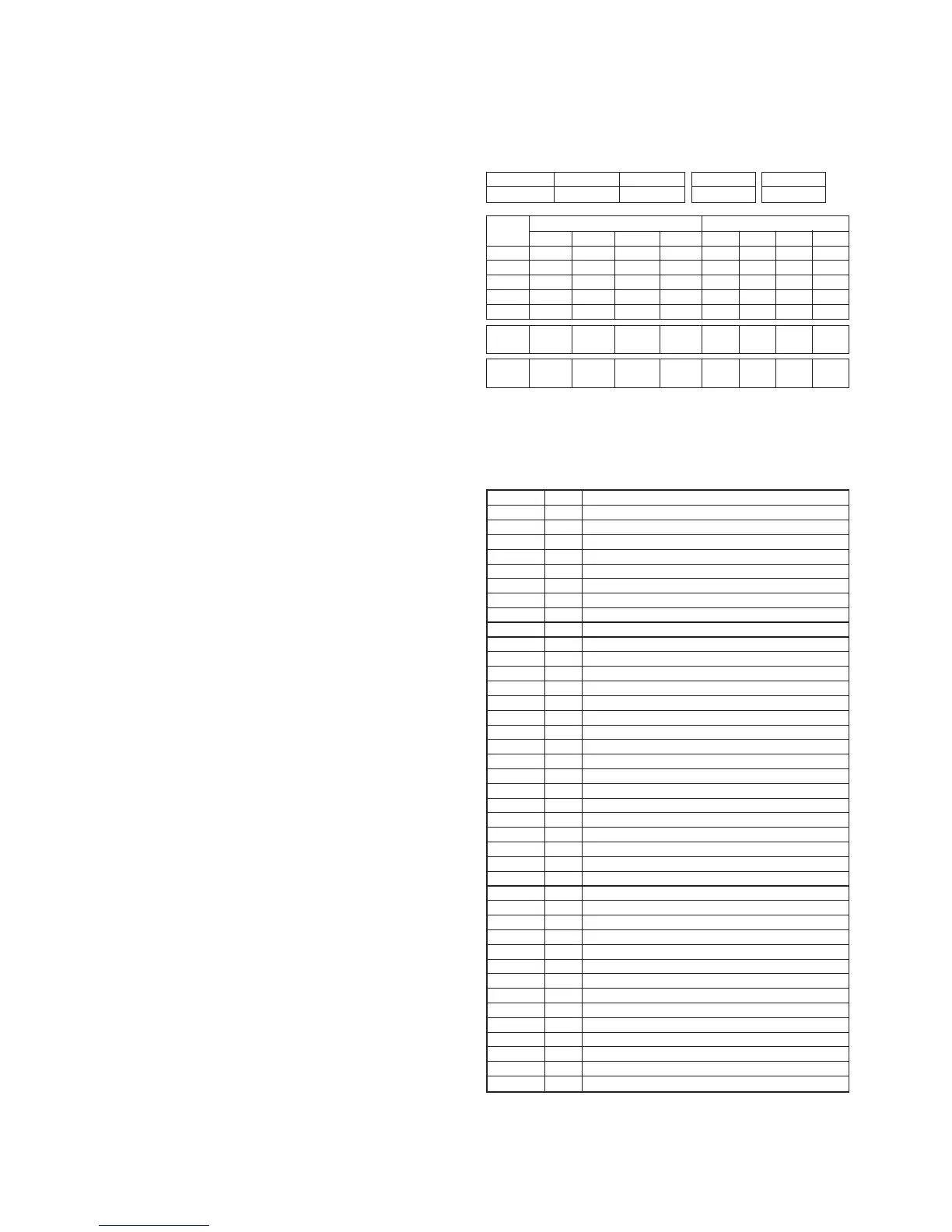
10. EEPROM OPTION TABLE
You can find the EEPROM Option Data if entering IN-START
key of the adjustable remote control and then pressing MENU
key.
OPTION 1
DVD
TURBO ME
V-CURVE
V-MUTE
EYE
PS2 NOCLR
SND MUTE
GAME
OPTION2
TURBO
ARC
200PR
BLUEBACK
TURBO AT
SHARP
DVDN 6P
SLIM
OPTION3
FM TRANS
NTSC
AV PSEU
Q PACK
A2 SW
LNA
QURAN
XD MENU
OPTION 4
SYSTEM
SND MODE
AV
LOC KEY
COLOR T
PLL DIV
OPTION 5
FM PRE
NICAM PRE
SCART PRE
A2 FM TH
FIRST TH
ZWT
INITIAL
0
0
1
1
0
0
1
0
0
0
1
0
1
0
0
0
0
1
1
0
0
0
0
0
1
0
1
3
1
31
6
7
0
5
10
12
REMARK
DVD function (1:Yes, 0:No)
T-P,T-S function display on MENU
VOLUME CURVE (1:HIGH, 0:LOW)
VIDEO MUTE
EYE function (1:Yes, 0:No)
FIX 1
SOUND MUTE at no signal
GAME function (1:Yes, 0:No)
REMARK
TURBO P/S function (1:Yes, 0:No)
ARC function (1:Yes, 0:No)
200CH. MEMORY
BLUEBACK display (1:Yes, 0:No)
TURBO SEARCH function (1:Yes, 0:No)
SHARPNESS DATA (1:+10, 0:NORMAL)
DVD 6P (1:Yes, 0:No)
SLIM OPT (1:Superslim, 2: Normal Flat)
REMARK
FM TRANS function (1:Yes, 0:No)
NTSC function (1:Yes, 0:No)
AV ST MODE (1:PSEUDO, 0:MATRIX)
Q PACK Fuction (1:Yes, 0:No)
MONO DUAL function (1:5.74MHz, 0:NORMAL)
LNA TUNER (1:LNA, 0:NORMAL)
QURAN Function (1:Yes, 0:No)
XD MENU OPT (1:Yes, 0:No)
REMARK
0:ENG/1:ARAB/2:FARSI
0:MONO / 1:AV ST
0:NO AV / 1:AV1 / 2:AV1,2
0:4KEY / 1:6KEY / 2:8KEY/3:POWER
COLOR TABLE
PLL DATA (NTSC Tuning Level)
REMARK
FM PRESCALER
NICAM PRESCALER
SCART PRESCALER
A2 PRESCALER
MONO THRESHOLD
A2 THRESHOLD
Speed
1
SLave ADD
VIDEO IC
BA
EEPROM
A2
Delay
30
EEPROM
Sub Add
74 71 76 73
SpeedPlus
Step/Data
3 3 3 3
Sub Add
Start Bit
Stop Bit
Masking
Direction
VCD
TV PC
B(R)AMP
C
6
0
0
1
B(R)CUT
9
7
0
0
1
G(B)AMP
E
6
0
0
1
G(B)CUT
B
7
0
0
1
B AMP B CUT G AMP G CUT
Copyright©2010 LG Electronics.Inc. All right reserved.
Only for training and service purposes.
LGE Internal Use Only


 To Next Page