EasyManua.ls Logo

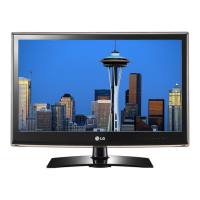
LG 19LV250U - User Manual

LG 19LV250U
142 pages
Print Icon
To Next Page IconTo Next Page
Loading...
www.lg.com
OWNER’S MANUAL
LCD TV / LED LCD TV /
PLASMA TV
Please read this manual carefully before operating the
set and retain it for future reference.

Table of Contents

Other manuals for LG 19LV250U

Questions and Answers

  • R
    Richard BartlettAug 9, 2025
    Why is there no sound on my LG LCD TV?
    • G
      gravesjenniferAug 9, 2025
      If images are displaying but there's no sound, try the following: * Press the + or - button to adjust the volume. * Check if the sound is muted by pressing the MUTE button. * Try switching to other channels as there might be an issue with the broadcast. * Ensure the audio cables are properly connected.
  • B
    Bryan BanksAug 14, 2025
    How to fix LG LCD TV remote control not working?
    • B
      Brianna DillonAug 14, 2025
      If you're unable to control your LG LCD TV with the remote, try these steps: * Check the remote control sensor on the TV and try again. * Make sure there are no obstructions between the TV and the remote. * Confirm that the batteries in the remote are working and correctly installed.
  • A
    Anthony SampsonAug 19, 2025
    What to do if my LG 19LV250U turns off suddenly?
    • J
      Jason RoseAug 19, 2025
      If your TV turns off unexpectedly, consider these possibilities: * Examine the power control settings. * Verify if the Auto sleep feature is enabled within the Time settings. * Note that the TV will automatically power down after 15 minutes of inactivity if there is no signal.
  • N
    Nicholas GarciaAug 23, 2025
    What to do if my LG LCD TV has no image and sound?
    • B
      Bryan TaylorAug 25, 2025
      If your LG LCD TV shows no image and produces no sound, please check the following: * Ensure that the TV is turned on. * Verify that the power cord is securely connected to a wall outlet. * Test the wall outlet by plugging in other devices to see if it's working correctly.
  • C
    Clinton GomezAug 29, 2025
    Why does my LG 19LV250U LCD TV image appear slowly?
    • S
      Steven RodgersAug 29, 2025
      If the image appears slowly when you turn on your LG LCD TV: * Be aware that the image is muted during the startup process, which is normal. * If the image doesn't appear after a few minutes, unplug the TV for 30 seconds and then try again. * If the image still doesn't appear, contact the authorized service center in your local area.
  • C
    Carrie BarreraSep 3, 2025
    Why does my LG 19LV250U LCD TV speaker make noise?
    • G
      Gerald VillanuevaSep 3, 2025
      If one of the speakers on your LG LCD TV is producing noises or isn't producing sound, it could be due to a change in ambient humidity or temperature when the TV turns on or off. This is normal and not a problem with your product.

LG 19LV250U Specifications

General IconGeneral
Screen Size19 inches
Resolution1366 x 768
Display TypeLCD
Aspect Ratio16:9
Brightness250 cd/m²
Contrast Ratio1000:1
Response Time5 ms
HDMI Ports1
USB Ports1
Weight3.5 kg
Refresh Rate60 Hz
Sound Output5W x 2
Power Consumption30 W
Input PortsHDMI, USB, RF, Composite

Related product manuals