EasyManua.ls Logo

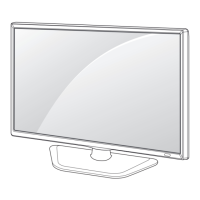
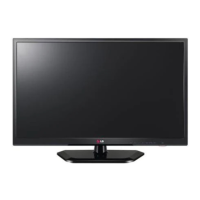
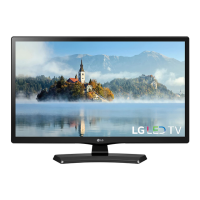
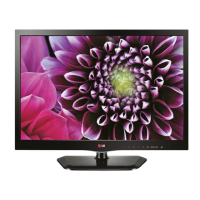
LG 22LB4510 - User Manual

LG 22LB4510
58 pages
Print Icon
To Next Page IconTo Next Page
Loading...
Drawn Approved
Signature
Sunhee.Park Jongok.kim
MMM/DD/YYYY
Jan/20/2014 Jan/20/2014
*LB4510-PU LG MFL67162479
US LED TV(MTV) (1401-REV00)
:LGEAK :LGEKR :LGERS
:LGEAZ :LGEMA :LGESY
:LGEEG :LGEMX :LGETH
:LGEIL :LGEND :LGEVN
:LGEIN :LGERA :LGEWR
:LGEAS
Checked
:Part number
1. Model Description
Printing specification
Jan/20/2014
JinAh.Park
Printed in Mexico
Printed in Poland
Printed in Kazakhstan
Printed in Brazil
:4. Bindery
:5. Language
:6. Number of pages
:Model name
:2nd, 3rd Suffix
:Brand name
:Product name
:1. Trim size (Format)
2. Printing colors
: • Cover
: • Inside
Printed in Korea
: • Inside
(Revision number)
2. Printing Specification
Rev. Number
MMM/DD/YYYY
3. Origin Notification
4. Changes
Printed in Mexico
Printed in Egypt
Printed in India
Printed in Algeria
3. Stock (Paper)
: • Cover
Printed in Indonesia
Printed in Russia
Printed in Poland
Signature
Change Contents
ECO Number
N
O
T
E
“This part contains Eco-hazardous substances (Pb, Cd, Hg, Cr6+, PBB, PBDE, etc.) within LG standard level,
Details should be followed Eco-SCM management standard[LG(56)-A-2524].
Especially, Part should be followed and controlled the following specification.
(1) Eco-hazardous substances test report should be submitted when Part certification test and First Mass Production.
(2) Especially, Don’t use or contain lead(Pb) and cadmium(Cd) in ink.

Printed in China
Printed in China
Printed in Thailand
Printed in Vietnam
1
10
9
8
7
6
5
4
3
2

Other manuals for LG 22LB4510

Questions and Answers

  • R
    rebecca01Jul 26, 2025
    How to fix LG LED TV remote control not working?
    • D
      Dr. Craig DaltonJul 26, 2025
      If your LG LED TV remote isn't working, first, make sure there are no obstacles blocking the path between the remote and the TV's sensor. Then, check the batteries to ensure they are correctly installed and still have power.
  • D
    David Garcia MDJul 30, 2025
    Why does my LG LED TV turn off suddenly?
    • A
      alvarezlindsayJul 30, 2025
      If your LG LED TV turns off unexpectedly, first examine the power control settings to ensure the power supply isn't being interrupted. Also, check the TIME settings to see if the Off Time / Sleep Timer is enabled. Finally, be aware that the TV will automatically shut down after 15 minutes of inactivity if no signal is detected.
  • C
    Cynthia RayAug 3, 2025
    What to do if my LG 22LB4510 LED TV has no image and sound?
    • L
      Laura FloresAug 4, 2025
      If your LG LED TV shows no image and produces no sound, first ensure that the TV is powered on. Next, check that the power cord is securely connected to a working wall outlet. To verify the outlet's functionality, try connecting another device to it.
  • C
    Catherine GarciaAug 8, 2025
    Why does my LG 22LB4510 LED TV turn off by itself?
    • F
      Frank ChavezAug 8, 2025
      If your LG LED TV is turning off unexpectedly, examine the power control settings to ensure the power supply isn't being interrupted. Also, check the TIME settings to see if the Off Time or Sleep Timer feature is enabled. If the TV doesn't receive a signal for 15 minutes, it will automatically shut down.
  • L
    Lauren WatersAug 12, 2025
    What to do if my LG LED TV has no picture and sound?
    • R
      Robert ZamoraAug 12, 2025
      If your LG LED TV has no picture and no sound, start by verifying that the TV is powered on and that the power cord is securely connected to a working wall outlet. To check the outlet, plug in another device to see if it functions correctly.
  • S
    Shannon HamptonAug 16, 2025
    How to fix LG 22LB4510 remote not working?
    • Z
      zhendersonAug 16, 2025
      If you're unable to control your LG LED TV with the remote, start by checking the remote control sensor on the TV itself and try again. Ensure that there are no obstructions between the remote and the TV. Also, verify that the batteries in the remote are working and correctly installed.
  • J
    Jeffrey LewisAug 21, 2025
    Why are there lines on my LG 22LB4510 LED TV screen?
    • C
      Craig SanchezAug 21, 2025
      If you notice vertical and horizontal lines with net patterns shaking on your LG LED TV screen, this could be due to interference from electronic devices. These lines are often caused by high-frequency and strong electromagnetic fields. To resolve this, avoid using devices like cordless phones, hair dryers, or electric drills near the TV. Continuing to use the TV near these devices may cause it to power off.

Summary

Model Description

Model Name and Part Number

Provides model identification details like name, brand, product name, and part number.

Printing Specification

Printing Details and Requirements

Outlines specifications for trim size, colors, paper stock, bindery, language, and page count.

Owners Manual Overview

Supported Model Information

Lists the specific TV models covered by this manual.

Important Safety Instructions

General Safety Precautions

Details essential safety advice for operating the TV, covering liquids, cleaning, ventilation, and heat.

Important Safety Instructions

Power Cord and Plug Safety

Advises on protecting the power cord and safe plug usage to prevent hazards.

General Usage and Installation Safety

Covers safe use of accessories, handling during lightning, servicing, and packing material.

Liquid and Fire Hazard Warnings

Warns against exposing the TV to moisture, liquids, or flammable materials.

Important Safety Instructions

Grounding and Electrical Safety

Explains proper grounding and disconnecting device procedures for electrical safety.

Cleaning and Ventilation

Provides guidance on cleaning the TV and ensuring proper ventilation for operation.

Moving and Handling Precautions

Offers advice on safely moving the TV and handling its components.

Battery Safety

Outlines precautions for handling and disposing of batteries used with the product.

Important Safety Instructions

Screen and Sound Characteristics

Explains minor screen defects (dot defects) and operational sounds (cracking, humming).

Image Burn-in Prevention

Provides instructions on how to avoid permanent screen disfigurement from static images.

Important Safety Instructions

FCC Compliance and Installer Notes

Details FCC regulations and specific notes for cable/TV installers.

Licenses and Notices

Supported Licenses (Dolby, HDMI)

Lists the technologies licensed for use in the product.

Open Source Software Notice

Provides information and access to open-source software used in the product.

Assembling and Preparing

Unpacking and Included Items

Guides users through unpacking the TV and lists all included accessories.

Assembling and Preparing

Using the Joystick Button

Explains how to operate the TV using the joystick button for basic functions and menu navigation.

Assembling and Preparing

Using the Touch Buttons

Details the operation of the TV's touch-sensitive buttons for various functions.

Assembling and Preparing

Attaching and Detaching the Stand

Provides step-by-step instructions for securely attaching and removing the TV stand.

Assembling and Preparing

Lifting and Moving the TV

Offers crucial safety advice and procedures for safely lifting and transporting the television.

Assembling and Preparing

Mounting on a Table

Guides users on safely placing and connecting the TV on a table, ensuring proper ventilation.

Assembling and Preparing

Using the Kensington Security System

Explains how to use the optional Kensington security cable for theft prevention.

Assembling and Preparing

Mounting on a Wall

Provides instructions and safety warnings for mounting the TV on a wall using VESA standards.

Making Connections

Connecting to Antenna or Cable

Details how to connect an antenna or cable box to receive TV signals.

Making Connections

Other Connections (HDMI, Component, AV, USB)

Explains how to connect various external devices like Blu-ray players, PCs, and game consoles.

Making Connections

Connecting to a PC

Guides users on establishing a connection between a PC and the TV for display.

Remote Control

Remote Control Button Functions

Describes the purpose and operation of each button on the TV remote control.

Settings

Channel Setup and Energy Saving

Covers automatic channel tuning and features to reduce power consumption.

Picture Mode and Advanced Settings

Explains how to select picture modes and adjust advanced picture settings for optimal viewing.

Settings

Additional Picture Options and Sound Settings

Details further picture adjustments and how to select the TV speaker output.

Password, Caption, and Reset

Guides on setting passwords, using captions, and resetting the TV to initial settings.

Settings

USB Device Management and Media Support

Explains safe USB removal, usage warnings, and supported media file formats.

Web Manual Access

Instructs users on how to access the complete online manual for detailed information.

Specifications

General Specifications and Model Details

Lists general technical specifications, dimensions, weight, power, and adapter details for the TV models.

Specifications

Supported Display Modes and Ports

Details the display resolutions and frequencies supported via PC/HDMI and component connections.

Maintenance

Cleaning the TV and Power Cord

Provides instructions for safely cleaning the TV screen, frame, and power cord.

Troubleshooting

Common Problems and Solutions

Offers solutions for typical issues encountered with the TV, such as remote control problems or display issues.

Child Safety: Proper Television Placement Matters

General Safety and Placement Guidelines

Emphasizes safe placement of the TV to prevent tipping and injury.

Wall;Ceiling Mounting Safety

Advises on safe installation practices for wall or ceiling mounts.

Moving Older CRT Televisions

Provides specific care instructions for repositioning older CRT models.

Declaration of Conformity

Customer Support and Product Registration

Lists contact details for customer service and information on registering the product.

ENERGY STAR Compliance

Details the TV's compliance with ENERGY STAR standards for energy efficiency.

LG 22LB4510 Specifications

General IconGeneral
Screen shapeFlat
Display diagonal21.5 \
Display brightness200 cd/m²
Native aspect ratio16:9
Native refresh rate60 Hz
LED backlighting type-
Supported video modes1080i, 1080p, 720p
Viewing angle, vertical170 °
Contrast ratio (dynamic)5000000:1
Contrast ratio (typical)1000:1
Screen format adjustments4:3, 14:9, 16:9
Viewing angle, horizontal160 °
Supported graphics resolutions1280 x 720 (HD 720), 1920 x 1080 (HD 1080)
Motion interpolation technologyMCI (Motion Clarity Index) 120
3DNo
Smart modesCinema, Energy saving, Game, Photo, Sports, Standard, Vivid
RMS rated power10 W
Number of speakers2
DVI-D ports quantity0
USB 2.0 ports quantityUSB 2.0 ports have a data transmission speed of 480 Mbps, and are backwards compatible with USB 1.1 ports. You can connect all kinds of peripheral devices to them.
Audio formats supportedMP3
Image formats supportedJPG, JPS
Video formats supportedMPEG1, MPEG2
Product colorBlack
Panel mounting interface75 x 75 mm
Power consumption (standby)0.4 W
Power consumption (typical)30 W
Sustainability certificatesENERGY STAR
CertificationFCC-B, UL, EPA
Cables includedAC
Weight and Dimensions IconWeight and Dimensions
Depth (with stand)140.6 mm
Height (with stand)355.9 mm
Weight (with stand)2800 g
Depth (without stand)52.7 mm
Width (without stand)507.6 mm
Height (without stand)314.7 mm
Weight (without stand)2600 g

Related product manuals