Need help?
Do you have a question about the LG 22LJ4540-PU and is the answer not in the manual?
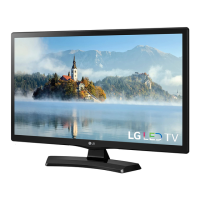
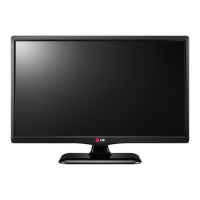
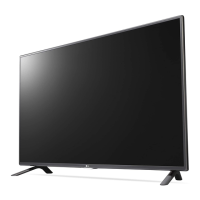
This document serves as a service manual for LG LED TVs, specifically models 22LJ4540 and 22LJ4540-PU, built on the LU72A chassis. It provides comprehensive information for technicians, covering safety precautions, servicing procedures, specifications, software updates, troubleshooting guides, block diagrams, and an exploded view of the device.
The LG LED TV is designed to provide a visual and auditory entertainment experience. It supports various input signals and display resolutions, making it versatile for different content sources. The television incorporates a main SOC (System on Chip) that acts as the central processing unit, managing video and audio processing, as well as overall system control. It includes components for receiving broadcast signals (ATSC/NTSC-M, 64 & 256 QAM), processing external video inputs such as HDMI, Component, and Composite (CVBS), and handling audio signals. The device features an LED backlight system for display illumination, controlled by an LED driver. For connectivity, it offers multiple ports including RF input for antenna/cable, HDMI for high-definition sources, USB for media playback, and D-Sub for PC connection. The internal architecture includes memory components like Serial Flash and EEPROM for firmware and settings storage, and DDR2 RAM for operational data.
The LG LED TV is designed for ease of use, offering multiple ways to connect and enjoy content. Users can connect to various broadcast systems, including VHF, UHF, and CATV channels, supporting both analog and digital television standards. For external devices, the TV provides HDMI inputs, which are compliant with HDMI version 1.4 and support HDCP, allowing for secure playback of copyrighted content from sources like Blu-ray players or gaming consoles. Component and Composite video inputs are available for older devices. The USB port enables users to play back multimedia content such as photos and music directly from a USB stick, enhancing the TV's utility as a media hub. The D-Sub port allows the TV to function as a monitor for a personal computer, supporting various RGB-PC resolutions. The TV's software can be updated via USB, ensuring that users can keep their device current with the latest features and bug fixes. The update process is designed to be straightforward, involving placing a specific file in a designated folder on a USB stick, which the TV then automatically detects and uses for the update.
The service manual emphasizes critical safety precautions and detailed servicing procedures to ensure the longevity and safe operation of the LG LED TV. Technicians are advised to use an isolation transformer during servicing to prevent electrical shocks and protect components. Specific instructions are provided for replacing safety-related parts, identified by a special symbol in the exploded view, with identical components to maintain safety standards. The manual outlines procedures for performing AC leakage current checks on exposed metallic parts to ensure the set is safe from electrical shock hazards before returning it to the customer.
For component replacement, the manual offers detailed guidance on handling various types of parts, including ICs, "Small-Signal" Discrete Transistors, Power Output Transistors, Diodes, Fuses, and Conventional Resistors. It specifies techniques for desoldering and soldering, emphasizing the importance of maintaining original spacing between components to prevent overheating and using grounded-tip soldering irons to protect electrostatically sensitive (ES) devices. Instructions are also provided for repairing circuit board foil, detailing how to install jumper wires for damaged copper patterns at IC connections and other points, ensuring proper insulation and secure connections.
Troubleshooting guides are included to help diagnose common issues such as "No Power," "No Screen on," "No Video - Digital TV," and "No Video - HDMI." These guides provide step-by-step flowcharts for identifying the root cause of problems, such as checking voltage levels, clock signals, cable connections, and specific IC outputs. For software-related issues, the manual describes the USB update process, which can resolve problems related to firmware. In cases of component failure, the guides direct technicians to replace specific ICs, modules, or cables, ensuring efficient and accurate repairs. The manual also highlights the importance of adjusting "TOOL OPTION" settings after a software update, indicating a post-update configuration step.
 General
| Screen Size | 22 inches |
|---|---|
| Display Type | LED |
| Resolution | 1366 x 768 |
| Refresh Rate | 60 Hz |
| HDMI Ports | 2 |
| USB Ports | 1 |
| Sound Output | 10W |

 To Next Page