ENGLISH
3
CAUTION
y
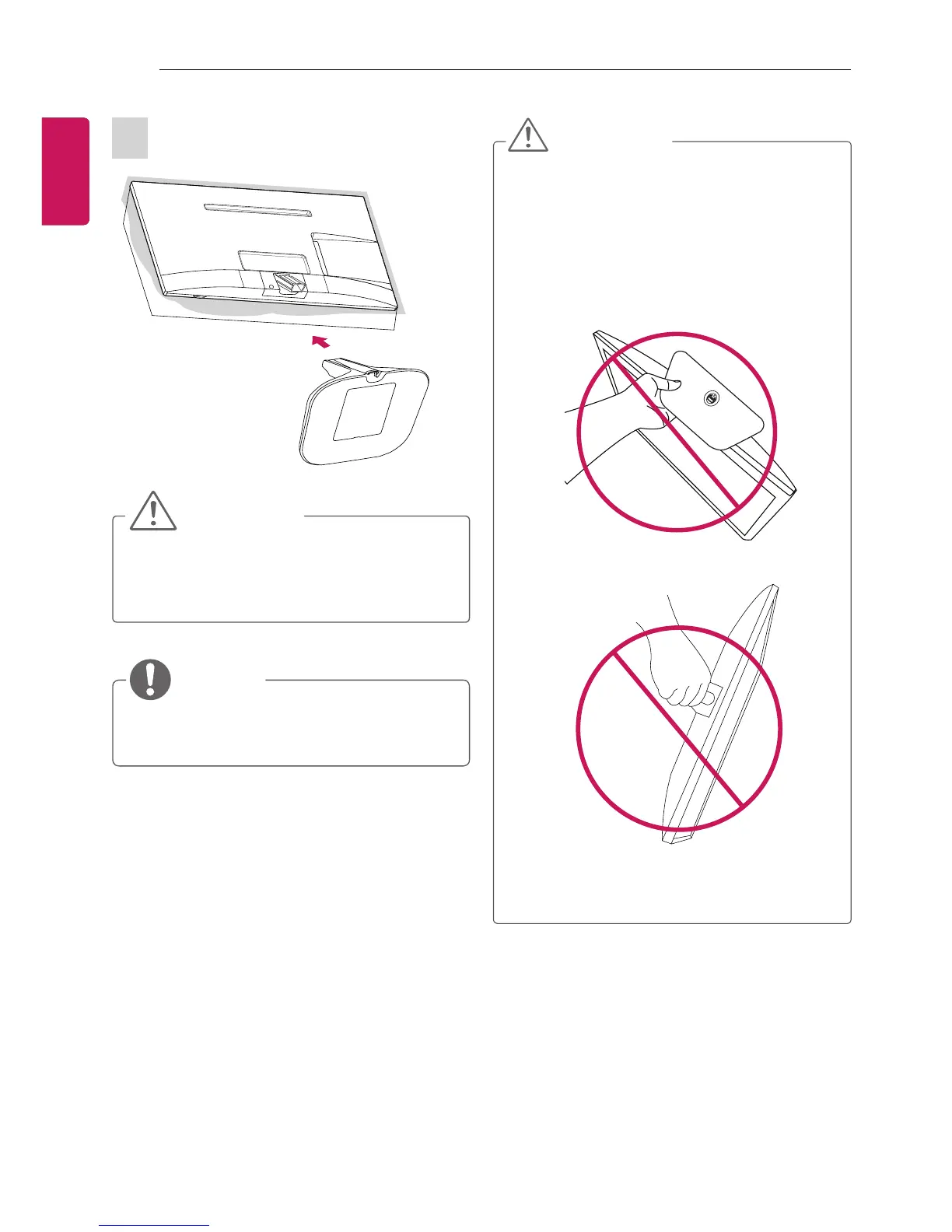
When attaching the stand to the TV
set, place the screen facing down on a
cushioned table or flat surface to protect
the screen from scratches.
NOTE
y
Remove the stand before installing the TV
on a wall mount by performing the stand
attachment in reverse.
CAUTION
y
Do not carry the TV upside-down by
holding the stand body (or stand base)
as this may cause it to fall off, resulting in
damage or injury.
y
The illustration shows a general example
of installation and may look different from
the actual product.



 To Next Page