EasyManua.ls Logo

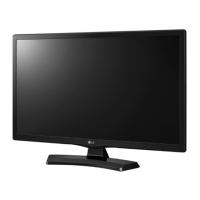
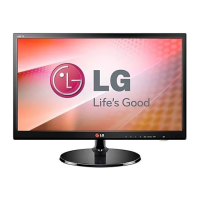
LG 22MT45D - User Manual

LG 22MT45D
33 pages
Print Icon
To Next Page IconTo Next Page
Loading...
www.lg.com
MT45*
Please read this manual carefully before operating your TV
and retain it for future reference.
*Disclaimer
LG LED TV applies LCD screen with LED backlights.
OWNER’S MANUAL
LED TV

Questions and Answers

  • R
    Richard BrowningAug 2, 2025
    Why does my LG LED TV turn off suddenly?
    • C
      carolynbennettAug 2, 2025
      If your LG LED TV suddenly turns off, first check the power control settings, as the power supply may be interrupted. Also, verify if the Sleep Timer or Off Time feature is activated within the TIME settings. If the TV is on but not receiving a signal, it will automatically shut down after 15 minutes of inactivity.
  • A
    Ashley DavisAug 8, 2025
    How to fix LG LED TV remote control not working?
    • B
      Brendan HardingAug 8, 2025
      If you cannot control your LG LED TV with the remote, start by checking the remote control sensor on the TV and try again. Ensure there are no obstacles blocking the path between the remote and the TV. Finally, check the batteries in the remote to make sure they are working and properly installed.
  • L
    Lindsey SmithAug 16, 2025
    What to do if my LG LED TV has no image and sound?
    • K
      kaylabrownAug 16, 2025
      If your LG LED TV has no image and no sound, first ensure that the TV is turned on. Next, check whether the power cord is properly connected to a working wall outlet. To verify the outlet's functionality, connect other products to it.
  • D
    Daniel GriffinAug 23, 2025
    What to do if my LG 22MT45D says ‘No signal’ when connecting to PC?
    • J
      Jennifer VasquezAug 23, 2025
      If your LG LED TV displays ‘No signal’ or ‘Invalid Format’ when connected to a PC via HDMI/DVI/RGB, try turning the TV off and then on again using the remote control. If that doesn't work, try reconnecting the HDMI/RGB cable. As a final step, restart your PC while the TV is powered on.

Summary

Assembling and Preparing

Part and Button Identification

Using the Joystick Control

Mounting on a Wall

Making Connections

Other External Device Connections

Connecting to a PC

Remote Control Operations

Settings and Configuration

Programme Setup and Picture Wizard

Configure automatic program tuning and adjust picture quality with Picture Wizard.

Picture Mode Selection

Select optimal picture modes for different viewing environments or content.

Advanced Picture Options

Access detailed picture adjustments and fine-tuning options.

Energy Saving and Motion Control

Optimize power consumption and adjust motion smoothness for a better viewing experience.

Maintenance and Care

Troubleshooting Common Issues

Product Specifications

LG 22MT45D Specifications

General IconGeneral
3DNo
HD type-
Pixel pitch0.24795 x 0.24795 mm
Aspect ratio4:3, 16:9
Composite syncYes
Display surfaceMatt
Display diagonal21.5 \
Native aspect ratio16:9
Viewing angle, vertical160 °
Contrast ratio (dynamic)5000000:1
Display number of colors16.78 million colors
Viewing angle, horizontal170 °
Display brightness (typical)200 cd/m²
Digital signal format systemDVB-C, DVB-T
USB Type-A downstream ports quantity0
RMS rated power10 W
Number of speakers2
Product colorBlack
Tilt angle range-5 - 20 °
Panel mounting interface100 x 100 mm
AC input voltage100 - 240 V
Power consumption (max)30 W
Power consumption (off)0.4 W
Power consumption (standby)- W
Power consumption (PowerSave)1 W
Cables includedAC
Weight and Dimensions IconWeight and Dimensions
Depth (with stand)166.4 mm
Height (with stand)364.3 mm
Weight (with stand)3000 g
Depth (without stand)56 mm
Width (without stand)507.6 mm
Height (without stand)314.7 mm
Weight (without stand)2800 g

Related product manuals