15
4
1
2
3
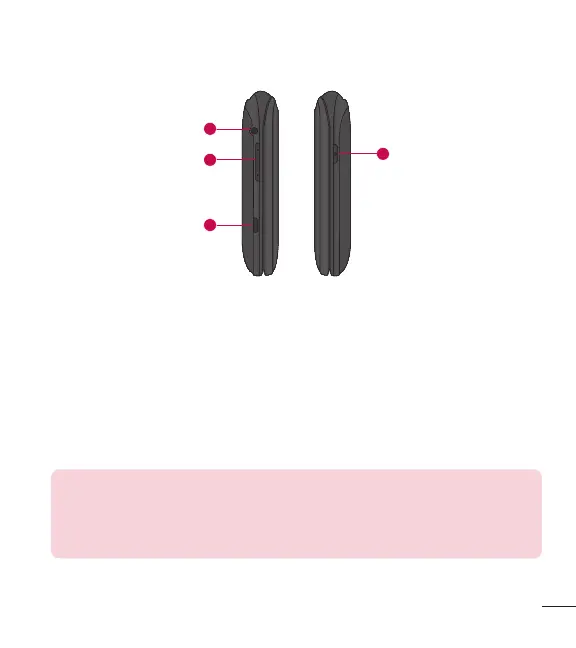
1 Headset Jack Allows you to plug in an optional 3.5mm headset for convenient,
hands-free conversations.
2 Volume Keys Use to adjust the Master Volume in standby mode and the
Earpiece Volume during a call. Use to adjust font sizes when viewing messages,
entering phone numbers (in standby mode) or browsing menus (except for the
Main menu).
3 Charger/Accessory Port Connects the phone to the charger or other
compatible accessories.
Charging with PC & USB cable: You can use your computer to charge
your phone. Connect one end of a USB cable to the Charger/ Accessory
Port on your phone and the other end to a high-power USB port on your
PC (commonly located on the front panel of the computer).
4 Camera Key Use to take photos. Keep it clean for optimal photo quality.



 To Next Page